|
VOOZH | about |
|
VOOZH | about |
Email-based collaboration allows developers to share patches and discuss changes directly from Git, making reviews and communication more efficient.
git send-email is a Git command for sending patches directly from a repository using Gmail with App Passwords.
A patch is a small file that represents changes made to a repository and can be shared for review or inclusion.
Note: This tutorial is based on Ubuntu and expect you already have git installed in your system, if not you can check this tutorial on how to install git.
Configure the environment and required tools to send emails using Git functionality.
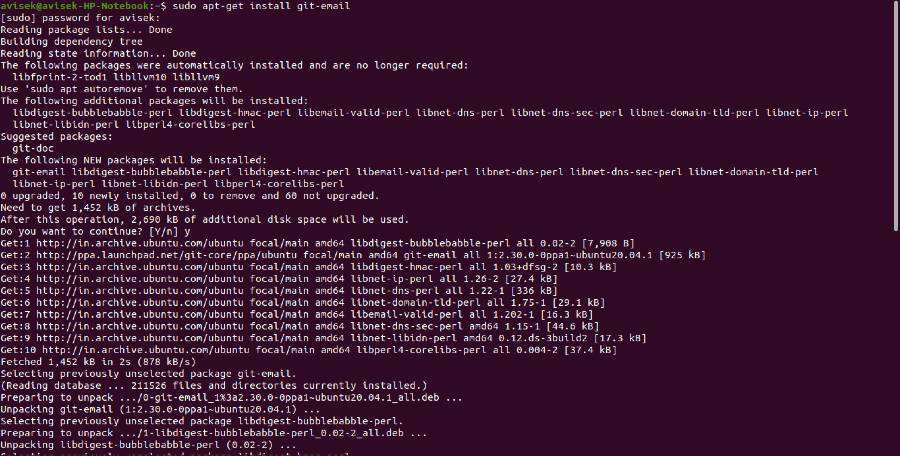
You need to ensure that you have the necessary packages installed. On Debian-based systems like Ubuntu, you can install the git-email package using:
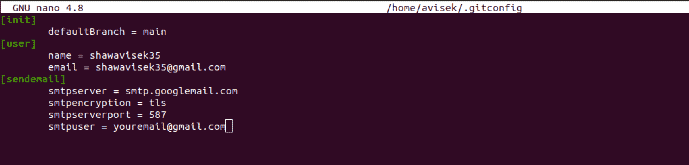
sudo apt-get install git-email👁 ImageTo configure git send-email to use Gmail, you need to set up your Git configuration with your Gmail account details. You can do this by running the following commands:
git config --global --edit👁 Image[sendemail]
smtpserver = smtp.gmail.com
smtpencryption = tls
smtpserverport = 587
smtpuser = youremail@gmail.comReplace youremail@gmail.com with your actual Gmail address.
After editing the file, save and exit the editor.
Note: Google has disabled basic authentication for SMTP. To use git send-email with Gmail, you must use App Passwords or an alternative SMTP provider.
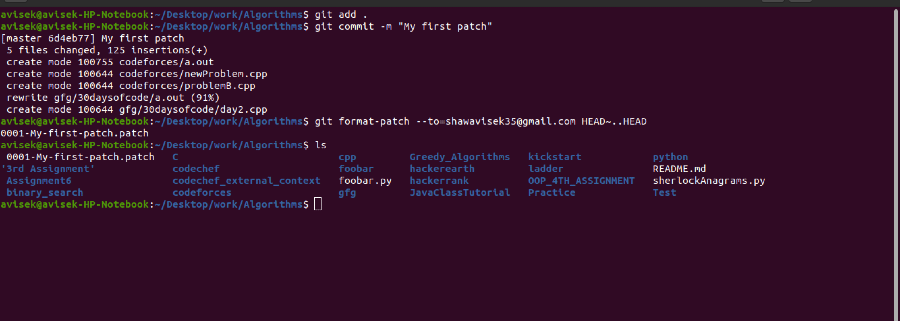
This step generates a .patch file from your recent changes. After modifying and saving the files, commit the changes and run the commands to create the patch.
git add .
git commit -m "your message"
git format-patch --to=senderemail@gmail.com HEAD~..HEAD👁 ImageNote: The HEAD~ option tells git to create the patch of the latest commit only but if you want to create a patch of your last two commits then simply change HEAD~ to HEAD~2.
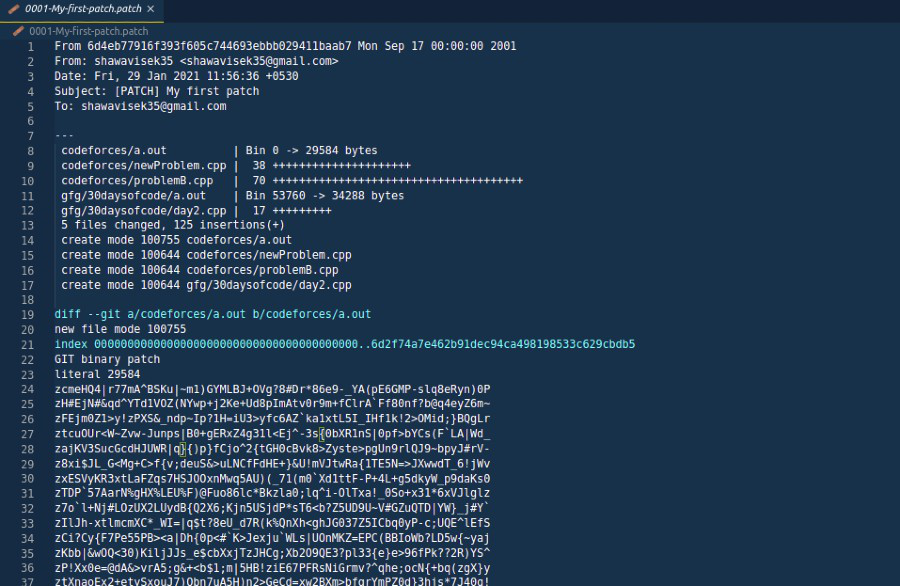
As you can see after successfully running those commands, a patch file is generated, and we will send this file using git send-email.
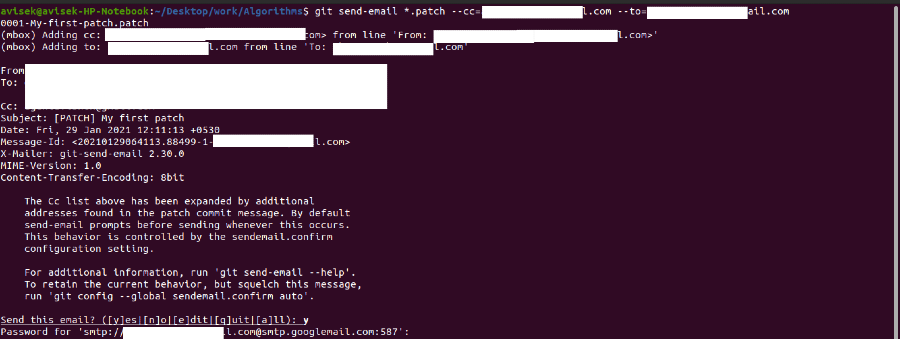
👁 ImageOnce we have the .patch file we can send this patch file to the person maintaining the repository or the one to whom the message is intended to be sent. To do this run the following command:
git send-email *.patch --to=receiver@gmail.com --cc=carboncopy@gmail.comNote: Don't forget to update the --to option and the --cc option with actual email addresses.
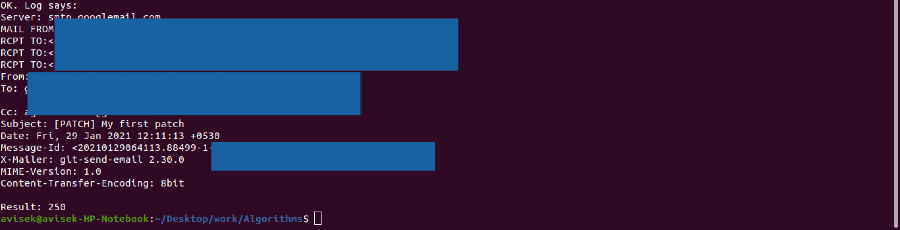
Once you run this command, Git will prompt for your Gmail App Password. Enter the password, and you will receive a success message after the email is sent successfully.
👁 ImageNow wait for it to get reviewed and once reviewed and found valid your contribution will be successful.