|
VOOZH | about |
|
VOOZH | about |
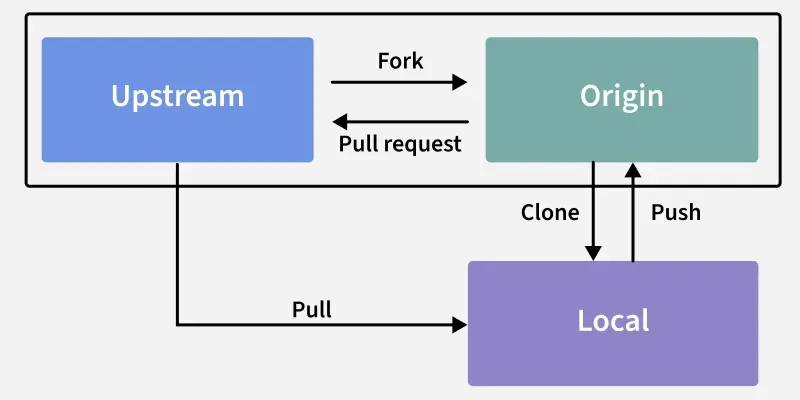
An upstream branch is the remote branch associated with a local branch that Git uses as the default reference for synchronization.
To set an upstream branch using git push, first create and switch to a new branch using the -b option.
git checkout -b <branch name>After running the command, Git switches to the newly created branch and confirms the branch change.
If the current branch (e.g., new_branch) has no upstream configured, running git push returns an error indicating that no upstream branch is set.
👁 switching-branchSet the upstream branch using the git push command with the -u option, replacing <branch-name> with the name of your local branch.
git push -u origin <branch name>Alternatively, you can use the '--set-upstream' command as well to set the Upstream branch
git push --set-upstream origin <branch name>👁 use-set-upstream-commandTo change the upstream branch of the current local branch, use:
git branch -u <remote/branch name>Example:
git branch main -u <origin/new_branch>
git branch main -u <origin/main>
After running the command, Git prints a confirmation message indicating that the upstream branch has been updated.
👁 confirmation-messageTo view which local branches are tracking upstream branches, use the -vv option with git branch.
git branch -vv👁 git-branchingThe main branch tracks origin/main, the test branch tracks origin/test, and the new_branch branch tracks origin/new_branch.