|
VOOZH | about |
|
VOOZH | about |
Did you make a mistake with `git reset --hard` and lose your uncommitted changes? Depending on the situation, there might be a way to get them back. Here's what you can do:
This command discards any uncommitted changes and moves your project back to a specific point in history. It's a powerful tool, but use it carefully!
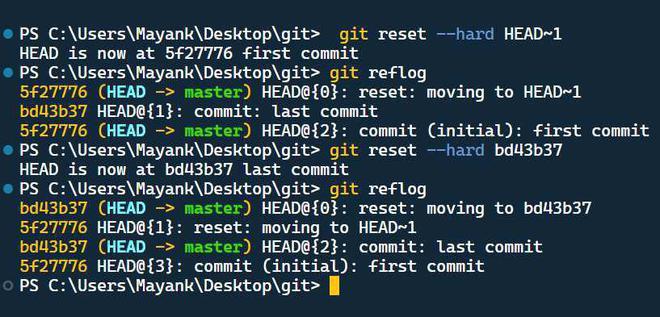
Git keeps a log of changes to your project's history. Use the `git reflog` command to view this log. Look for the commit hash (unique code) before the `HEAD~<number>` reset (where `<number>` indicates how many commits you went back). This is the commit you want to recover from.
git reflogUse `git reset --hard <commit_hash>` to detach your project to that specific commit. This essentially undo the `git reset --hard` and brings you back to the desired state.
git reset --hard <commit_hash>