|
VOOZH | about |
|
VOOZH | about |
Git blame is a Git command that annotates each line in a file with the following information.
git blame [options] <file-name>To identify the author and commit details for a specific line in a file within a Git repository, use the appropriate Git command as shown below.
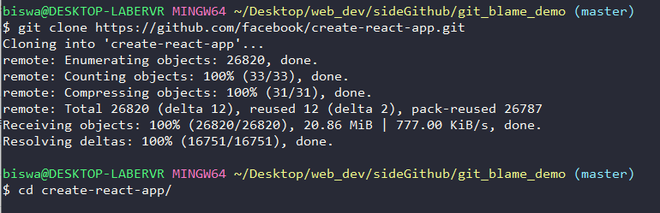
Step 1: Move to an empty folder and initialise it with an empty git repository.
👁 ImageStep 2: Clone the required repository from GitHub and navigate to the cloned directory.
Step 3: Run the git blame command with the relative file path to view the author and commit details for each line.
git blame <file-name>Step 4: To view details for CONTRIBUTING.md in the current directory, run the following command:
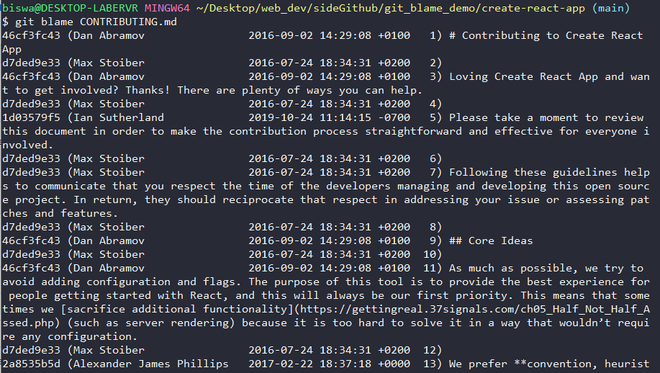
git blame CONTRIBUTING.mdOutput:
Tip: Observe that the last column of output displays the line number along with the code on that line.
Output study
Let's examine the first line of output:
👁 Image| Commit Id | Author Name | Timestamp | Code |
|---|---|---|---|
| 46cf3fc43 | Dan Abramov | 2016-09-02 14:29:08 +0100 | # Contributing to Create React App |
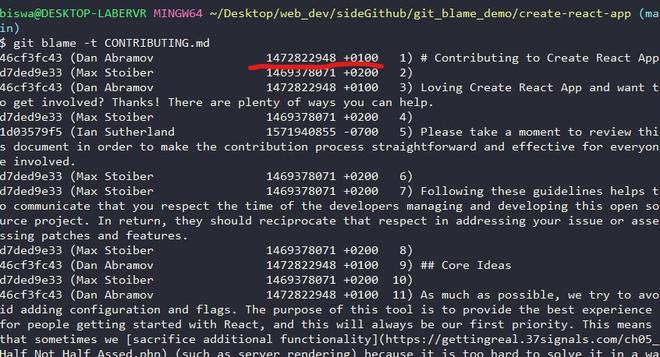
-t).git blame -t CONTRIBUTING.mdOutput:
To view detailed information about a specific commit, use the commit ID obtained from the git blame output.
git log -p <commit-id>Example:
git log -p 46cf3fc43Git provides multiple options to analyze file modifications in detail.
To view output for a range of lines
git blame -L start-line,end-line <file-name>The below command shows output for lines 2 to 5 both inclusive.
git blame -L 2,5 CONTRIBUTING.mdThe output is shown below:
Note: You will get the same output for command - git blame -L 4,+3 README.md. Here 4,+3 signifies output for 3 lines starting from the fourth line.
To view the author email id
git blame -e CONTRIBUTING.mdThe above command will show the author's email id instead of the author's name in the result. The output is shown below:
👁 ImageTo view changes not older than the given time
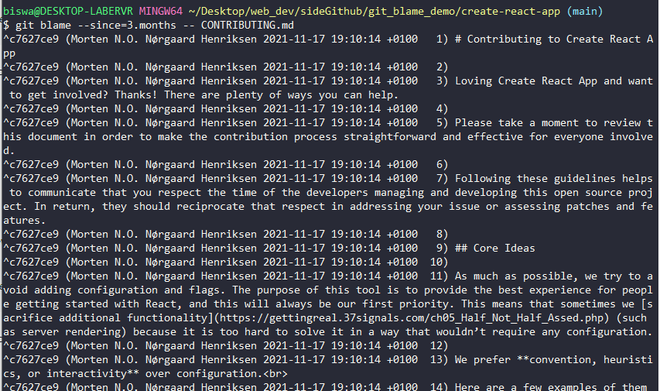
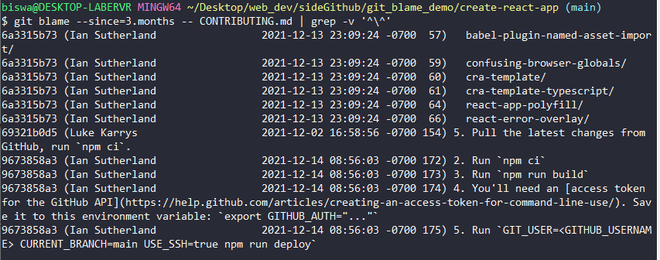
git blame --since=3.months CONTRIBUTING.mdOutput:
git blame --since=3.months CONTRIBUTING.md | grep -v '^\^'Git hosting sites like GitHub, Bitbucket, GitLab offer GUI displays for git blame, which gives a clear display of modification history in a file.
Example: GitHub
Step 1: Navigate to the file for which you want to see the modification history and click on the Blame option as shown below.
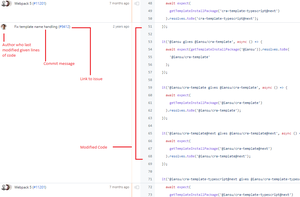
👁 ImageStep 2: The structure of output is described in the image below :
git blame is a powerful command for analyzing line-level commit history and works effectively with other Git commands for deeper repository inspection.