|
VOOZH | about |
|
VOOZH | about |
The mutate() function in R Programming Language is used to add new variables in a data frame which are formed by performing operations on existing variables. It can be used by loading the dplyr library.
mutate(x, expr)
Parameters:
mutate() Function in RIn R there are five types of main function for mutate that are describe as below. We will use dplyr package in R for all mutate functions. The dplyr library can be installed using the install.packages() function.
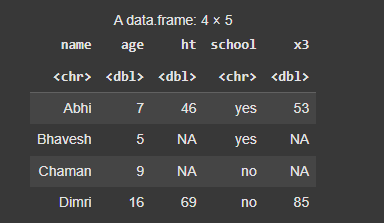
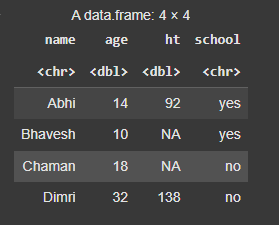
1. mutate() Function in RThe mutate() function in R is used to create new variables or modify existing variables in a data frame without removing any other variables. It allows you to apply transformations or calculations to columns and add the result as new columns or overwrite existing ones.
Output:
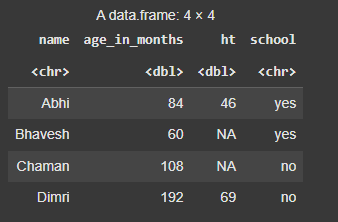
Function in RThe transmute() function in R is used to create new variables or modify existing variables in a data frame, while simultaneously dropping the variables that are not part of the result.
Output:
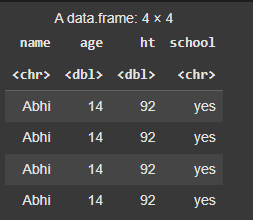
Function in RThe mutate_all() function is used to apply a transformation to all variables in a data frame simultaneously.
Output:
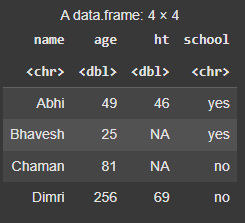
Function in RThe mutate_at() function in R is used to apply transformations to specific columns in a data frame, based on a condition, such as column names or positions.
Output:
Function in RThe mutate_if() function in R, part of the dplyr package, is used to apply a transformation to variables in a data frame based on a specific condition. It allows you to selectively apply a mutation only to the variables that satisfy the specified condition.
Output:
In this article, we explored how to add new variables to a data frame using existing variables in R Programming, with the help of the mutate() function.