|
VOOZH | about |
|
VOOZH | about |
ggplot2 is a open-source data visualization package in R based on the concept of the Grammar of Graphics. It allows users to build complex and elegant visualizations by combining multiple layers in a structured way. Instead of writing long plotting code ggplot2 lets you construct graphs step by step using clear components.
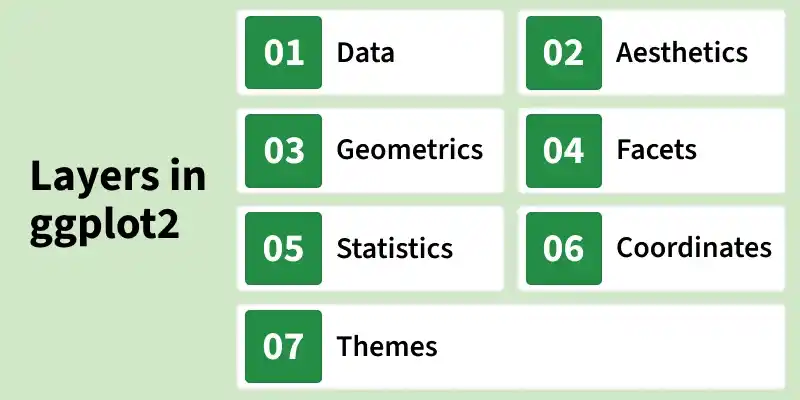
ggplot2 builds every plot using multiple layers. Each layer has a specific role in defining how the data is displayed.
The data layer represents the dataset used to create the visualization. It can be a data frame or any structured dataset in R.
The aesthetic layer maps variables in the dataset to visual properties of the plot.
Geoms define how the data is displayed on the plot. Each geom represents a different visual representation of the data.
Faceting divides data into subsets and displays multiple plots based on categories. Useful for comparing groups within the same dataset.
The statistical layer performs transformations on the data before plotting.
Some geoms automatically apply statistical transformations.
The coordinate system controls how data points are positioned in space. Coordinates determine the relationship between data and the display area.
The theme layer controls the non-data elements of the plot (appearance). Themes improve readability and presentation quality.
Examples: theme_minimal(), theme_classic(), theme_bw()
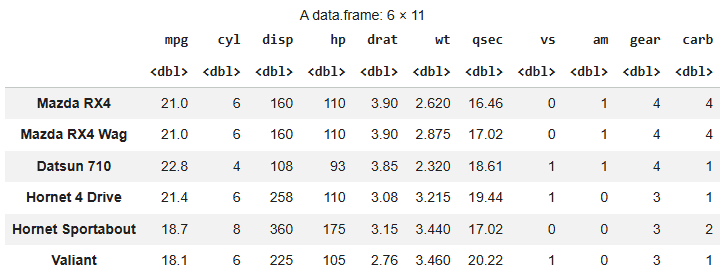
We will use the mtcars(motor trend car road test) dataset which is a built in dataset in R. It comprise fuel consumption and 10 aspects of automobile design and performance for 32 automobiles.
Install and load the necessary libraries. These packages provide tools for data manipulation and visualization. The head() function displays the first six rows of the dataset.
Output:
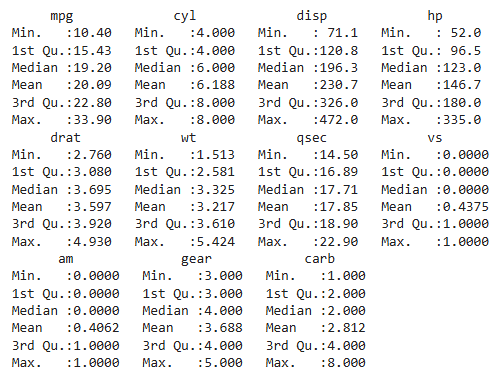
Now we print the summary of mtcars dataset using summary function.
Output:
The data layer we define the source of the information to be visualize, let’s use the mtcars dataset in the ggplot2 package.
Output:
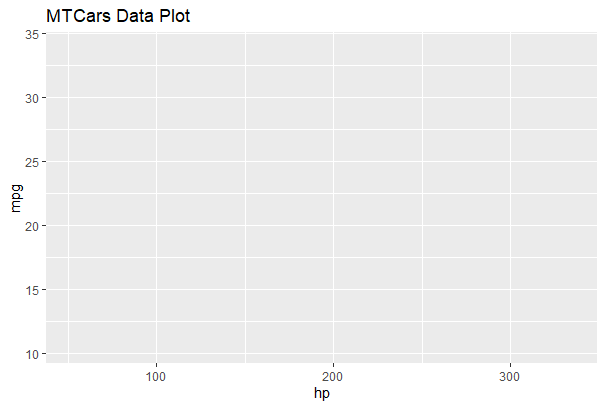
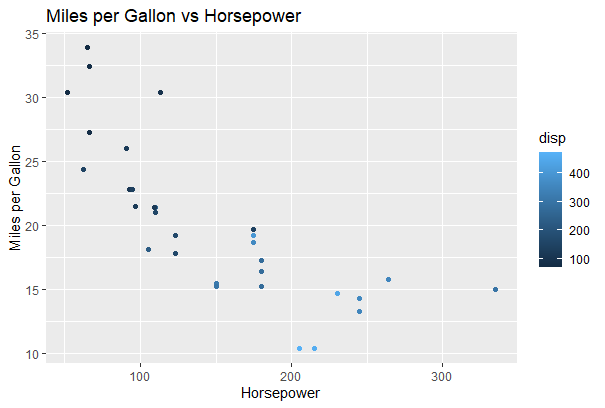
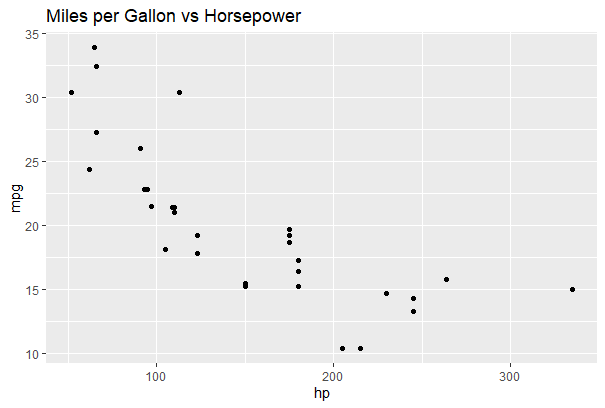
Here we will display and map dataset into certain aesthetics. Map horsepower (hp) to the x-axis, miles per gallon (mpg) to the y-axis and displacement (disp) to color.
Output:
The plot area is prepared with mapped aesthetics, but no points appear because no geometry layer is added.
The geometric layer control the essential elements, see how our data being displayed using point, line, histogram, bar, boxplot.
Output:
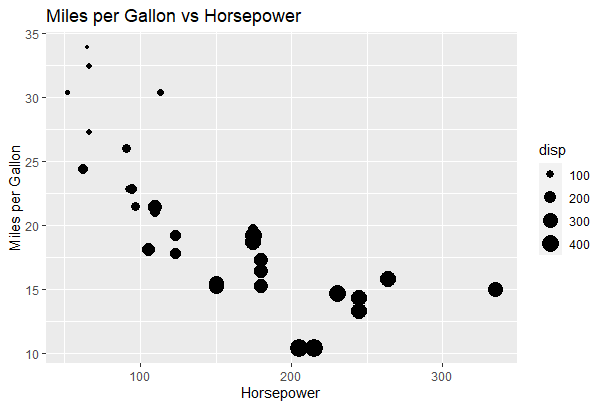
Add Size Aesthetic: Maps engine displacement (disp) to point size, so cars with larger engines appear as bigger dots in the scatter plot.
Output:
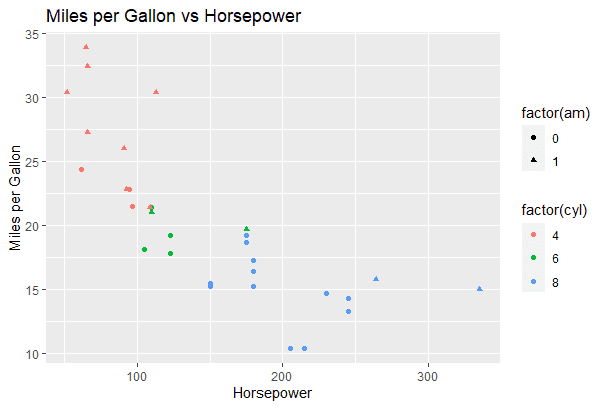
Add Shape and Color Categories: Uses color for cylinder count and shape for transmission type to visually differentiate car categories in one plot.
Output:
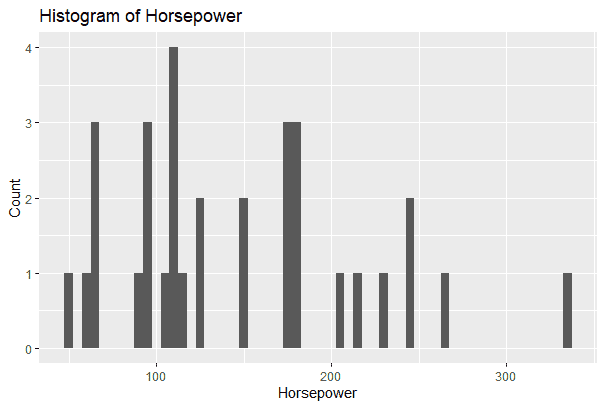
Histogram: Creates a histogram of horsepower to show its frequency distribution across different value ranges.
Output:
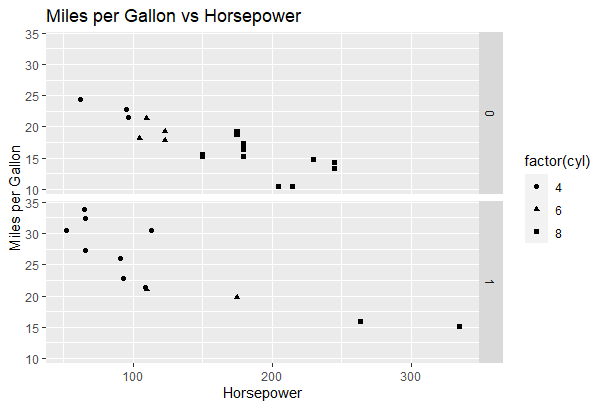
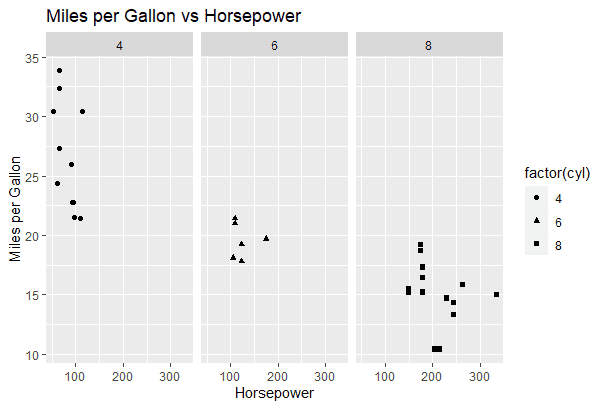
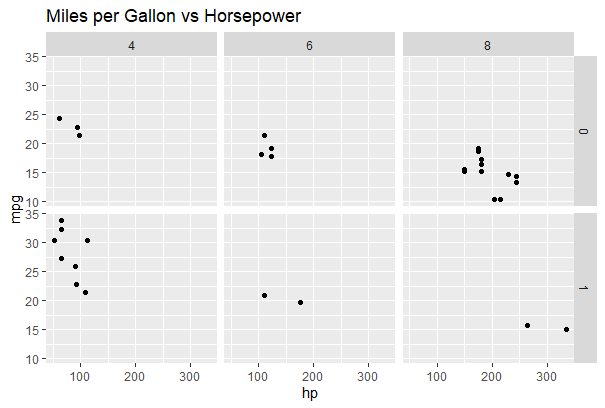
The facet layer is used to split the data up into subsets of the entire dataset and it allows the subsets to be visualized on the same plot. Here we separate rows according to transmission type and Separate columns according to cylinders.
Apply Faceting (Row-wise): Here we split the scatter plot by transmission type.
Output:
Apply Faceting (Column-wise): Now we split the scatter plot by cylinder count.
Output:
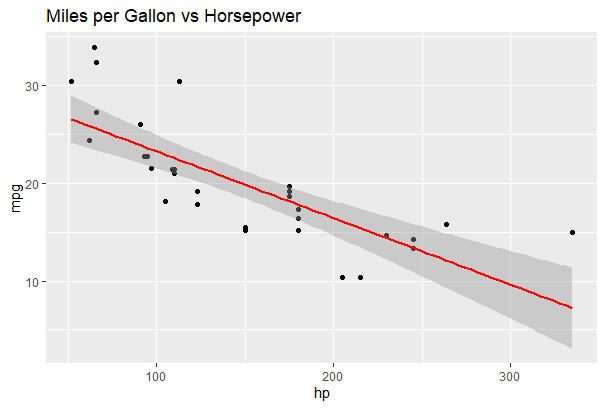
This layer transforms our data using binning, smoothing, descriptive statistics and intermediate summaries. It also adds a linear regression line to show the trend.
Output:
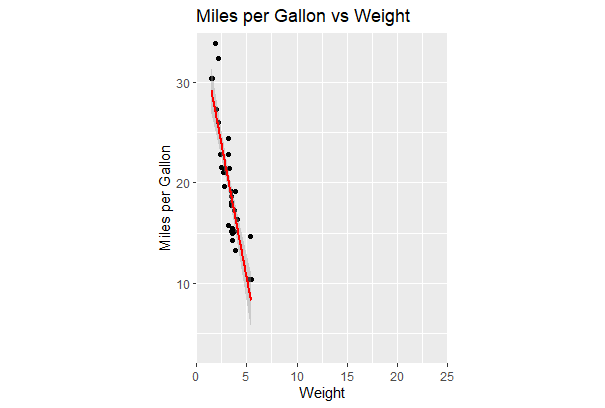
In these layers, data coordinates are mapped together to the mentioned plane of the graphic and we adjust the axis and changes the spacing of displayed data with Control plot dimensions.
Output:
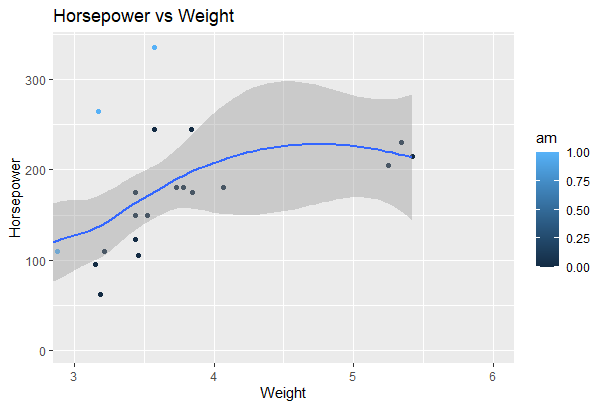
Zoom Using coord_cartesian():
Output:
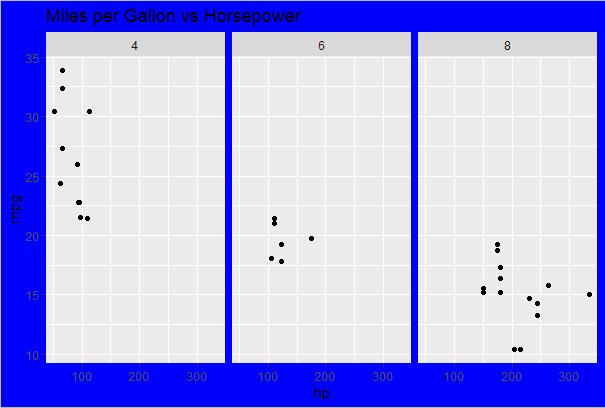
This layer controls the finer points of display like the font size and background color properties.
Apply Custom Theme: Modify plot appearance using theme elements.
Output:
Apply Built-in Theme: Here we use a predefined ggplot2 theme.
Output:
Advanced plotting features in ggplot2, including density contours, multi-plot panels and methods for saving and managing visualizations.
A contour plot visualizes the density distribution of two continuous variables. In ggplot2 stat_density_2d() is used to create 2D density contours that highlight areas where data points are more concentrated.
Here we code generates a 2D density contour plot for weight (wt) and miles per gallon (mpg) from the mtcars dataset.
Output:
Creating a panel of plots allows multiple visualizations to be displayed together for easy comparison. The gridExtra package helps arrange multiple ggplot objects into a structured grid layout.
Here we creates four histograms for selected variables from the mtcars dataset and arranges them in a 2-column grid.
Output:
Saving plots allows you to export visualizations for reports, presentations or publications. In ggplot2, the ggsave() function is used to store plots in different file formats such as PNG and PDF.
In this code we creates a scatter plot and saves it as both PNG and PDF files, while also storing it in a variable for later use.
Output:
Download full code from here.