|
VOOZH | about |
|
VOOZH | about |
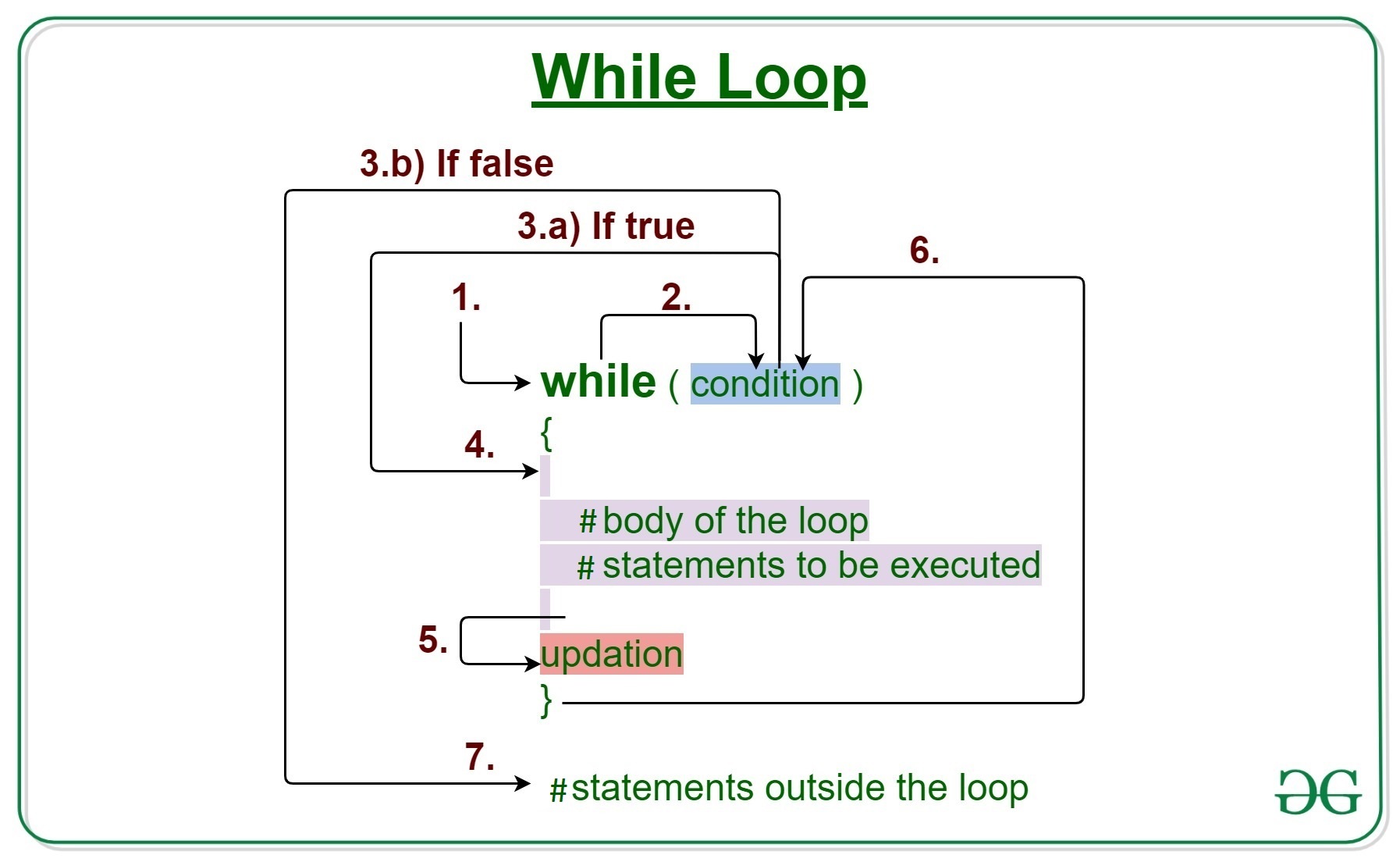
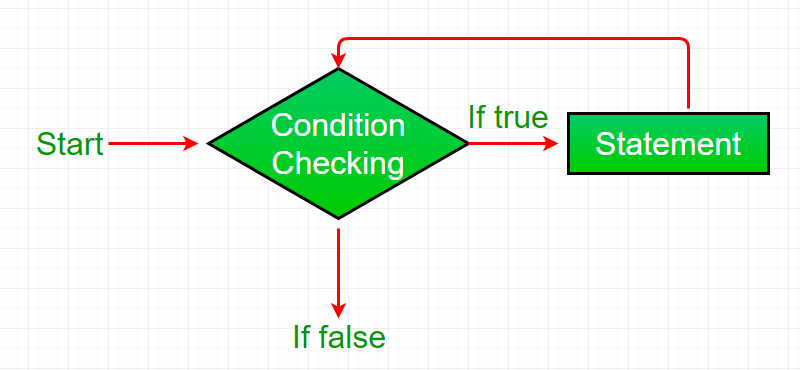
While loop in R programming languageis used when the exact number of iterations of a loop is not known beforehand. It executes the same code again and again until a stop condition is met. While loop checks for the condition to be true or false n+1 times rather than n times. This is because the while loop checks for the condition before entering the body of the loop.
while (test_expression) {
 statement
 update_expression
}
Example 1:
Output:
[1] "Hello World"
[1] "Hello World"
[1] "Hello World"
[1] "Hello World"
[1] "Hello World"
Example 2:
Output:
[1] 1
[1] 2
[1] 3
[1] 4
[1] 5
Here we will use the break statement in the R programming language. The break statement in R is used to bring the control out of the loop when some external condition is triggered.
Output:
[1] "Hello World"
[1] "Hello World"
[1] "Hello World"
Output
[1] "The current value of x is: 1"
[1] "The current value of x is: 2"
[1] "The current value of x is: 4"
[1] "The current value of x is: 5"
[1] "The current value of x is: 6"
[1] "The current value of x is: 7"
[1] "The current value of x is: 8"
[1] "The current value of x is: 9"
In this instance, x's initial value is set to 1 at the beginning. Then, as long as x is less than 10, we continue iterating using a while-loop. We use an if statement inside the loop to see if x equals 3. If so, the loop's current iteration is skipped in favor of the following one using the next statement. If not, we use the x - x + 1 expression to increment x by 1 and output a message stating the current value of x.
The next line instructs R to move on to the next iteration of the loop and skip the current one. based on a condition, over a subset of the loop's iterations without ever leaving the loop.
Output
[1] "1 is odd"
[1] "2 is even"
[1] "3 is odd"
[1] "4 is even"
[1] "5 is odd"
[1] "6 is even"
[1] "7 is odd"
[1] "8 is even"
[1] "9 is odd"
[1] "10 is even"
In this illustration, we initialize a variable x to 1, and then we iterate through the integers 1 through 10 using a while loop. We utilize an if-else statement inside the loop to determine whether x is even or odd. We publish a message stating that x is even if it is. We print a message noting that x is unusual if it is. Then, until x is more than 10, we increase x by 1 and loop till x is greater than 10.