|
VOOZH | about |
|
VOOZH | about |
Prerequisite: Database Connectivity with R Programming
In R programming Language, a number of datasets are passed to the functions to visualize them using statistical computing. So, rather than creating datasets again and again in the console, we can pass those normalized datasets from relational databases.
R can be connected to many relational databases such as Oracle, MySQL, SQL Server, etc, and fetches the result as a data frame. Once the result set is fetched into data frame, it becomes very easy to visualize and manipulate them. In this article, we'll discuss MySQl as reference to connect with R, creating, dropping, inserting, updating, and querying the table using R Language.
It is a built-in package in R and Its provides connectivity between the R and MySql databases. It can be installed with the following commands:
install.packages("RMySQL")R requires RMySQL package to create a connection object which takes username, password, hostname and database name while calling the function. dbConnect() function is used to create the connection object in R.
Syntax: dbConnect(drv, user, password, dbname, host)
Parameter values:
- drv represents Database Driver
- user represents username
- password represents password value assigned to Database server
- dbname represents name of the database
- host represents host name
Example:
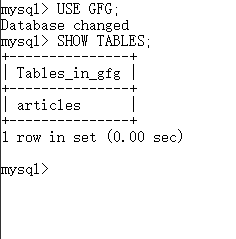
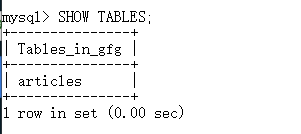
Tables present in the given database:
👁 Image
Output:
Loading required package: DBI
[1] "articles"
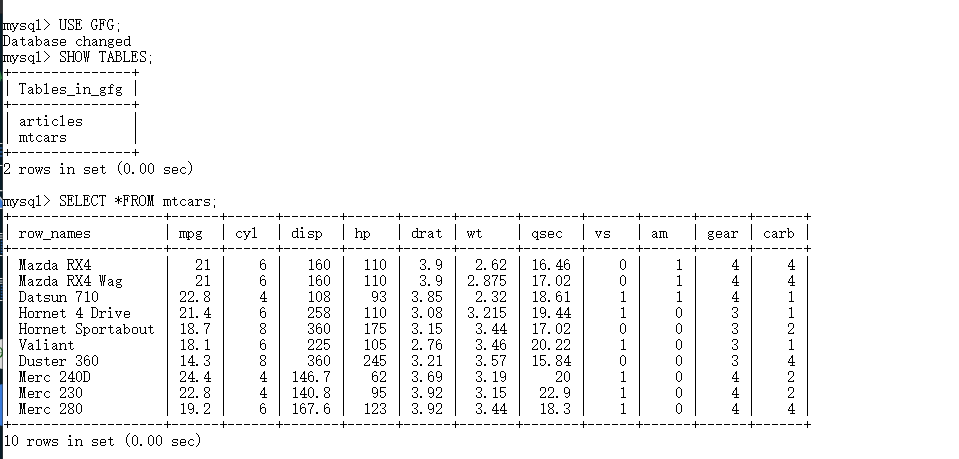
Tables in MySQL can be created using function dbWriteTable() in R. This function overwrites the table if table already exists.
Syntax: dbWriteTable(conn, name, value)
Parameter value:
- conn represents connection object
- name represents name of the table in MySQL
- value represents dataframe that has to be presented as MySQL table
Example:
Output:
[1] TRUE
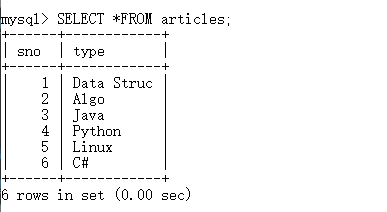
Database table content:
👁 ImageTo perform other operations than creating table, dbSendQuery() function is used to execute a query.
Syntax: dbSendQuery(conn, statement)
Parameter values:
- conn represents connection object
- statement represents query to be executed in MySQL
Example:
Output:
<MySQLResult:745348760, 3, 5>
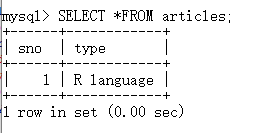
Database content:
👁 ImageHere we are going to insert a value into a table.
Example:
Output:
<MySQLResult:745348760, 3, 6>
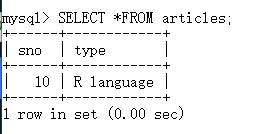
Database content:
👁 ImageHere we are going to update table in Mysql.
Example:
Output:
<MySQLResult:-1, 3, 7>
Database content:
👁 ImageHere we are going to see how to use query in table.
Example:
Output:
 sno type
1 1 Data Struc
2 2 Algo
3 3 Java
Database content:
👁 Image