|
VOOZH | about |
|
VOOZH | about |
R Programming Language is an open-source programming language that is widely used as a statistical software and data analysis tool. Data Frames in R Language are generic data objects of R that are used to store tabular data.
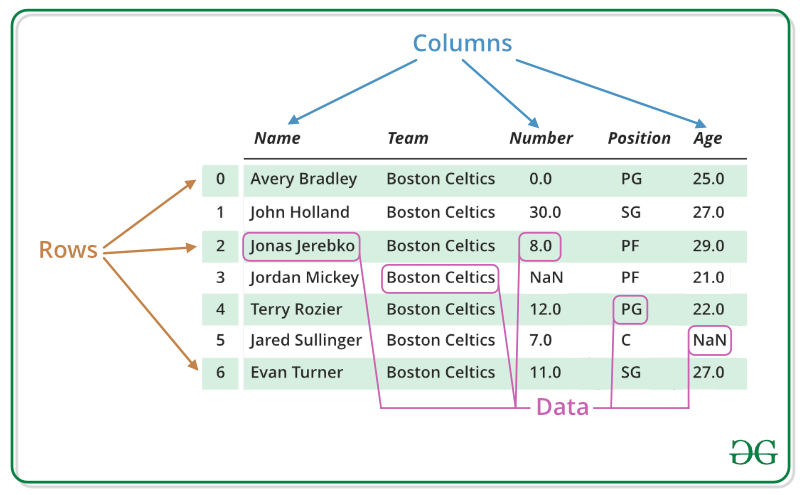
Data frames can also be interpreted as matrices where each column of a matrix can be of different data types. R data frame is made up of three principal components, the data, rows, and columns.
As we can see in the image below, this is how a data frame is structured. The data is presented in tabular form, which makes it easier to operate and understand.
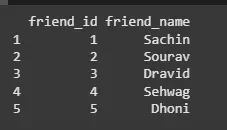
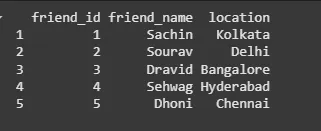
To create an R data frame use data.frame() function and then pass each of the vectors we have created as arguments to the function.
Output:
One can get the structure of the R data frame using str() function in R. It can display even the internal structure of large lists which are nested. It provides one-liner output for the basic R objects letting the user know about the object and its constituents.
Output:
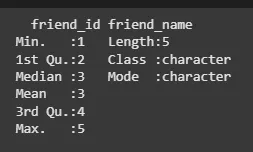
In the R data frame, the statistical summary and nature of the data can be obtained by applying summary() function. It is a generic function used to produce result summaries of the results of various model fitting functions. The function invokes particular methods which depend on the class of the first argument.
Output:
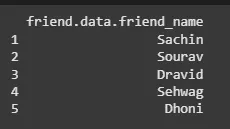
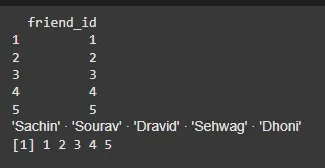
Extracting data from an R data frame means that to access its rows or columns. One can extract a specific column from an R data frame using its column name.
Output:
A data frame in R can be expanded by adding new columns and rows to the already existing R data frame.
Output:
In R, one can perform various types of operations on a data frame like accessing rows and columns, selecting the subset of the data frame, editing data frames, delete rows and columns in a data frame, etc.
Please refer to DataFrame Operations in R to know about all types of operations that can be performed on a data frame.
We can select and access any element from data frame by using single $ ,brackets [ ] or double brackets [[]] to access columns from a data frame.
Output:
We can find out how many rows and columns present in our data frame by using dim function.
Output:
[1] 5 2
We can easily add rows and columns in a data frame. Insertion helps in expanding the already existing data frame, without needing a new one.
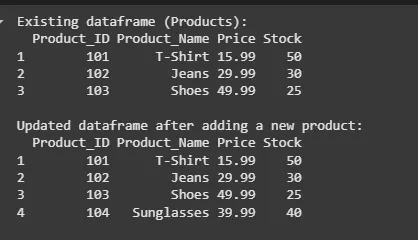
To add rows in a Data Frame, we can use a built-in function rbind(). Following example demonstrate the working of rbind() in R Data Frame.
Output:
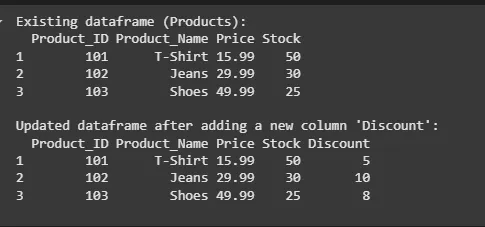
To add columns in a Data Frame, we can use a built-in function cbind(). Following example demonstrate the working of cbind() in R Data Frame.
Output:
A data frame in R removes columns and rows from the already existing R data frame.
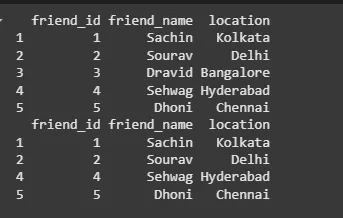
We first created a data frame called data with three columns: friend_id, friend_name, and location. To remove a row with friend_id equal to 3, we used the subset() function and specified the condition friend_id != 3. This removed the row with friend_id equal to 3.
Output:
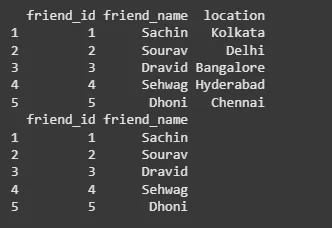
To remove the location column, we used the select() function and specified -location. The - sign indicates that we want to remove the location column. The resulting data frame data will have only two columns: friend_id and friend_name.
Output:
There are 2 way to combine data frames in R. we can either combine them vertically or horizontally. Let's look at both cases with example:
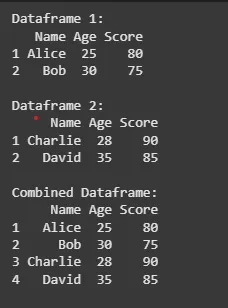
If we want to combine 2 data frames vertically, we can use rbind() function. This function works for combination of two or more data frames.
Output:
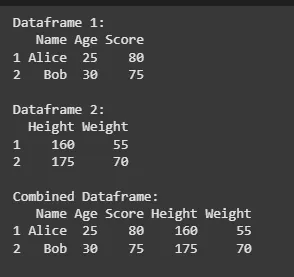
If we want to combine 2 data frames horizontally, we can use cbind() function. This function works for combination of two or more data frames.
Output:
In this article we have covered R Data Frames, and all basic operations like create, access, summary, add and remove.
Also Read: