VOOZH about

URL: https://www.geeksforgeeks.org/r-language/histograms-in-r-language/

⇱ Histograms in R language - GeeksforGeeks


  • Courses
  • Tutorials
  • Interview Prep

Histograms in R language

Last Updated : 12 Jul, 2025

A histogram contains a rectangular area to display the statistical information which is proportional to the frequency of a variable and its width in successive numerical intervals. A graphical representation that manages a group of data points into different specified ranges. It has a special feature that shows no gaps between the bars and is similar to a vertical bar graph.

We can create histograms in R Programming Language using the hist() function.

Syntax:

hist(v, main, xlab, xlim, ylim, breaks, col, border)

Parameters:

  • v: A vector containing numerical values for the histogram.
  • main: The title of the chart.
  • col: The color of the bars.
  • xlab: The label for the x-axis.
  • border: The border color of each bar.
  • xlim: The range of values for the x-axis.
  • ylim: The range of values for the y-axis.
  • breaks: The width of each bar.

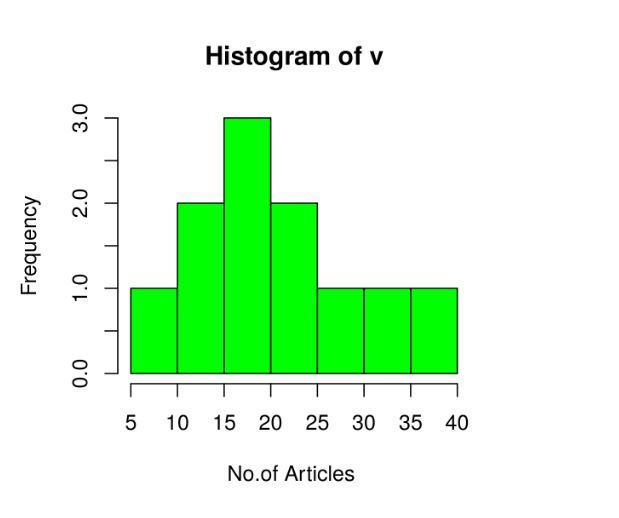
1. Creating a simple Histogram in R

Creating a simple histogram chart by using the above parameter. This vector v is plot using hist().

Example:

Output:

👁 Histograms in R languageGeeksforgeeks
Histograms in R language

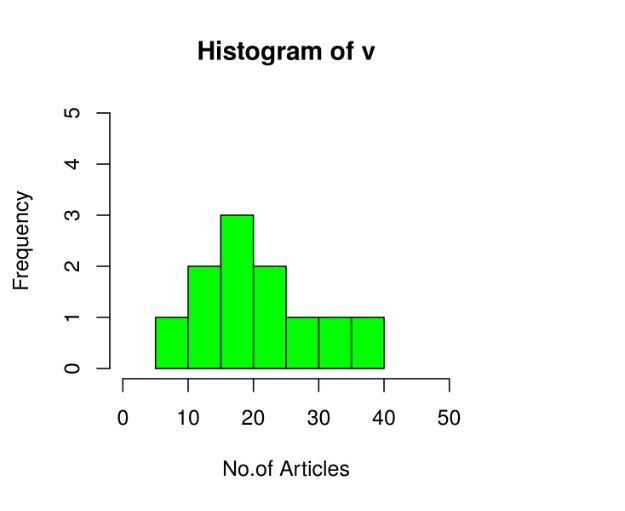
1.1 Range of X and Y values

To describe the range of values we need to do the following steps: 

  1. We can use the xlim and ylim parameters in X-axis and Y-axis.
  2. Take all parameters which are required to make a histogram chart.

Example

Output:

👁 Histograms in R languageGeeksforgeeks
Histograms in R language

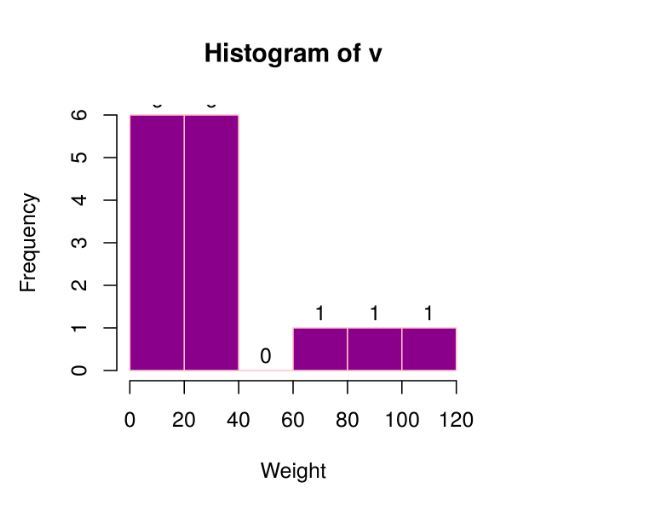
2. Using histogram return values for labels using text()

To create a histogram return value chart.

Output:

👁 Histograms in R languageGeeksforgeeks
Histograms in R language

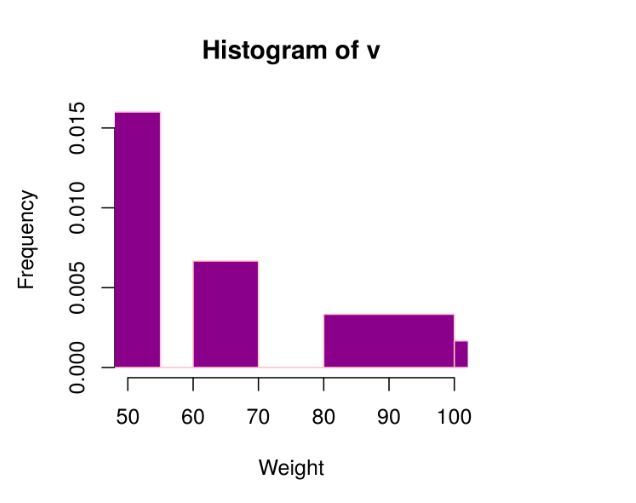
3. Histogram using non-uniform width

Creating different width histogram charts, by using the above parameters, we created a histogram using non-uniform width.

Example

Output:

👁 Histograms in R languageGeeksforgeeks
Histograms in R language
Comment
Article Tags:

Explore