The database is a collection of organized information so that it can be accessed with ease. It can be accessed or stored at the computer system. It can be managed through a Database management system (DBMS), which is a software that is used to manage data. Database refers to related data which is in a structured form.
It supports the storage and manipulation of data. Basically a database is having 5 sublanguages:
- Data Definition Language(DDL)
- Data Query Language(DQL)
- Data Manipulation Language(DML)
- Data Control Language(DCL)
- Transaction Control Language(TCL)
To connect Database with R Programming we will be going to connect R script with MySQL Database.
To install MYSql refer to its official site
dev.mysql.com
To begin with the connection process, follow the steps given below:
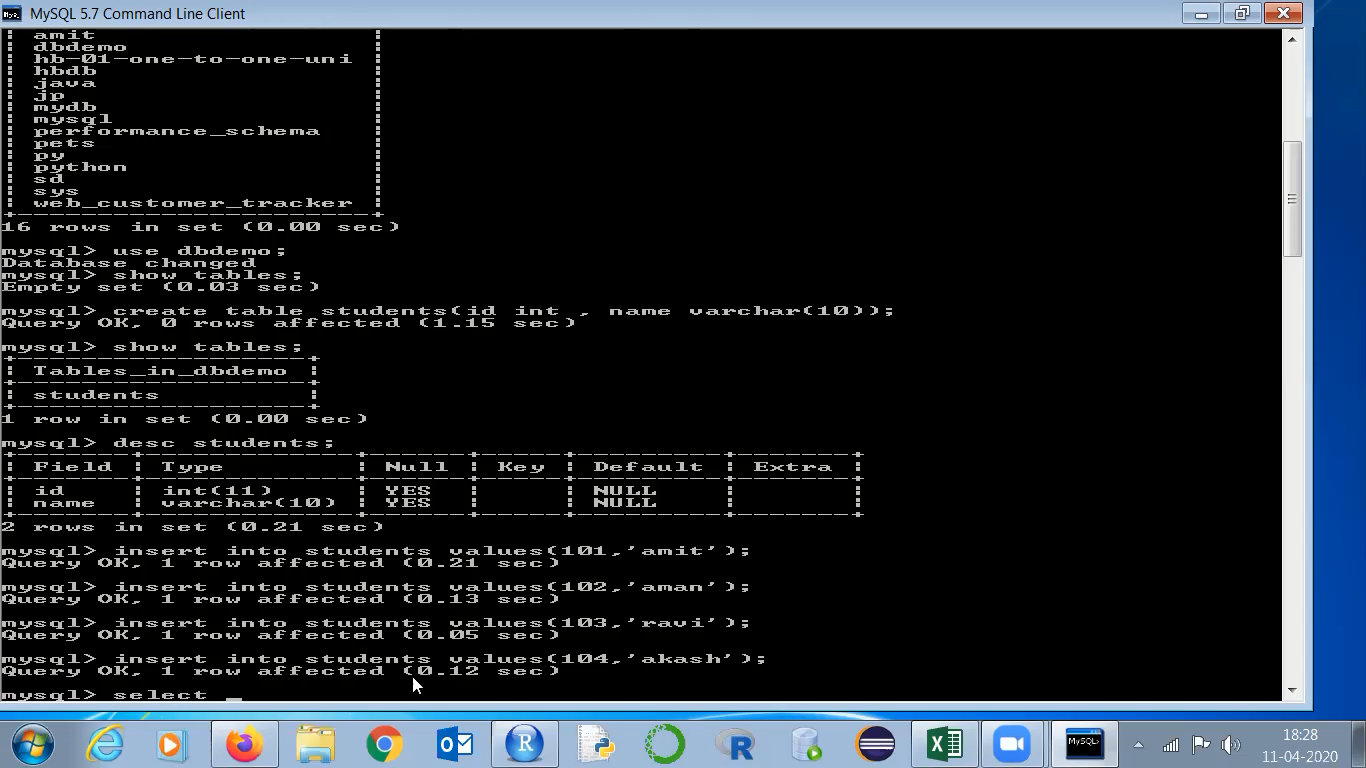
Step 1: Create a database in MySQL with the following command:
create database databasename;
👁 Image
As you can see in this image we have used the commands to access the database and moreover performed the DML operations in the database.
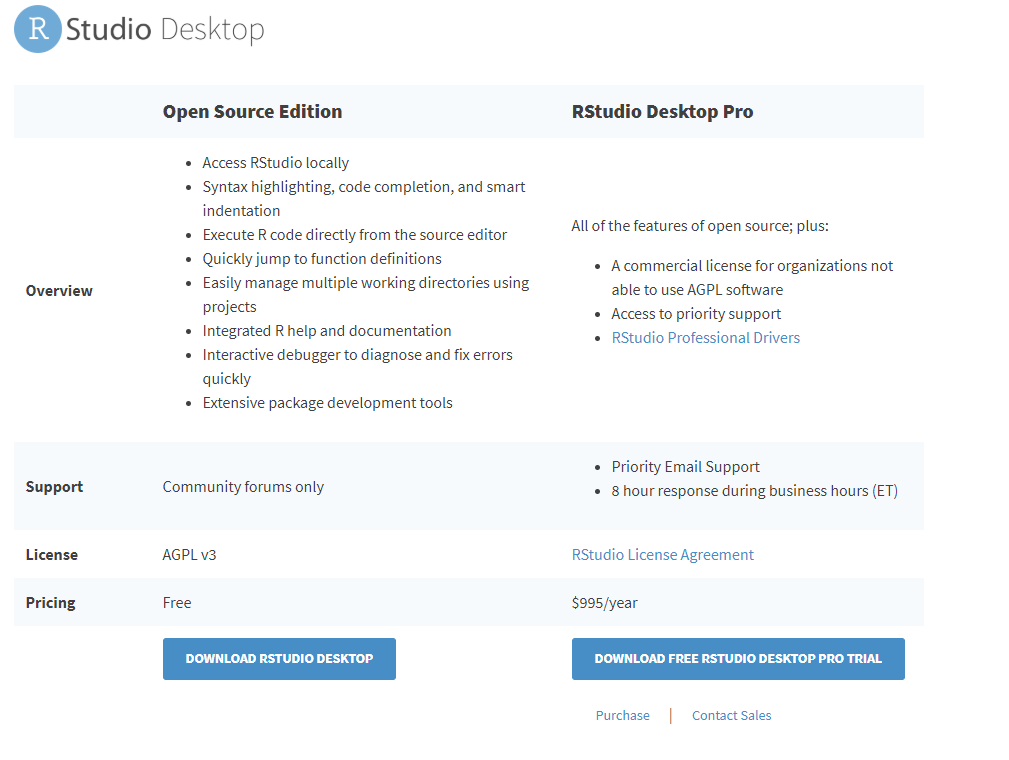
Step 2: To connect the database with R we can use R Studio. To download R Studio visit
rstudio.com
👁 R-Studio-Download
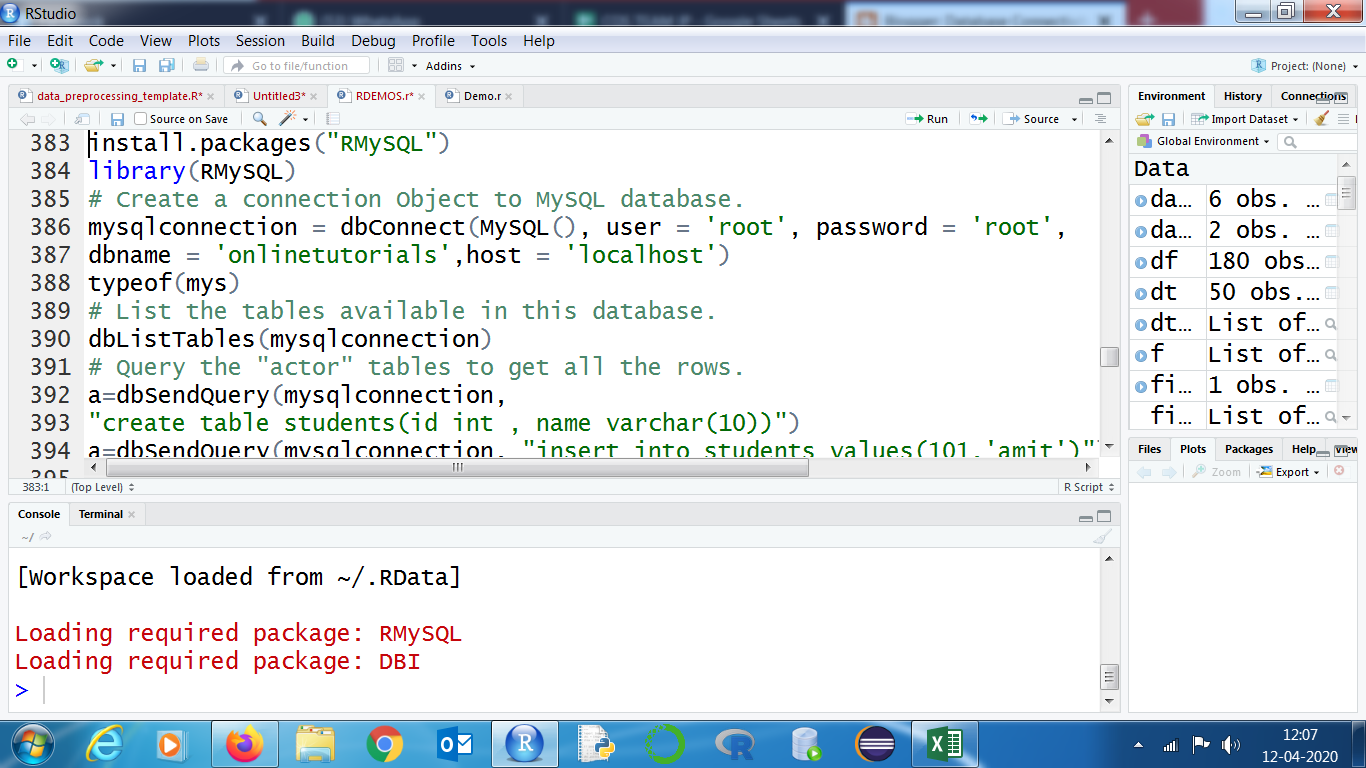
Step 3: Use the following command to install the MySQL library in RStudio:
install.packages("RMySQL")
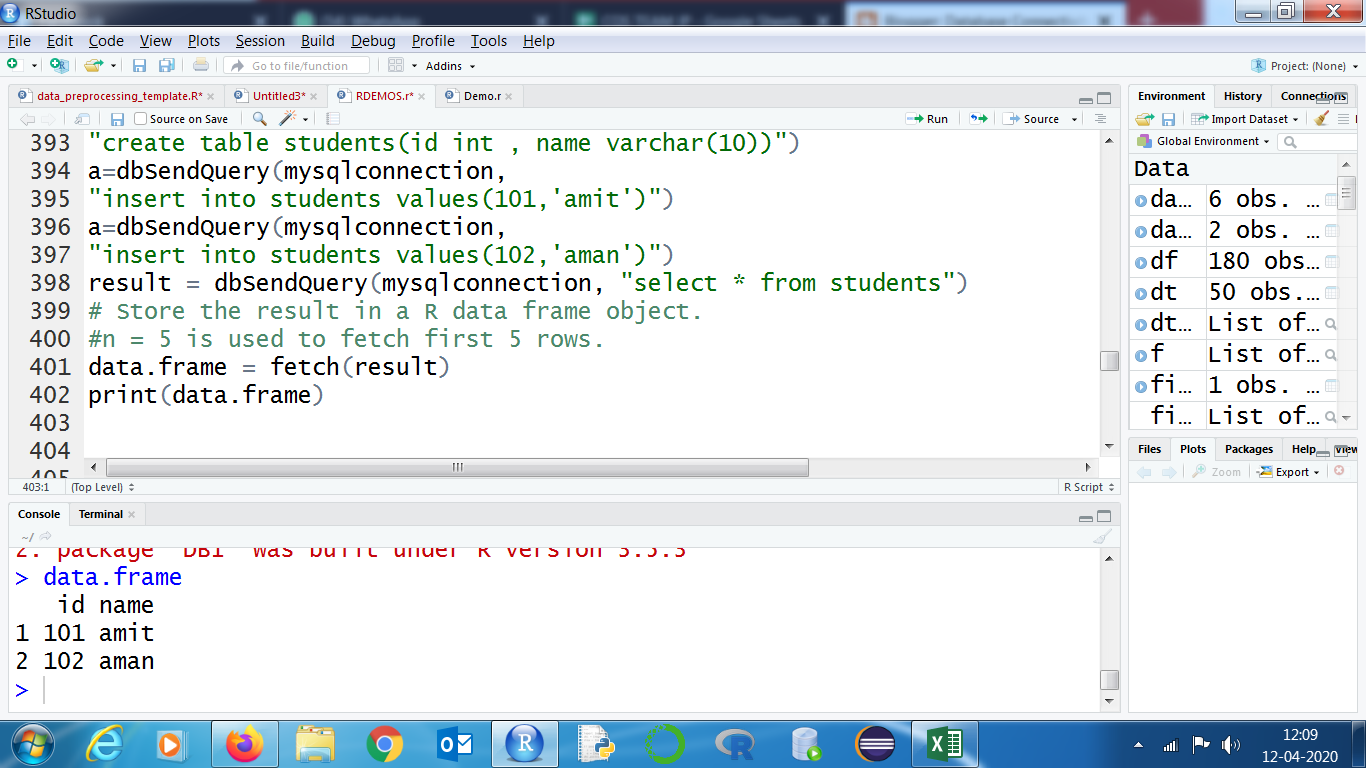
Now execute the following commands as RScript:
👁 Image
Output:
👁 Image