|
VOOZH | about |
|
VOOZH | about |
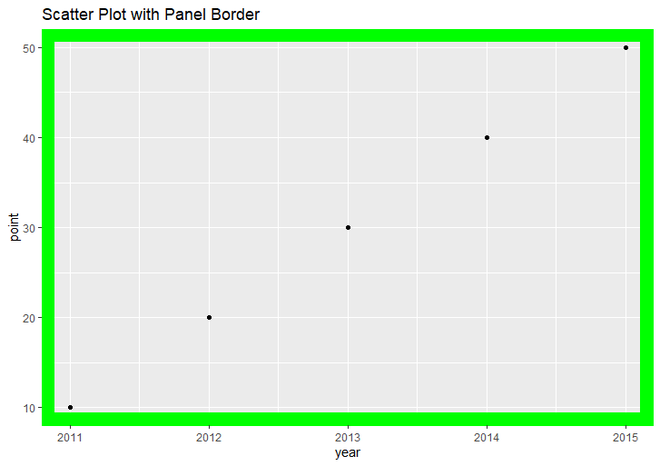
In this article, we will use theme() function to add panel border to the plot in R Programming Language. Here we will create a scatter plot, but you can apply it to any plot and add a Panel Border to that one.
Syntax: theme(panel.border)
Parameter: theme() has many parameters to specify the theme of plot. we can use them as per our requirements but for add panel border to plot, we will use only panel.border parameter and specify element_rect() function as it's value.
Return: Theme of the plot.
element_rect() is used for specifying borders and backgrounds.
Syntax:
element_rect(color = "color_name", fill = NULL, size = NULL, linetype = NULL)
Parameter:
- fill : Specifies the color by which we fill whole rectangle.
- color : For specifying border color.
- size : For specifying border size.
- linetype : For specifying border line type
Return: Border around plot.
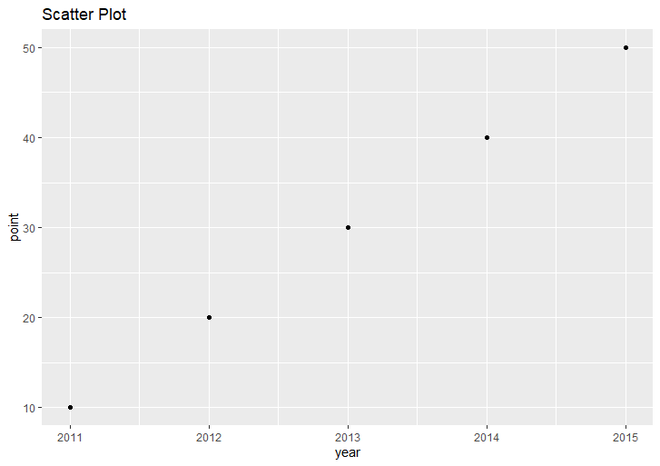
Dataset in use:
| year | point | |
|---|---|---|
| 1 | 2011 | 10 |
| 2 | 2012 | 20 |
| 3 | 2013 | 30 |
| 4 | 2014 | 40 |
| 5 | 2015 | 50 |
Let just first create a regular scatter plot to understand the difference better.
Example:
Output:
Now let's add a border to it and display the result.
Example:
Output: