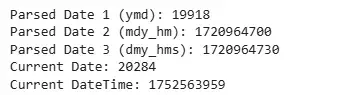
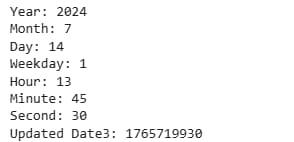
Date and time in R represent temporal information and are handled using specific data types such as:
Date: Represents dates (e.g. "2025-07-15") without any time information.
POSIXct: Represents both date and time with a timestamp, stored as the number of seconds since January 1, 1970.
POSIXlt: Represents date and time as a list, with separate components for year, month, day, hour, minute, etc.
These different types in R are used to work with, compare and manipulate temporal data. Lubridate removes the complexity of dealing with these different date-time formats and makes it more simpler to work with time-related calculations and transformations.
Time Spans in R Using Lubridate
We will use the lubridate package to define and work with durations, intervals and periods between two specific datetime points in R programming language.
1. Creating Start and End Date-Time Objects
We create two datetime values in the US/Eastern timezone around a Daylight Saving Time transition.
mdy_hm: Parses date-time strings with month-day-year and hour-minute format.
tz: Assigns a timezone to the date-time object.
Output:
Start time: 2017-03-11 05:21:00 EST
End time: 2017-03-12 05:21:00 EDT
2. Creating an Interval
We define the time span between the two datetime values using an interval.
%--%: Operator to create an interval between two dates.
Interval: Represents elapsed time with both start and end points.