|
VOOZH | about |
|
VOOZH | about |
In R Programming Language we can use the sqldf package in R to execute SQL queries on a data frame. This can be useful for performing various data manipulation tasks using SQL syntax. The sqldf package provides a way to write SQL queries as strings and apply them to a data frame, allowing us to perform operations such as filtering, sorting, aggregation, joining and more.
To use the sqldf package, we first need to install it using the install.packages() function.
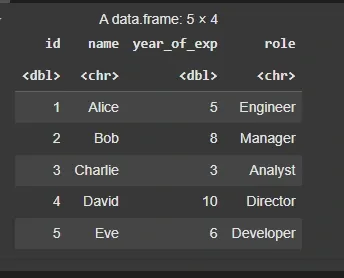
We will be performing some SQL operations on a sample data frame using the sqldf in R programming language. To do that we will first create a sample data frame.
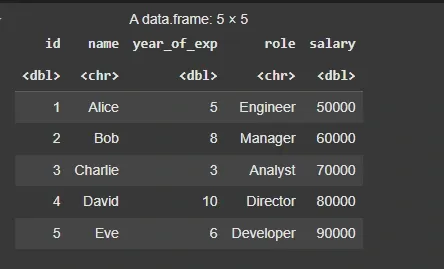
We will create a data frame df with four columns (id, name, year_of_exp and role) each containing respective vectors for five individuals. We will first define vectors for to store the values for all the columns. Then, we will combine these vectors into a data frame using the data.frame() function with stringsAsFactors = FALSE to prevent automatic conversion of character vectors to factors. The result will be a table of data representing the individuals' IDs, names, years of experience and job roles.
Output:
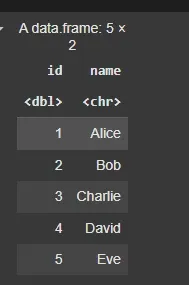
We will execute an SQL query to select specific columns. The sqldf() function is used to execute this query in R programming language.
Output:
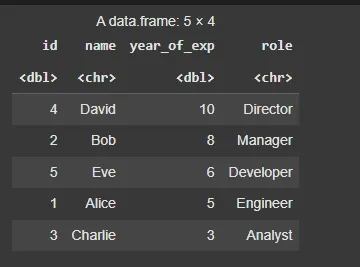
We will execute an SQL query to order the data frame by year_of_exp in descending order.
Output:
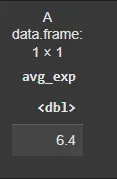
We will execute an SQL query to calculate the average years of experience.
Output:
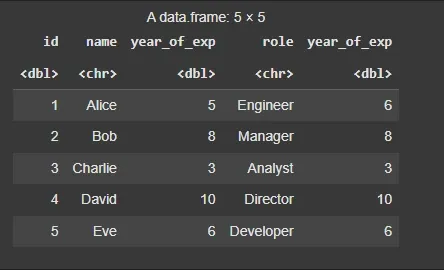
We will execute an SQL query to combine data from two data frames based on a common column.
Output:
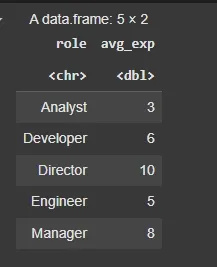
We will execute an SQL query to group the rows by role and calculate the average years of experience for each role.
Output:
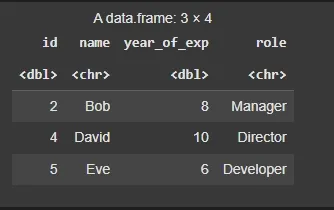
We will execute an SQL query to select rows where year_of_exp is greater than 5.
Output:
We will execute an SQL query to update the year_of_exp column in the df data frame. Here we updated the year_of_exp column of id=1.
Output:
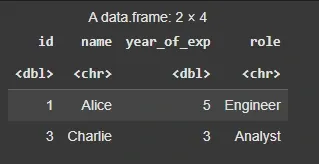
We will execute an SQL query to delete the row from data frame where years of experience is less than 5.
Note: sqldf doesn't directly support DELETE in the same way as other SQL environments
Output:
In this article ,we learned how to use sqldf to run SQL commands on a data frame in R programming Language.