Feature Engineering in R means creating new features or modifying existing ones to make models work better. It includes cleaning, transforming, scaling, encoding and selecting features for machine learning.
Helps models understand data better Removes noise and unwanted patterns Converts raw data into useful inputs Works with both numeric and categorical features In R, this is done using packages like dplyr, tidyr, caret and data.table.
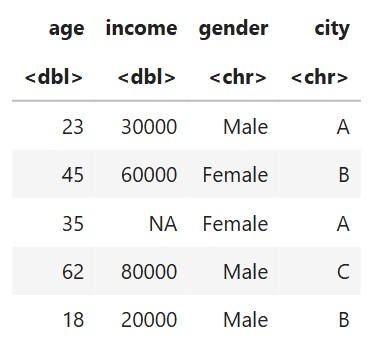
Sample Dataset Output:
👁 Dataframe Sample Dataset This dataset has:
Numeric features: age, income Categorical features: gender, city We will use this small data to explain each concept.
1. Handling Missing Values The dataset contains a missing value in income.
Example (add NA for explanation):
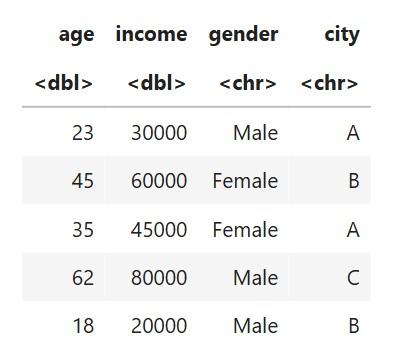
Output:
👁 Dataset Dataset After Handling Missing Values Explanation:
mean(..., na.rm = TRUE) calculates mean without NA. Replaces missing entry with the average income. 2. Encoding Categorical Variables Label Encoding (for binary categories: gender)
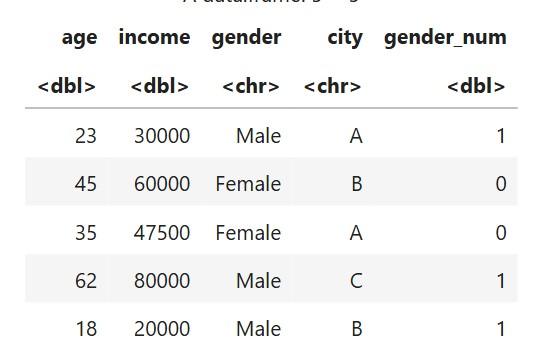
Output:
👁 Dataset Dataset After Label Encoding Explanation:
One-Hot Encoding (for multi-class: city)
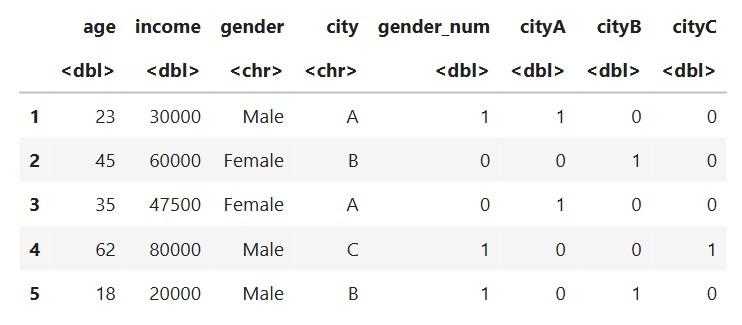
Output:
👁 Dataset Dataset After One hot encoding Explanation:
City A, B and C become separate columns:
Each gets 0/1 depending on membership.
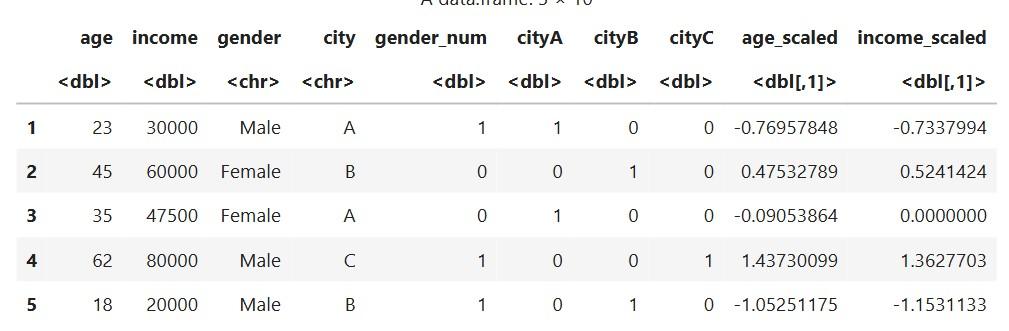
3. Feature Scaling Scaling helps numeric values stay on similar ranges.
Using standard scaling (mean = 0, sd = 1)
Output:
👁 Dataset Dataset after Using standard scaling Explanation:
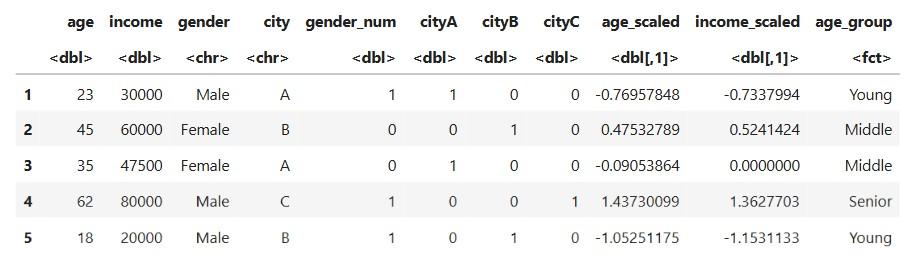
Makes numeric features easier for algorithms like KNN, SVM, etc. 4. Binning (Feature Transformation) Create age groups:
Output:
👁 Dataset Dataset after Feature Transformation Explanation:
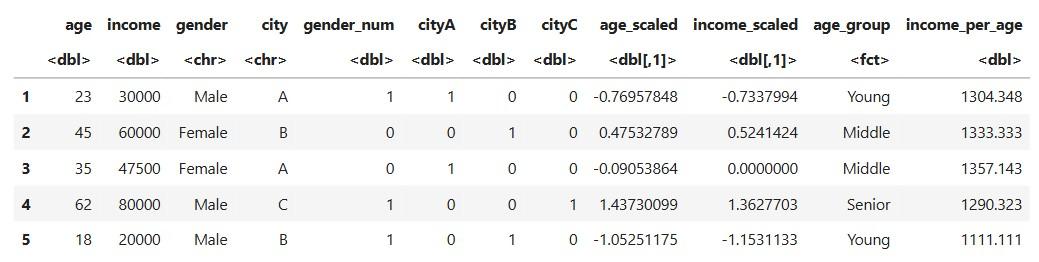
Converts continuous age into categories Helps models see pattern in ranges 5. Feature Construction Create a new feature: income per year of age
Output:
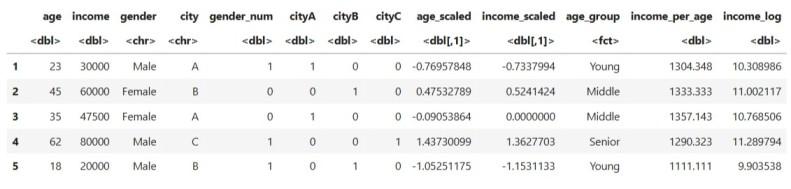
👁 Dataset Dataset after Feature Construction 6. Removing Skewness Apply log transformation to reduce skew in income:
Output:
👁 Dataset Dataset after Removing Skewness Explanation:
Helps stabilize values Makes distribution smoother 7. Final Cleaned Feature-Enhanced Dataset After all steps, the dataset now looks like this:
original variables (age, income, gender, city) encoded variables (gender_num, cityA, cityB, cityC) scaled variables (age_scaled, income_scaled) transformed variables (income_log, age_group) constructed feature (income_per_age) This feature rich dataset is now ready for modeling.