|
VOOZH | about |
|
VOOZH | about |
The DT package in R Shiny provides a powerful and interactive way to display data tables in web applications. One useful feature is the ability to hide certain columns based on user interactions or display requirements. In this guide, we’ll explore how to hide columns in a responsive data table using the DT package, complete with runnable code and detailed explanations.
The DT package is a powerful tool in R for creating interactive and responsive data tables. It’s based on the DataTables library, which is widely used for web-based tables. With DT, you can make tables that can be sorted, filtered, and paginated, among other features.
Sometimes, not all columns in your data table are relevant to all users. For example, you might have internal data that users don't need to see or sensitive information that should be hidden. Hiding these columns can make your table more focused and easier to understand.
Now we will discuss implementation to Hide Certain Columns in a Responsive Data Table in R Programming Language.
First we will Install and Load the Required Packages.
Create a simple example data frame.
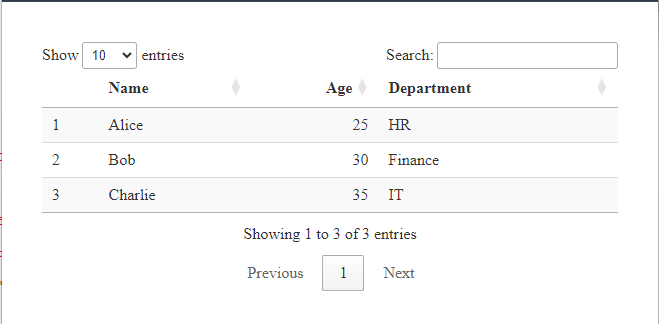
Display the data frame using DT.
Output:
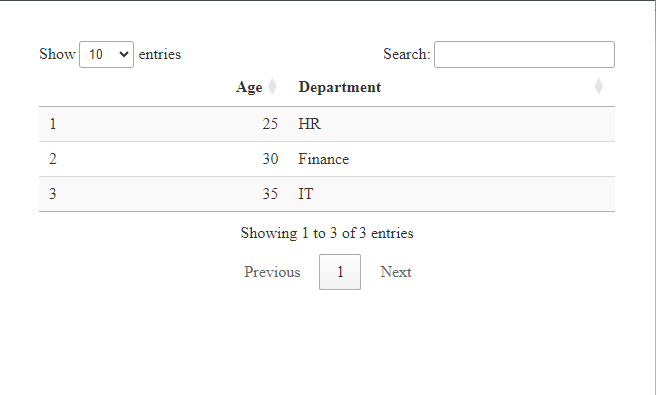
Suppose you want to hide the "Age" column, which is the second column (index 1).
Output:
targets = 1 specifies the column index to hide (0-based index).visible = FALSE hides the column from view.Hide Multiple Columns
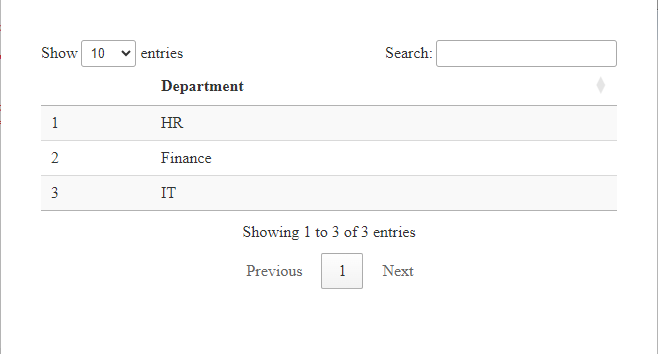
To hide multiple columns, add more items to the columnDefs list.
Output:
Here, columns with indices 1 and 2 are hidden.
Now we will Customizing Data Table.
Output:
backgroundColor = 'lightgray': Sets a light gray background color for all columns in the table.borderColor = 'black': Adds a black border color around each cell in the table.borderStyle = 'solid': Applies a solid border style for the table cells.borderWidth = '1px': Sets the width of the border to 1 pixel.Hiding certain columns in a responsive data table using the DT package is a simple way to make your data presentation cleaner and more relevant to your audience. By following this steps you can easily customize your tables to display only the most important information.