The dplyr package is one of the most popular and powerful tools in R for data manipulation and transformation. It provides a set of functions designed to make data manipulation tasks easier and more readable. If we're using Anaconda, a popular distribution for data science and machine learning, installing dplyr can be straightforward.
Step-by-Step Guide to Install dplyr in Anaconda
Step 1: Install Anaconda
Go to the Anaconda Distribution page and download the installer for your operating system (Windows, macOS, or Linux).
Run the downloaded installer and follow the on-screen instructions to complete the installation.
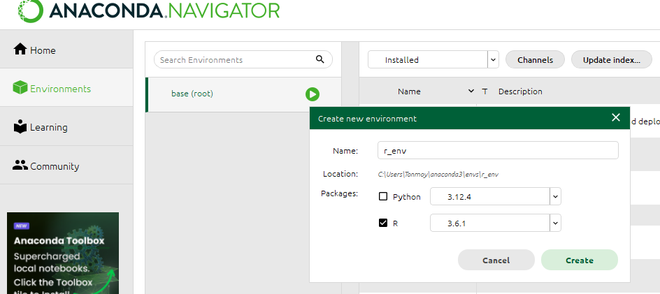
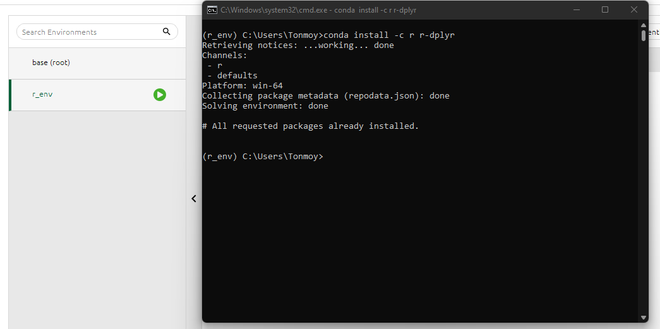
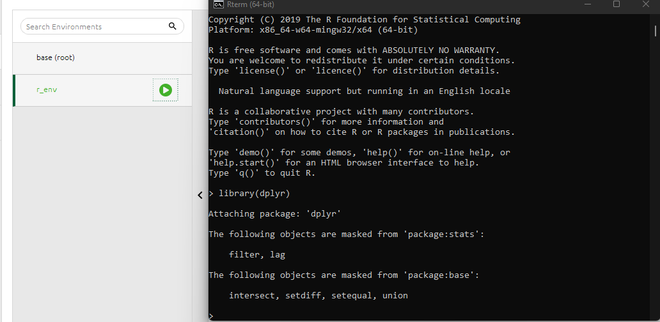
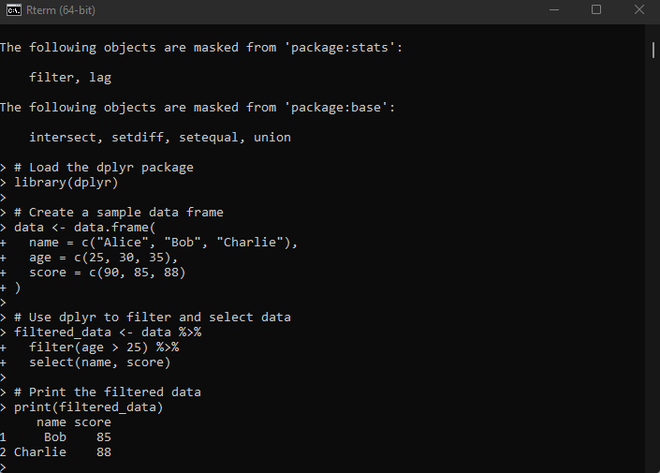
Installing `dplyr` in Anaconda is straightforward. Start by ensuring Anaconda is installed, then create a new R environment to keep projects organized. Install the `r-essentials` package, which includes `dplyr`, or install `dplyr` separately using the `conda` command. Once installed, `dplyr` simplifies data manipulation tasks like filtering rows and selecting columns. It helps to quickly set up and start using `dplyr` for efficient data analysis.