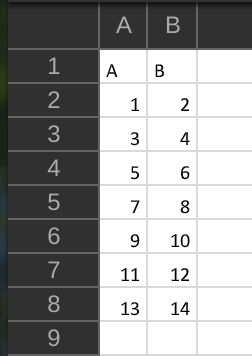
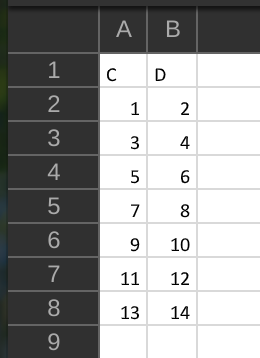
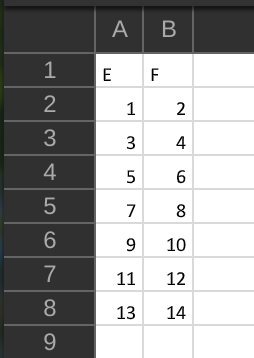
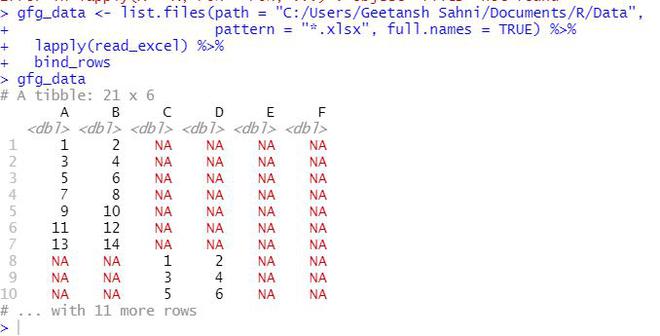
In this article, we will discuss how to merge multiple Excel files in the R programming language.
Modules Used:
dplyr:The dplyr package in R is a structure of data manipulation that provides a uniform set of verbs, helping to resolve the most frequent data manipulation hurdles.
plyr: The “plyr” package in R is used to work with data, including its enhancements and manipulations.
readxl:This package is used to work with excel files in R
readr: This package is used to read files in R
Functions Used:
list.files() function produces a character vector of the names of files or directories in the named directory.
lapply()function returns a list of the same length as X, each element of which is the result of applying FUN to the corresponding element of X.
Syntax: lapply(X, FUN, …)
bind_rows()function is an efficient implementation of the common pattern of do.call(rbind, dfs) or do.call(cbind, dfs) for binding many data frames into one.