|
VOOZH | about |
|
VOOZH | about |
Pokémon is more than a popular franchise. It is also a rich dataset full of patterns and insights. The data includes attributes such as HP, attack, defense, special stats, types, generation, and whether a Pokémon is legendary.
The dataset encompasses detailed attributes for each Pokémon, including:
Dataset Link: Pokemon dataset
We will install and load the packages that we will use like ggplot2 , gridExtra and plotly using the install.packages() function and library() function.
We will now load our dataset and explore it contents , using various functions and statistical methods.
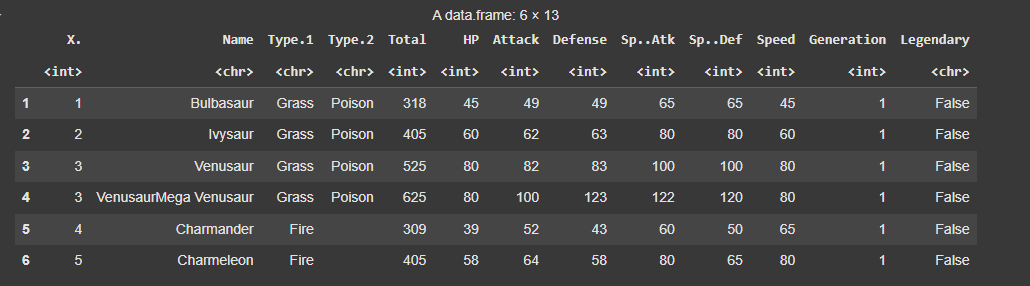
We will read our dataset , which is the Pokemon.csv file using the function read.csv() function and display it first few rows.
Output:
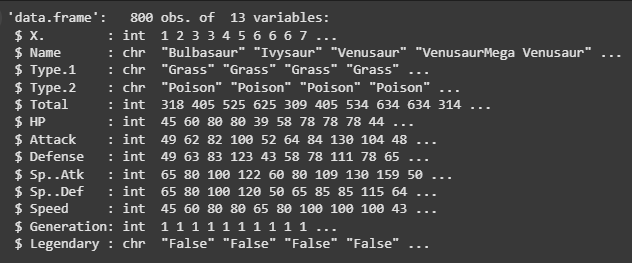
To display the pokemon_data data frame structure, the str function is used. The names and data types of each column, such as numerics, numbers, characters or factors, shall also be printed. This also gives insight into data organisation as a whole.
Output:
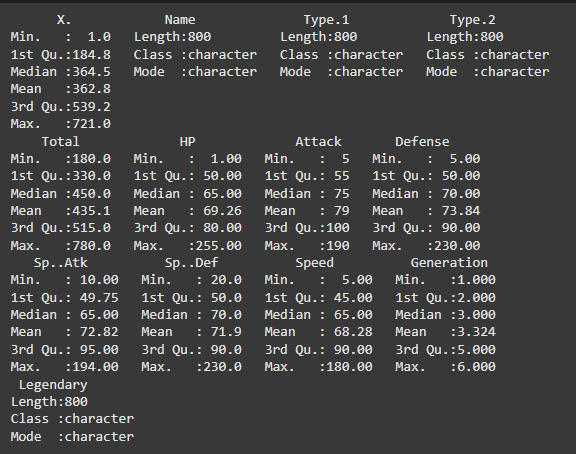
Summarizing the dataset: The summary function shows a summary of the data, such as: statistics of numeric columns, mean, median, quartile, minimum, maximum and frequency counts.
Output:
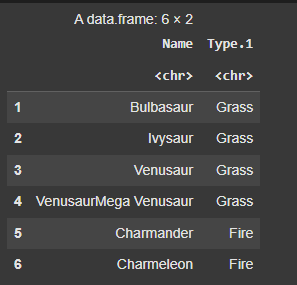
These lines of code gives the output of the names of the particular pokemon and their primary types.
Output:
We will now plot various visualizations to explore the dataset further.
This line of code shown the histogram of the attack column of the pokemon data.
Output:
This line of code shows the of bar plot , giving count for different types of pokemon (type.1).
Output:
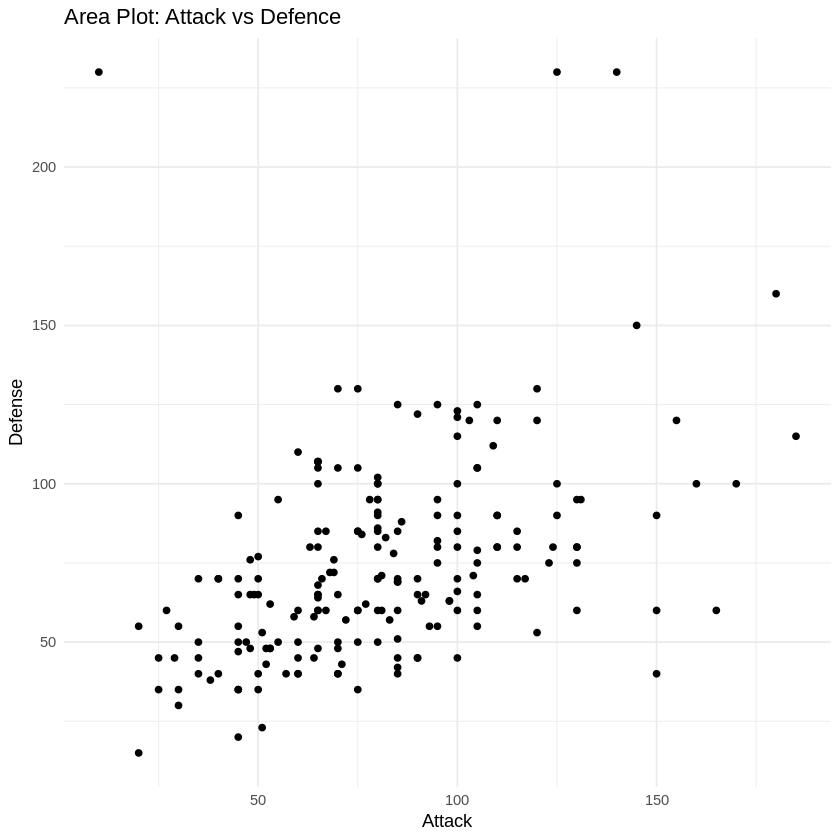
This code generates individual scatter plots for each pair of attributes (Attack vs Defence) with color-coding based on Pokémon types. This approach should be more manageable in terms of computation time. Adjustments can be made based on your specific needs and preferences.
Output:
A quick glance at the ratio of legendary to unlegendary Pokémon can be found using a pie chart.
Output:
We will create box plots for each pair of attributes (Sp..Def and Sp..Atk) for some selected pokemons.
Output:
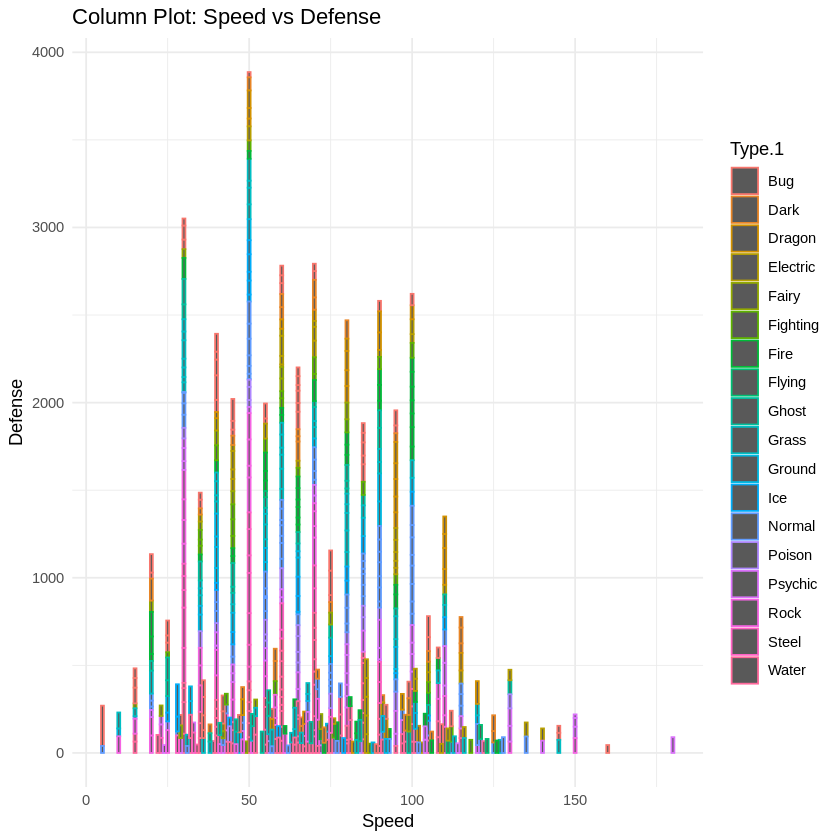
We will create a column plot to showcase speed vs defence for the different type1 pokemons.
Output:
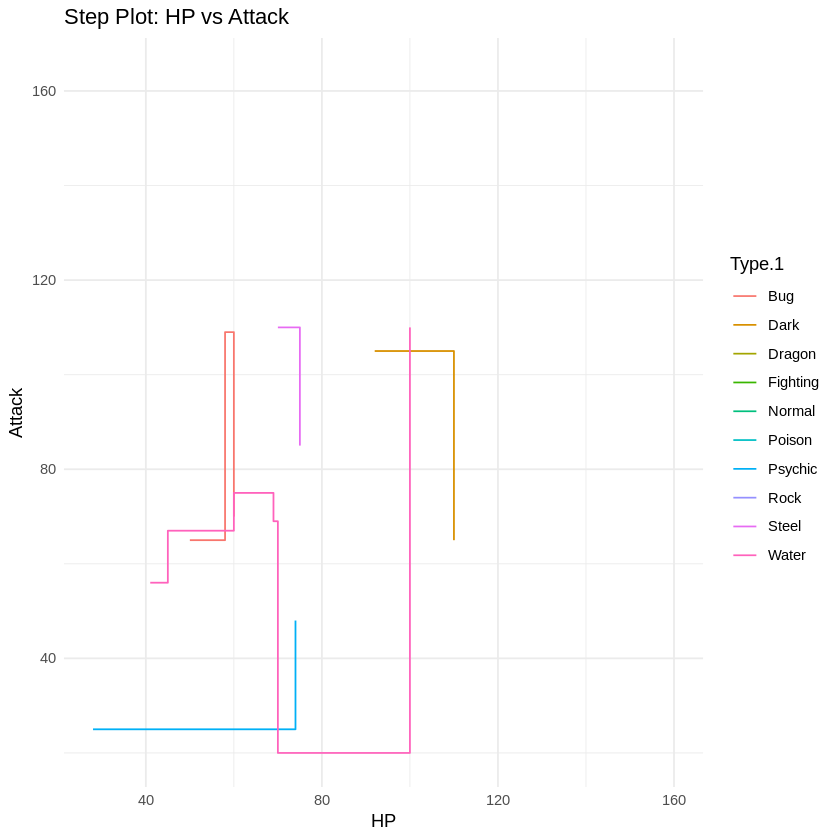
We randomly select 50 Pokémon from the dataset to simplify visualization. A step plot is then created using ggplot2 to show how Attack varies with HP, colored by the primary type (Type.1). The plot is displayed using grid.arrange(), allowing easy expansion for more plots later.
Output:
In this article, we explored the rich dataset of Pokémon attributes using R, uncovering patterns and insights through various visualizations and analyses. From examining basic distributions to creating advanced plots, we demonstrated how this data can be used to understand relationships between features. This sets the stage for further exploration, such as clustering similar Pokémon or building predictive models for battle outcomes.



.png)