|
VOOZH | about |
|
VOOZH | about |
In this article, we will discuss how to rearrange or reorder the column of the dataframe using dplyr package in R Programming Language.
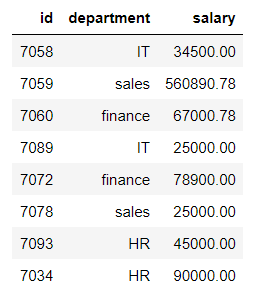
Creating Dataframe for demonstration:
Output:
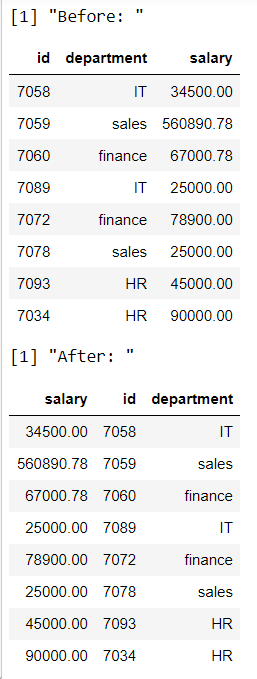
👁 ImageWe are going to use a select() method to reorder columns.
Syntax: select(dataframe,columns)
where
- dataframe is the input dataframe
- columns are the input columns to be reordered
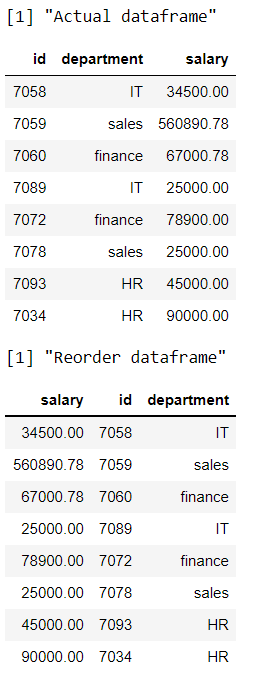
Here we are rearranging the dataframe(id,department,salary) to (salary,id,department)
Output:
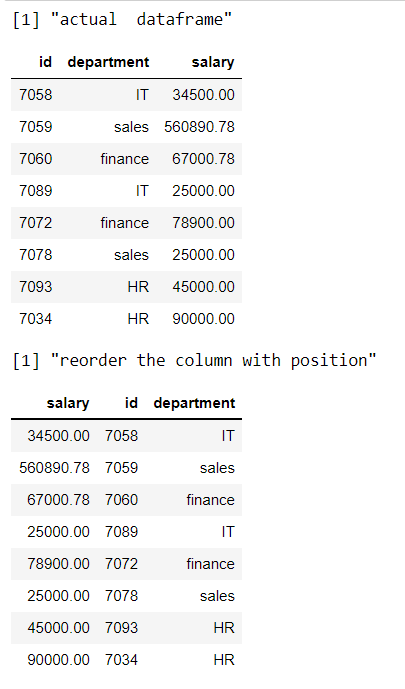
👁 ImageHere, we will rearrange the columns using the index/position of the column. So we will use select method to do this.
Note: index/position of the column starts with 1
Syntax: select(dataframe.index_positions)
Where,
- dataframe is the input dataframe
- index_positions are column positions to be rearranged
Here we are rearranging to different positions.
Output:
👁 ImageHere we are using order() function along with select() function to rearrange the columns in alphabetical order. So we will order the columns using colnames function.
Syntax: dataframe %>% select(order(colnames(dataframe)))
where,
- dataframe is the input dataframe
- %>% is the pipe operator to pass the result to the dataframe
- order() is used to rearrange the dataframe columns in alphabetical order
- colnames() is the function to get the columns in the dataframe
Here we are rearranging the data based on column names in alphabetical order.
Output:
👁 Imageso we will order the columns using colnames function in reverse.
Syntax: dataframe %>% select(order(colnames(dataframe),decreasing=TRUE))
where,
- dataframe is the input dataframe
- %>% is the pipe operator to pass the result to the dataframe
- order() is used to rearrange the dataframe columns in alphabetical order
- colnames() is the function to get the columns in the dataframe
- decreasing=TRUE parameter specifies to sort the dataframe in descending order
Here we are rearranging the data based on column names in alphabetical order in reverse.
Output:
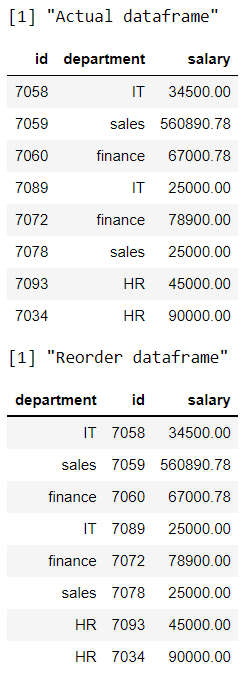
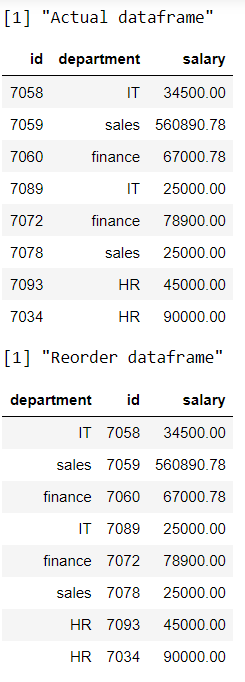
👁 ImageWe are going to use everything() method to shift the column to first, so in this way, we can rearrange the dataframe.
Syntax: dataframe %>% select(column_name, everything())
where,
- dataframe is the input dataframe
- column_name is the column to be shifted first
R program to shift the department column as first
Output:
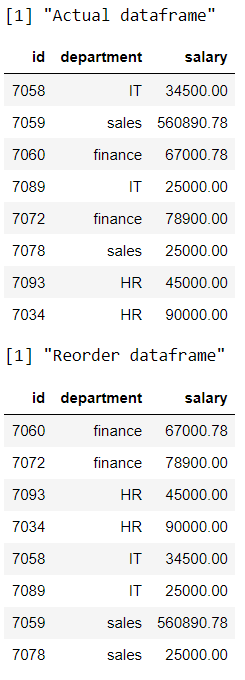
👁 ImageHere we are going to rearrange the rows based on a particular column in ascending order using arrange() function
Syntax: dataframe %>% arrange(column_name)
Where
- dataframe is the input dataframe
- column_name is the column in which dataframe rows are arranged based on this column
R program to rearrange rows based on department column
Output:
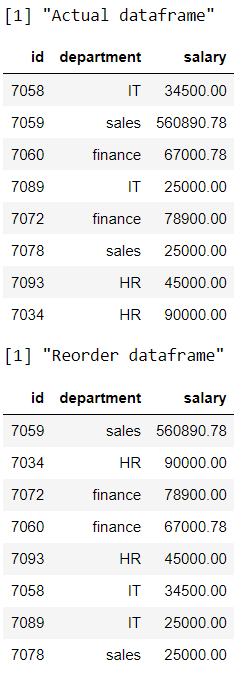
👁 ImageHere we are going to rearrange the rows based on a particular column in ascending order using arrange() function along with desc() function.
Syntax: dataframe %>% arrange(desc(column_name))
Where
- dataframe is the input dataframe
- column_name is the column in which dataframe rows are arranged based on this column in descending order
Output:
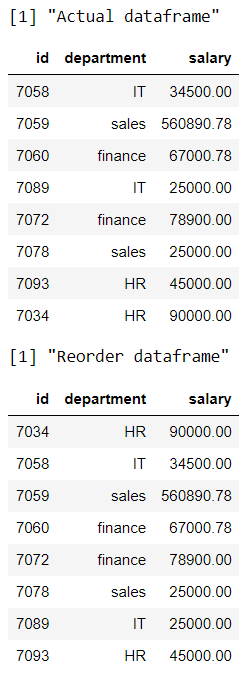
👁 ImageHere we are going to arrange/ reorder the rows based on multiple variables in the dataframe, so we are using arrange_all() function
Syntax: arrange_all(dataframe)
Output:
👁 Image