|
VOOZH | about |
|
VOOZH | about |
A stacked bar plot displays data using rectangular bars grouped by categories. Each group represents a category, and inside each group, different subcategories are stacked on top of each other. It also shows relationships between groups and subcategories, making them useful for various data analysis tasks.
For example, imagine an ice cream shop., and the owner wants to see which ice cream flavours sold better in July and August:
A stacked bar chart will be useful to compare the sales across months and see that Vanilla was more popular both times.
We will now see how to create a stacked bar graph in R using ggplot2 package.
We are going to install and load the ggplot2 library.
We are going to set a random seed so that the randomly generated data stays the same every time you run the code. Then we randomly assign one of the four age groups ("Child", "Adult", "Working", "Retired") to 50 individuals and a random number of hours (between 1 and 4) to each individual. We will do the same for the city , assigning one of four ("Noida", "Delhi", "Jaipur", "Udaipur") .
We are going to combine age, hours, and city into one single data frame for easier plotting.
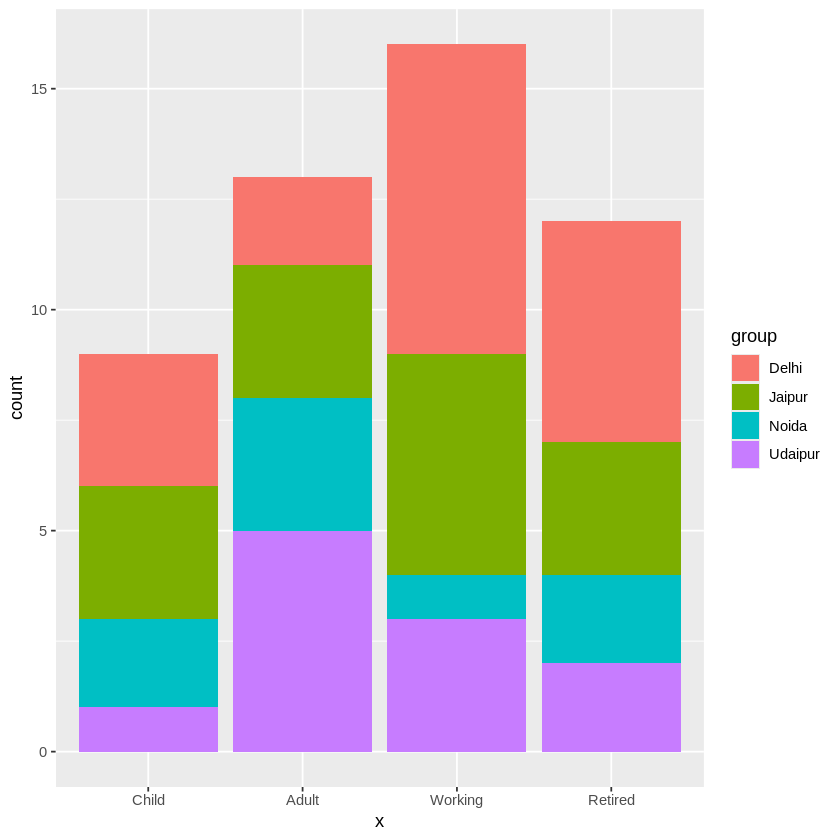
We are going to use ggplot2 to create a stacked bar plot, where bars represent age groups and are filled according to city.
Output:
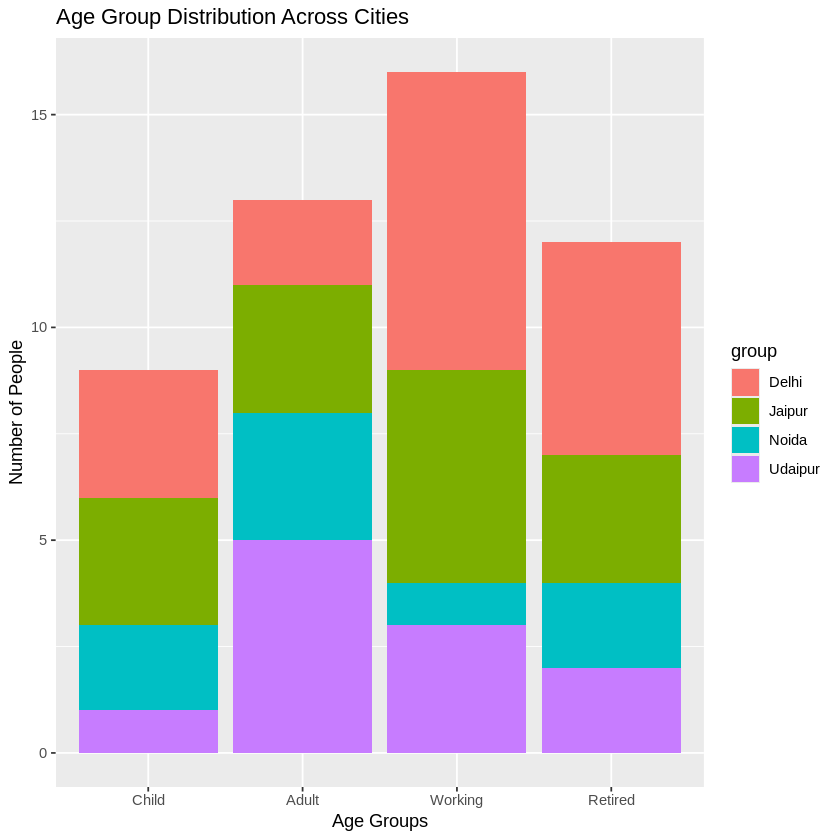
We can customize the x and y axis labels to make them more descriptive using labs().
Output:
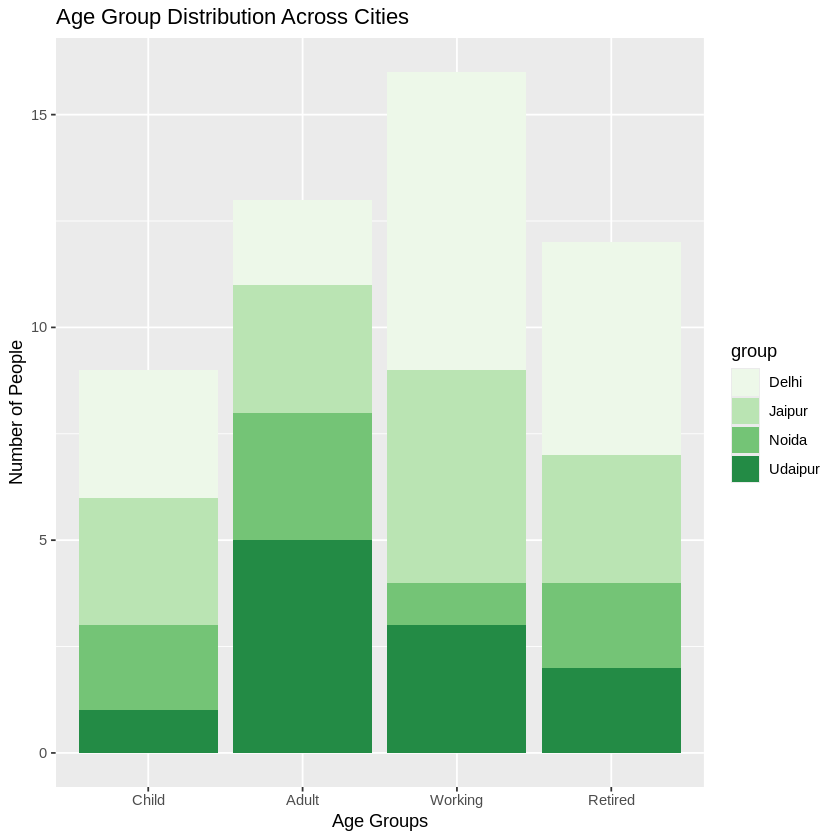
The scale_fill_brewer() function is used to apply a color scheme we like to the bars. The type = "seq" is used to choose a sequential color style, where colors gradually move from light to dark. The palette = "Greens" is used to pick the green color palette from the available options.
Output:
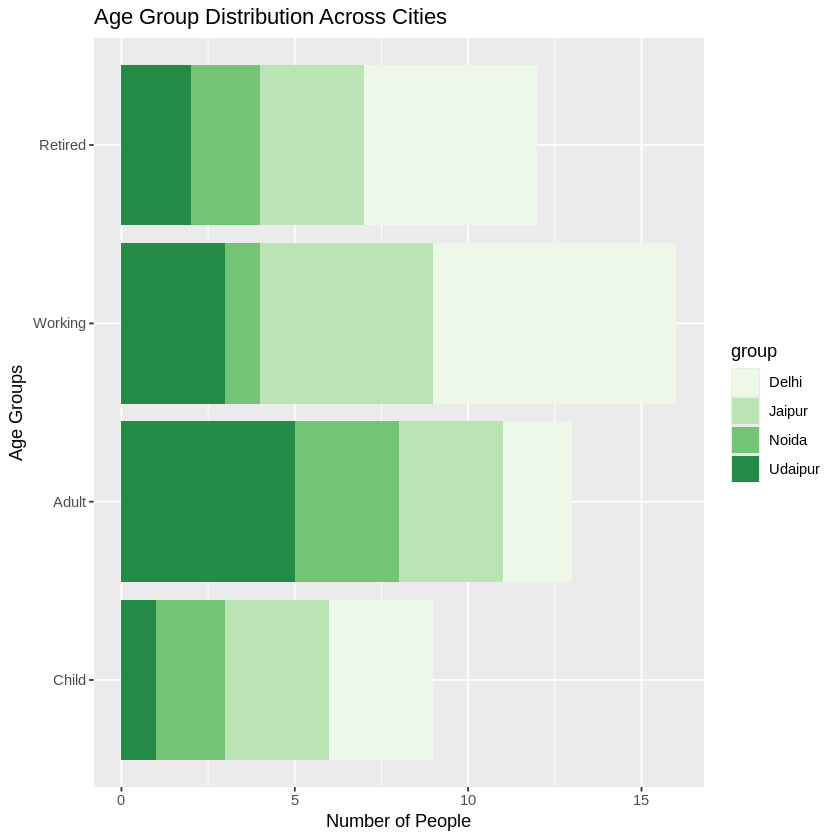
We are creating a horizontal stacked bar plot by using coord_flip(), which swaps the x and y axes. This rotates the plot so that the categories appear on the y-axis, and the bars extend horizontally.
Output:
In this article, we will learned how to create a clustered bar plot in R Programming Language and saw its advantages and disadvantages as well.