|
VOOZH | about |
|
VOOZH | about |
Boxplots are a powerful visualization tool in R, especially when using the ggplot2 package. They allow you to compare distributions across categories while also highlighting the presence of outliers. However, there are times when you might want to control the position of your boxplots along the x-axis to improve clarity or aesthetic appeal. This article will guide you through various methods to control the x position of boxplots in ggplot2.
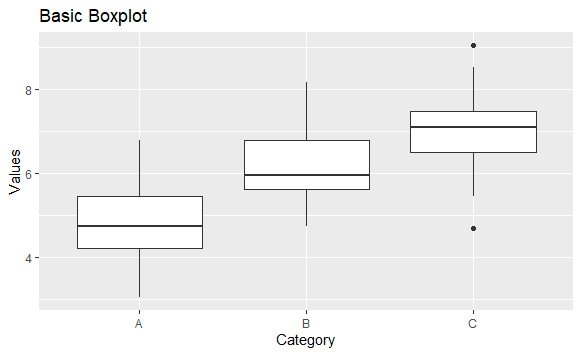
Before diving into positioning, let's start with the basic structure of a boxplot using ggplot2. The function geom_boxplot() is used to create boxplots in ggplot2.
Output:
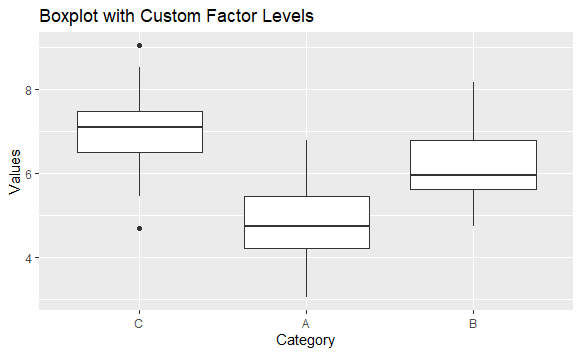
One of the simplest ways to control the x position of boxplots is by changing the order of the factor levels in the categorical variable used for the x-axis. By default, ggplot2 will arrange the boxplots in the order of the factor levels.
Output:
levels = c("C", "A", "B"): This line specifies the order of the categories on the x-axis, changing the default arrangement.position_dodge()The position_dodge() function can be used to adjust the x position of multiple boxplots that belong to different groups. This is particularly useful when you want to display boxplots for different conditions side by side.
Output:
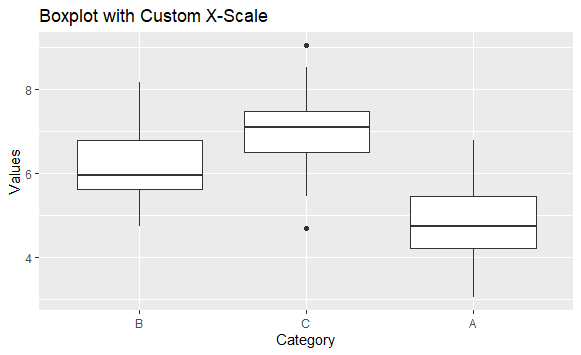
position_dodge(width = 0.8): Adjusts the boxplots' positions horizontally to prevent overlap. The width parameter controls the amount of dodge; increasing it will move the boxplots further apart.scale_x_discrete() to Control PositioningYou can also use the scale_x_discrete() function to modify the positions of boxplots directly. This function allows you to change the labels, limits, and breaks of the x-axis.
Output:
limits = c("B", "C", "A"): This line specifies the order of the x-axis labels and controls the positions of the boxplots accordingly.Controlling the x position of boxplots in ggplot2 is essential for creating clear and informative visualizations. By adjusting factor levels, using position_dodge(), modifying x scales, or even assigning manual x positions, you can create boxplots that effectively communicate your data.