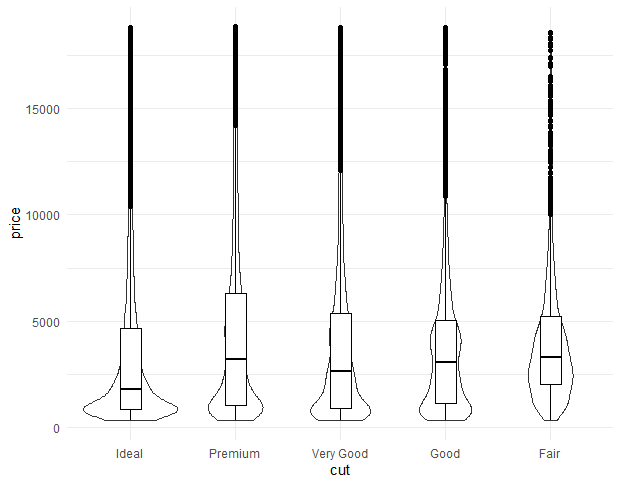
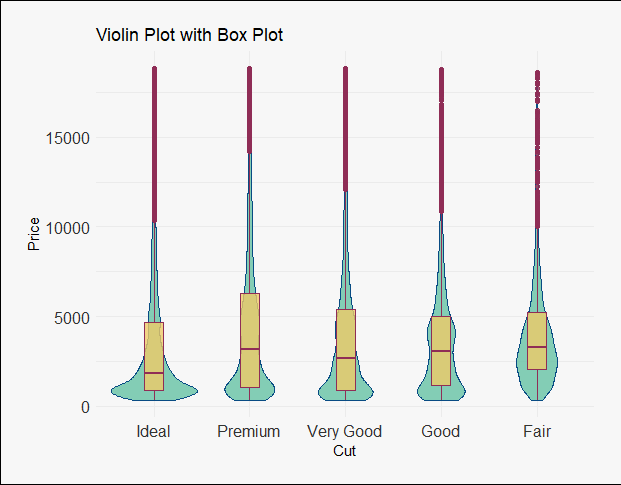
Violin plots are used to visualize the distribution of numerical data across one or more categories. They are similar to box plots, but instead of only showing summary statistics, they also display the data’s probability density, providing a more detailed view of the distribution.
Syntax
ggplot( dataframe, aes( x, y, fill, color)) + geom_violin()
Where:
ggplot(dataframe, ...): Starts the plot using the given data frame.
dataframe: determines the dataset used in the plot.
aes(): used to map data variables to visual properties like x, y, color and fill in a ggplot.
geom_violin(): Adds a violin plot to show data distribution using kernel density estimation.
1. Creating basic Violin Plots
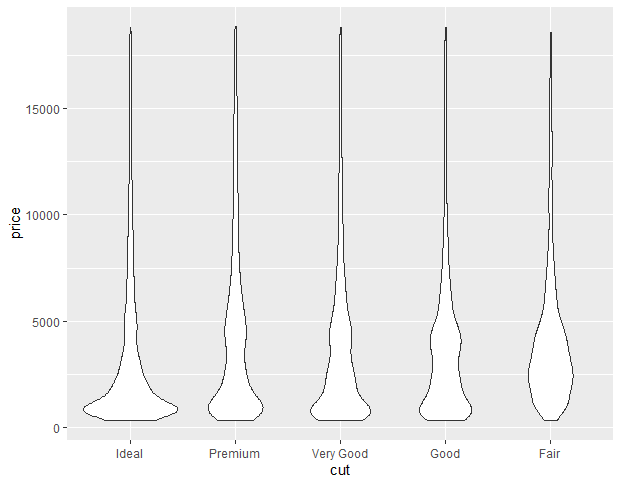
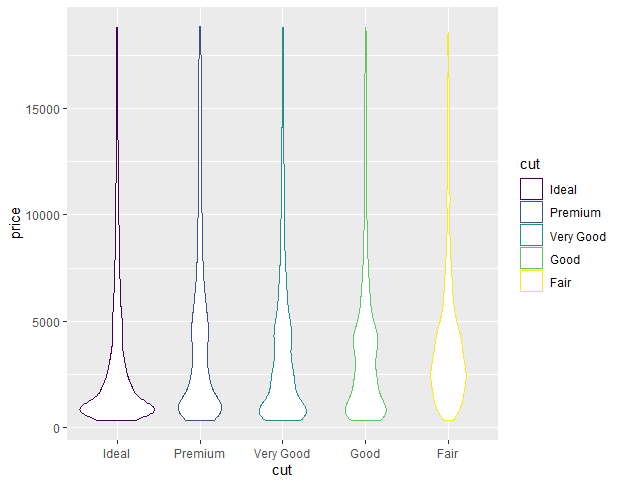
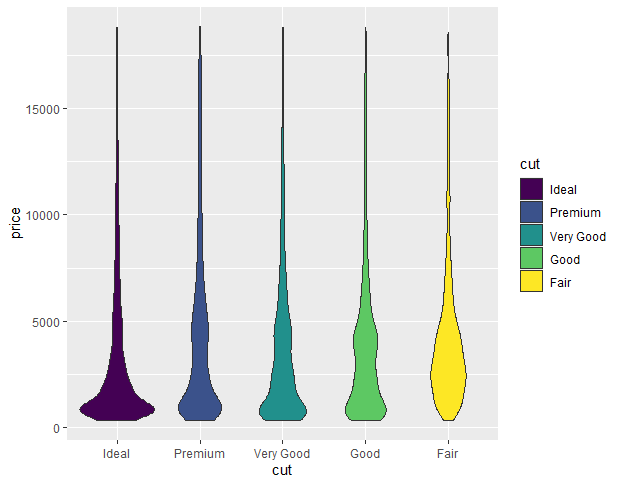
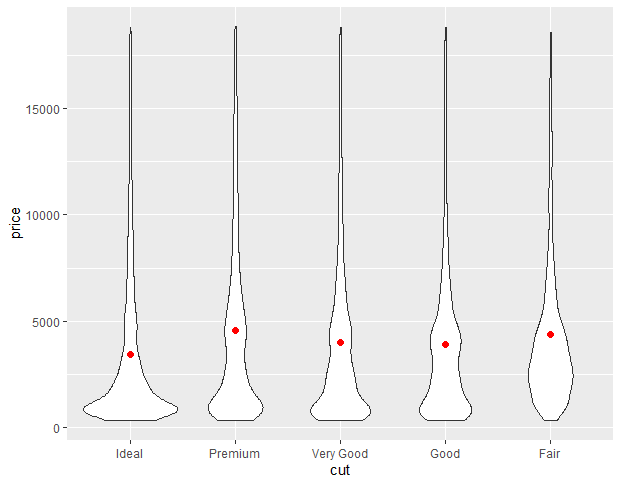
We create a violin plot to show the distribution of diamond prices across different cut categories using the built-in diamonds dataset.
ggplot(): Initializes the plot with the given data.
aes(): Maps variables like x=cut and y=price to plot aesthetics.
diamonds: Built-in dataset in R containing details like price, cut, clarity, etc.
x=cut, y=price: Plots cut type on the x-axis and price on the y-axis.
geom_violin(): Draws the violin plot to visualize the distribution of values.
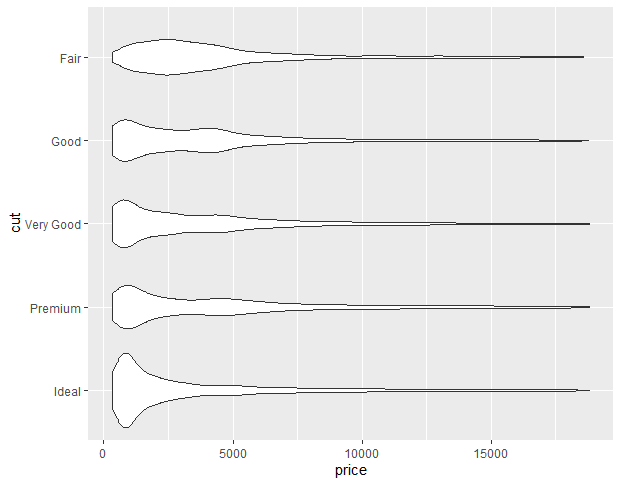
To convert a normal violin plot to a horizontal violin plot we add the coord_flip() function to the ggplot() function. This flips the coordinate axis of the plot and converts any ggplot2 plot into a horizontal plot.
Syntax
plot+ coord_flip()
coord_flip(): Flips the x and y axes to make the plot horizontal.
plot: A visual display of data using charts or graphs.
Here, is a horizontal violin plot made using the coord_flip() function.
In ggplot2, we use the stat_summary() function to compute new summary statistics and add them to the plot. We use the stat_summary() function with ggplot() function.
Syntax
plot+ stat_summary(fun.y, geom, size, color)
Where:
fun.y: determines the function according to which marker has to be placed i.e. mean, median, etc.
geom: determines the shape of marker.
size: determines size of marker.
color: determines the color of marker.
plot: A visual display of data using charts or graphs.
Example:
In this example, we will compute the mean value of the y-axis variable using fun.y argument in the stat_summary() function.