|
VOOZH | about |
|
VOOZH | about |
MongoDB is a NoSQL database that stores data in flexible, JSON-like documents, enabling scalable, high-performance data management for modern applications.
Follow these steps to create databases and collections in MongoDB.
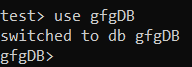
In MongoDB, a database is created only when data is inserted. The use command switches to a database and creates it automatically when data is added if it does not already exist.
Syntax:
use database_name
Example: To create or switch to a database called gfgDB, you would use the following command:
Check Existing Databases:
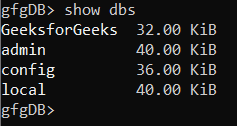
To see all the databases that already exist in your MongoDB instance, use the show dbs command:
show dbsOutput:
This command lists all the databases in your MongoDB instance (except empty database), including their respective sizes. To check the current database in use, we can use the db command:
dbThis will return the name of the currently selected database, e.g., gfgDB
A collection in MongoDB is a group of schema-flexible documents, similar to a table in a relational databases, created explicitly or automatically on insertion.
Syntax:
db.createCollection(' collection_name' );Example: To create a collection called Student, you would use the following command:
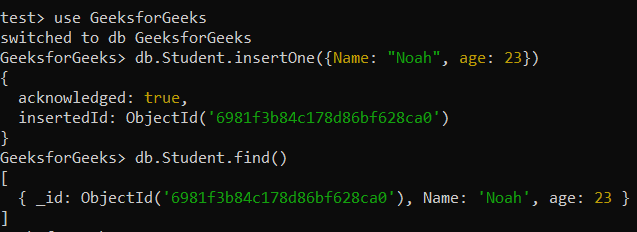
db.createCollection('Student');For example, running the following command will automatically create the Student collection if it doesn't exist:
db.Student.insertOne({Name: "Noah", age: 23})Output:
Note:
- Collections are created automatically when the first document is inserted, so using createCollection() is optional.
- MongoDB allows for collections to contain documents with different fields and data types, which provides flexibility when structuring your data.
Once a collection exists, add JSON-like documents using insert methods.
1. insertOne() Method
The insertOne() method in MongoDB is used to insert a single document into a collection.
Syntax:
db.collection_name.insertOne({ field1: value1, field2: value2, ... });Example: Inserts a single document into a new collection.
db.myNewCollection1.insertOne( { name:"geeksforgeeks" } )Output:
name.2. insertMany() method
insertMany() method inserts multiple documents in one operation, improving performance over single inserts.
Syntax:
db.collection_name.insertMany([{ field1: value1, field2: value2, ... }, { field1: value1, field2: value2, ... }, ... ])Example: To create myNewCollection2, insert two documents.
db.myNewCollection2.insertMany([{name:"gfg", country:"India"}, {name:"Lucas", age:20}])Output:
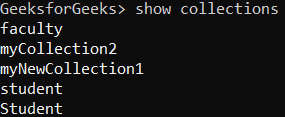
After inserting data, list all collections using the show collections command.
Syntax:
show collectionsExample: If you're working in the gfgDB database and you want to see all the collections, simply run:
show collectionsOutput:
This shows that the Student collection exists within the gfgDB database.
Here are some best practices: