|
VOOZH | about |
|
VOOZH | about |
Indexes in MongoDB speed up data retrieval by organizing field values for fast lookups, reducing full collection scans while using extra storage.
We can create custom indexes using the createIndex() method. This method enables us to optimize queries based on specific fields.
Syntax :
db.collection.createIndex(
 { fieldName: 1 | -1 },
 options,
 commitQuorum
)
MongoDB provides different types of indexes that are used according to the data type or queries. The indexes supported by MongoDB are as follows:
1. Single field Index: A single field index means index on a single field of a document. This index is helpful for fetching data in ascending as well as descending order.
Syntax:
db.collection.createIndex({"<fieldName>" : <1 or -1>});In the following examples, we are working with:
Example: Creating a single index on studentsId field and the field is specified in ascending order.
db.students.createIndex({studentsId:1})2. Compound Index: A compound index indexes multiple fields within a single index structure, enabling efficient filtering and searching on queries that reference those fields together.
Syntax:
db.collection.createIndex( { <field1>: <type>, <field2>: <type2>, ... } )Note: Compound indexes may have a single hashed index field but a hashing function is required by Hashed indexes to compute the hash of the value of the index field.
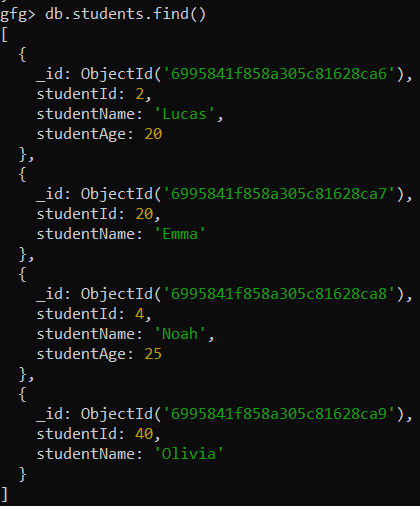
Example: Create a compound index on studentAge: 1, studentName:1
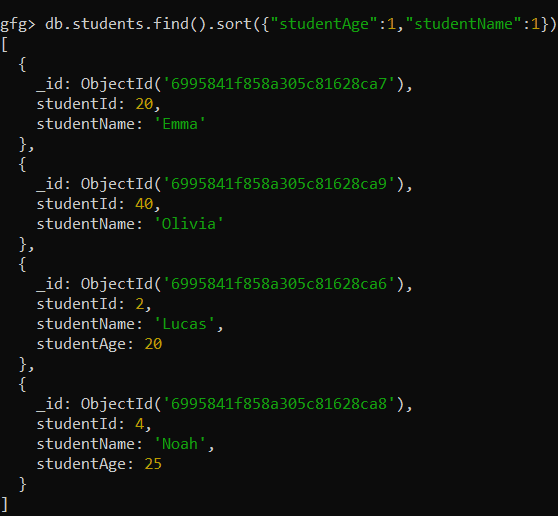
db.students.createIndex({studentAge: 1, studentName:1})Query: Sorts documents by studentAge in ascending order and applies studentName as a secondary sort key for documents with equal ages.
db.students.find().sort({"studentAge":1,"studentName":1})Output:
3. Multikey Index: MongoDB automatically creates multikey indexes when an indexed field contains an array, indexing each array element separately. This enables efficient querying of documents by matching values within arrays.
Syntax:
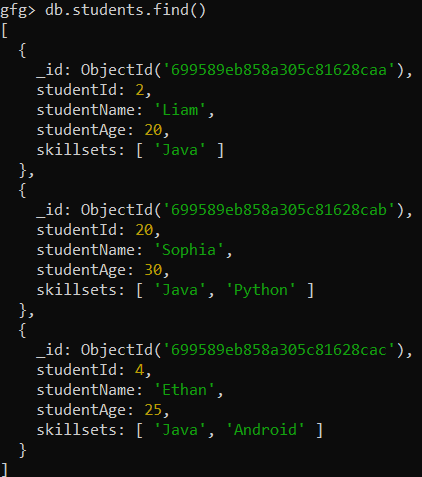
db.collection.createIndex( { <field>: <type>} )In the students collection, we have three documents that contains array fields.
Example: Create a multikey index.
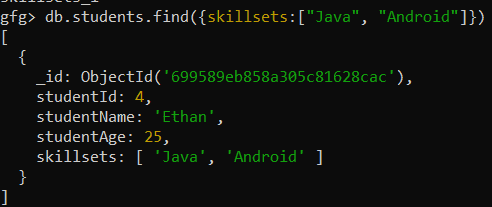
db.students.createIndex({skillsets:1})View the document that holds skillsets:["Java", "Android"]
db.students.find({skillsets:["Java", "Android"]})4. Geospatial Indexes: Geospatial Index in MongoDB offers two types of geospatial indexes. These are used for storing and querying geospatial data (coordinates and geographical locations).
Syntax of 2d sphere indexes:
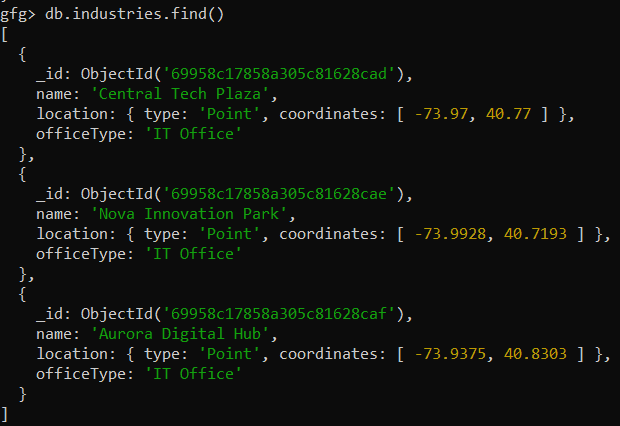
db.collection.createIndex( { <Locationfield>: "2dsphere"} )The available data for "industries":
Example: Create a 2d sphere index on the location field.
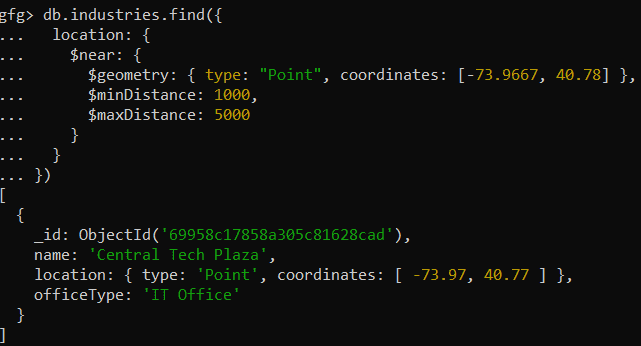
db.industries.createIndex({location:"2dsphere"})Query: Finds industries located within a specified distance range from a given geographic point using geospatial indexing.
db.industries.find({
 location: {
 $near: {
 $geometry: { type: "Point", coordinates: [-73.9667, 40.78] },
 $minDistance: 1000,
 $maxDistance: 5000
 }
 }
})
Output:
5. Text Index: MongoDB text indexes enable full-text search on string fields (including arrays of strings) each collection can have only one text index and it can be part of a compound index.
Syntax:
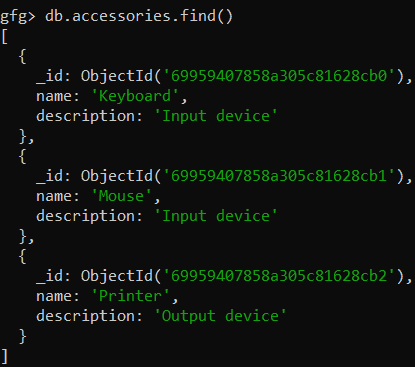
db.collection.createIndex({ field: "text" })db.collection.find({ $text: { $search: "\"Exact search term\"" } })db.collection.find({ $text: { $search: "search terms -excludedTerm" } })The available data for "accessories":
Example: Create text index.
db.accessories.createIndex({name: "text", description: "text"})Output:
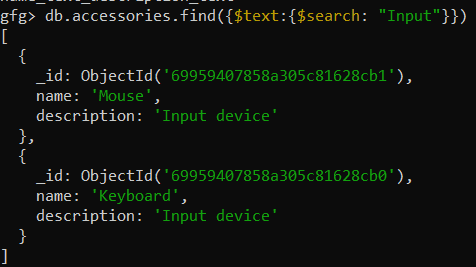
Query: Display those documents that contain the string "Input".
db.accessories.find({$text:{$search: "Input"}})6. Hash Index: A hashed index stores hash values of indexed field keys (commonly _id) and is primarily used in sharded clusters to evenly distribute data across shards for balanced partitioning and efficient routing.
Syntax:
db.<collection>.createIndex( { _id: "hashed" } )From Version 4.4 onwards, the compound Hashed Index is applicable
7. Wildcard Index: MongoDB wildcard indexes index dynamic or unknown fields in documents, exclude _id by default (unless specified), and support multiple wildcard indexes per collection for flexible querying.
Syntax:
db.<collection>.createIndex({ "field.$**": 1 })db.<collection>.createIndex({ "$**": 1 })db.<collection>.createIndex(
{ "$**": 1 },
{ wildcardProjection: { field1: 1, field2: 1 } }
)
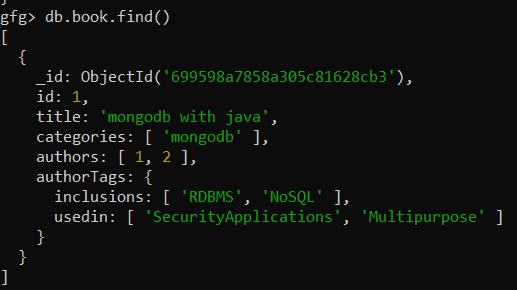
In book collection we create the wildcard index:
Create an index for "authorTags" field
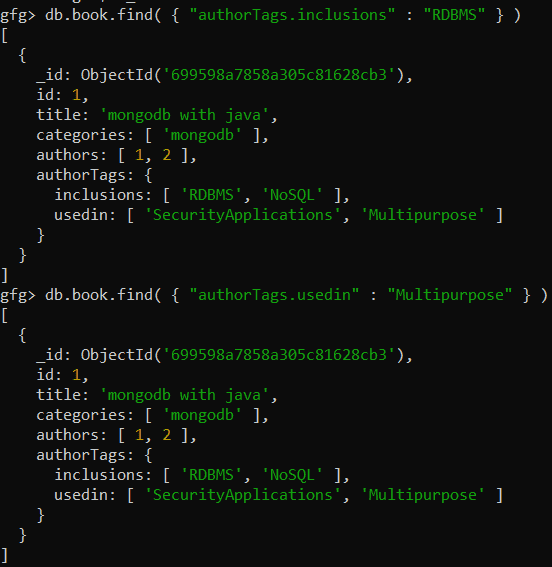
db.book.createIndex( { "authorTags.$**" : 1 } )Since "index" is created on set of fields, we can easily query in the following way
db.book.find( { "authorTags.inclusions" : "RDBMS" } )
db.book.find( { "authorTags.usedin" : "Multipurpose" } )
To ensure efficient database operations, follow these best practices: