|
VOOZH | about |
|
VOOZH | about |
Sorting documents in MongoDB is the process of arranging data in a specific order based on field values, enhancing the efficiency and readability of query results. In this article, We will learn about Sorting Documents in MongoDB by understanding various examples in detail.
sort()method to perform this operation, allowing users to specify the sort order as ascending (1) or descending (-1).Syntax:
db.Collection_name.sort({field_name : 1 or -1})
Parameter:
This method takes a document that contains a field: value pair. If the value of this field is 1 then this method sorts the documents in ascending order, or if the value of this field is -1 then this method sorts the documents in descending order.
Return:
This method return sorted documents.
In the following examples, we are working with:
Database: gfg
Collections: student
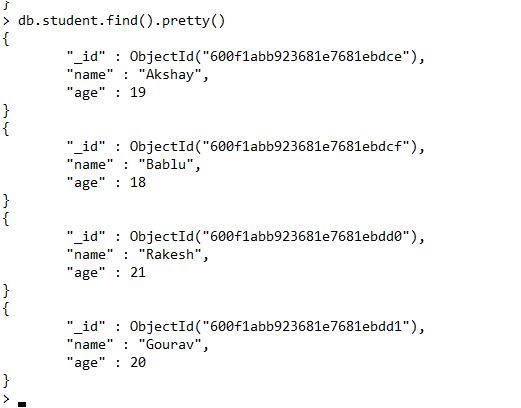
Document: Four documents contains name and age of the students.
Output:
👁 Imagedb.student.find().sort({age:1})Output:
👁 Imagedb.student.find().sort({age:-1})Output:
👁 ImageIn MongoDB, we can also sort embedded documents using the sort() method. In this method, we can specify the embedded document field using dot.
Syntax:
db.Collection_name.sort({"field_name.embed_field_name" : 1 or -1})
Example:
In the following example, we are working with:
Database: gfg
Collections: student
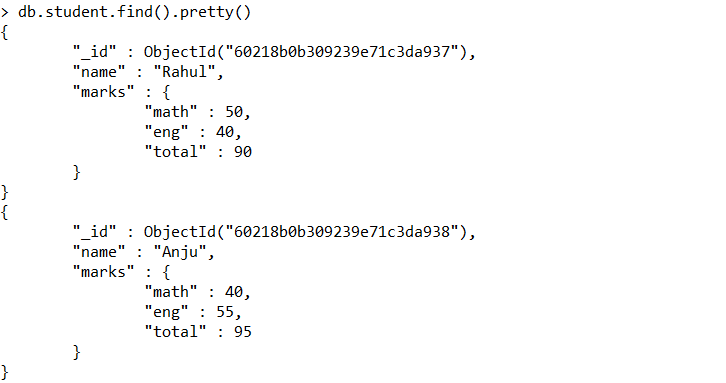
Document: Two documents contains name and a marks document, that contains the two subjects marks and the total marks of two subjects.
Output:
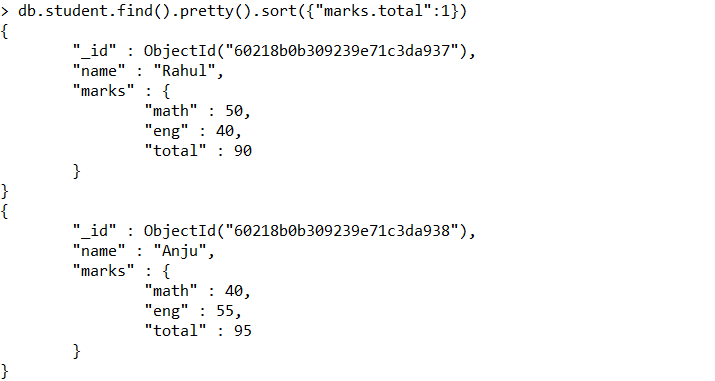
👁 Imagedb.student.find().pretty().sort({"marks.total":1})Output:
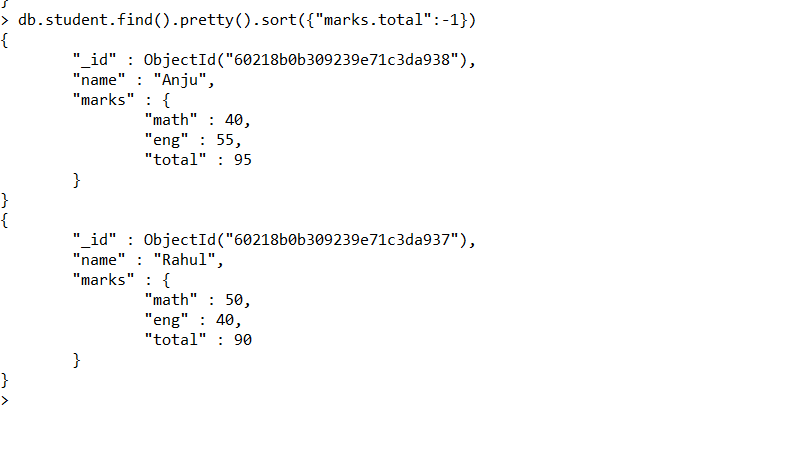
👁 Imagedb.student.find().pretty().sort({"marks.total":-1})Output:
👁 ImageIn MongoDB, we can also sort multiple fields using sort() method. In this method, you should declare multiple fields that you want to sort. Now this method, sort the fields according to their declaration position, here the sort order is evaluated from left to right.
Syntax:
db.Collection_name.sort({field_name1 : 1 or -1, field_name2 : 1 or -1})
Example:
In the following examples, we are working with:
Database: gfg
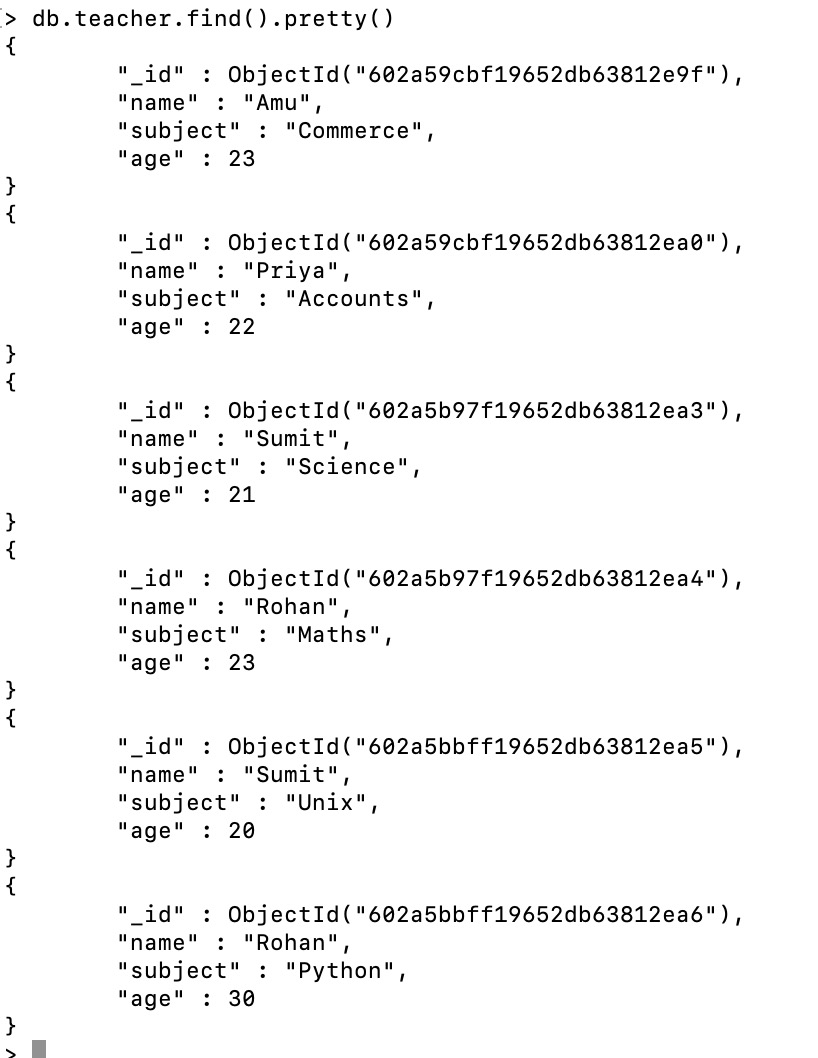
Collections: Teacher
Document: Six documents contains the details of the teachers.
Output:
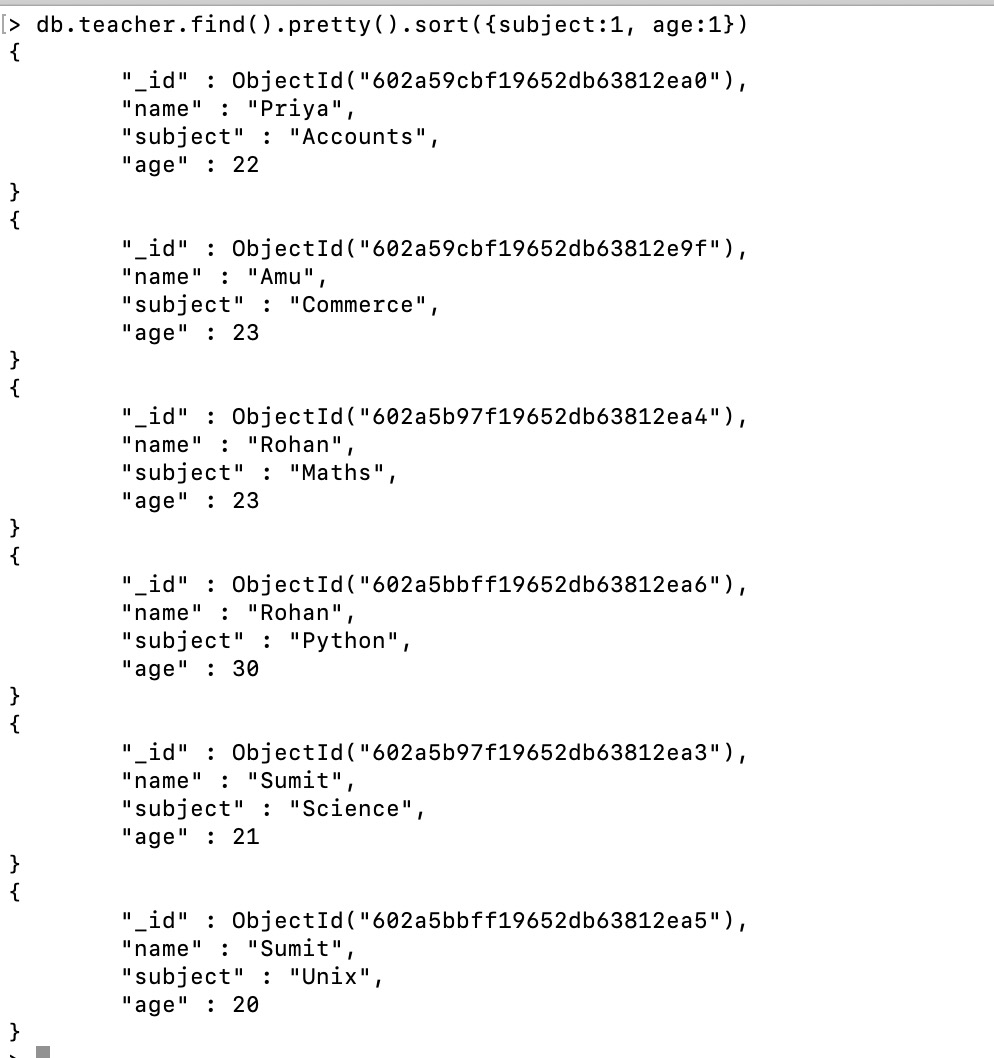
👁 ImageNow we sort the documents of the teacher collection in ascending order. Here, we sort multiple fields together using the sort() method(i.e., subject, age)
db.teacher.find().pretty().sort({subject:1, age:1})Output:
👁 ImageIn MongoDB, we can limit the number of sorted documents displays in the result using the limit() method. In this method, we specify the number of documents that we want in our result.
Syntax:
db.Collection_name.find().sort({field_name : 1 or -1}).limit(<number>)
Example:
In the following examples, we are working with:
Database: gfg
Collections: teacher
Document: Six documents contains the details of the teachers.
Output:
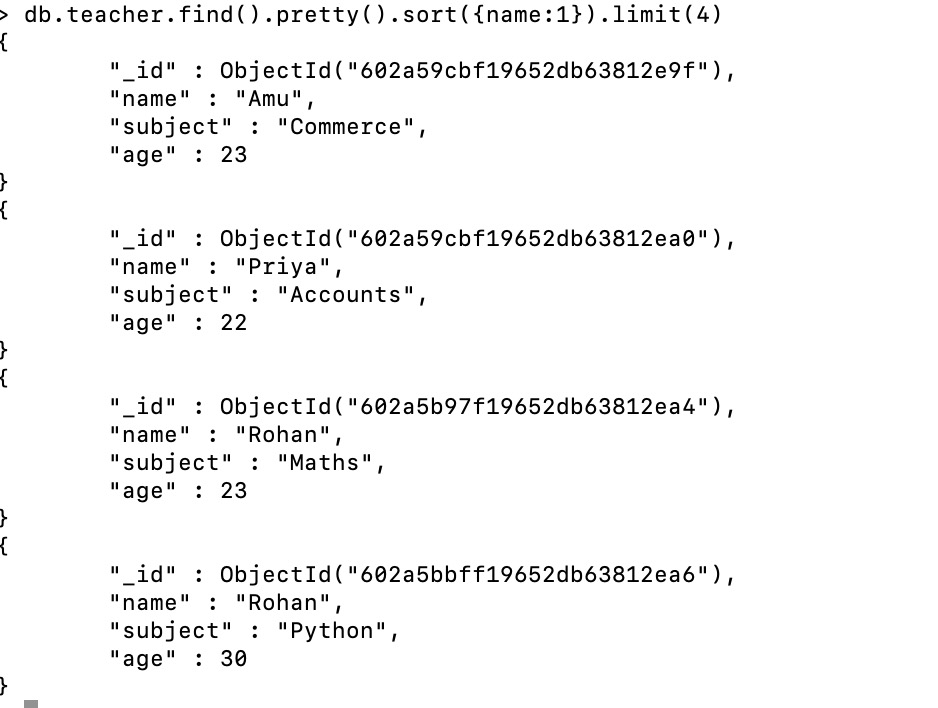
👁 ImageNow we sort the documents of the teacher collection in ascending order using the sort() method but in the result, we will only display 4 documents.
db.teacher.find().pretty().sort({name:1}).limit(4)Output:
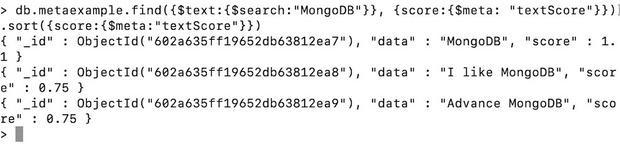
👁 ImageIn MongoDB, using the sort() method we can sort the metadata values. Let us discuss with the help of an example:
Example:
In the following examples, we are working with:
Database: gfg
Collections: metaexample
Document: Five documents
Output:
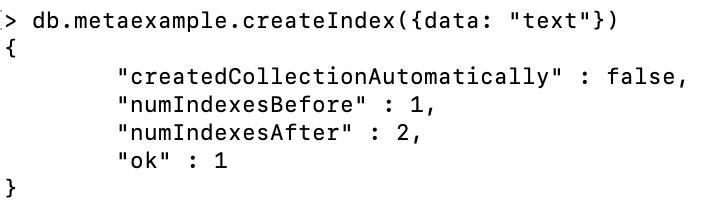
👁 ImageNow to sort metadata first we need to create the index using the createIndex() method.
👁 ImageNow, we sort the metadata
db.metaexample.find({$text:{$search:"MongoDB"}},
 {score:{$meta: "textScore"}}
 ).sort({score:{$meta:"textScore"}})
Output:
Here, first, we search the text(i.e., MongoDB) using the {$meta: "textScore"} and after searching we sort the data and store the result in the score field. Here, we are sorting using "textScore", so the data is sort in descending order.
Sorting documents in MongoDB is a vital feature that enhances data retrieval efficiency and readability. By using the sort() method, MongoDB allows users to order documents based on specified field values in either ascending or descending order. This functionality extends to sorting embedded documents, multiple fields, limiting results, and even sorting metadata. Mastering these sorting techniques is essential for optimizing query performance and organizing data effectively in MongoDB.