|
VOOZH | about |
|
VOOZH | about |
The updateOne() method in MongoDB updates the first document that matches a specified condition in a collection. It is used to change fields or values in a single matching document without affecting others.
Syntax
db.collection.updateOne(<filter>, <update>, {
   upsert: <boolean>,
   writeConcern: <document>,
   collation: <document>,
   arrayFilters: [<filterdocument1>, ...],
   hint: <document|string> // Available starting in MongoDB 4.2.1
})
This method returns a document that contains the following fields:
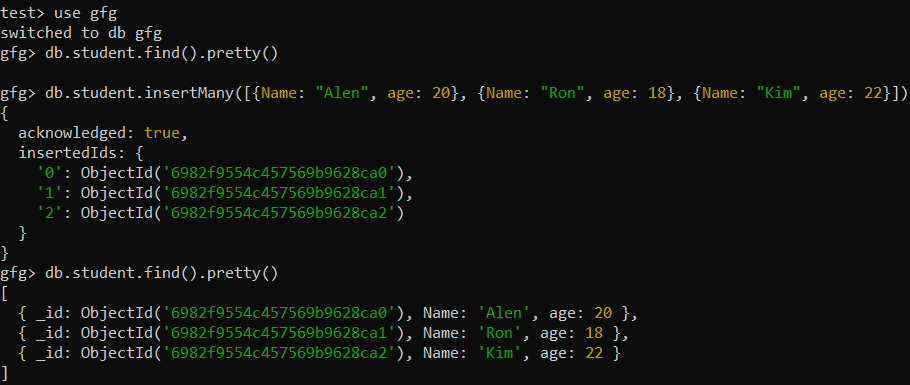
Let’s go over a few examples to understand how updateOne() works in MongoDB. In the following examples, we are working with:
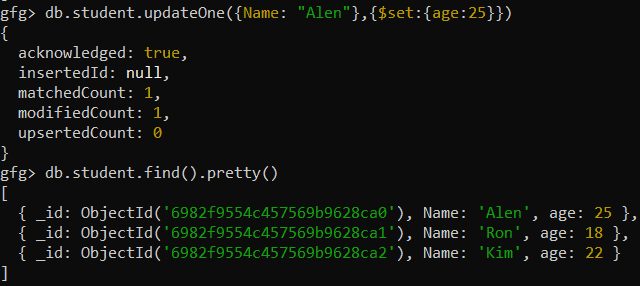
Update the age of the student whose name is Alen.
Query:
db.student.updateOne({Name: "Alen"}, {$set:{age:25}})Output:
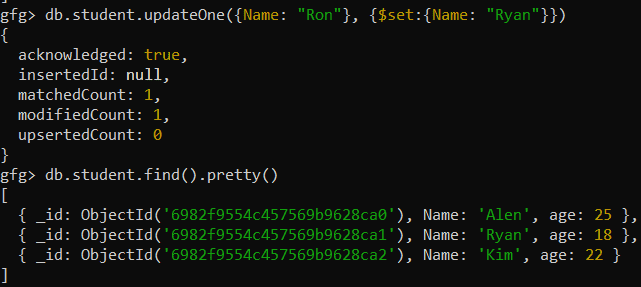
Update the first matched name from Ron to Ryan (same data type).
Query:
db.student.updateOne({Name:"Ron"},{$set:{Name:"Ryan"}})Output:
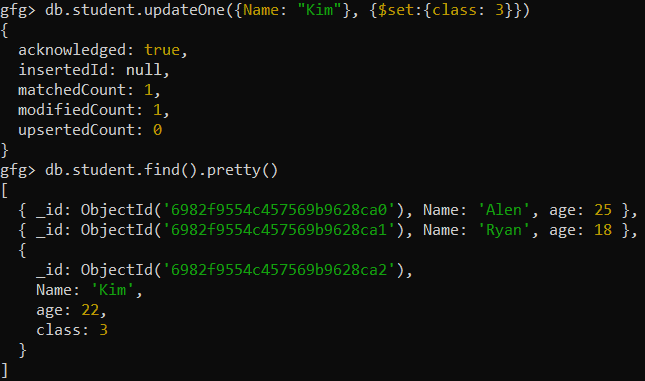
Add a new field named class with the value 3 to the document where the student’s name is Kim.
Query:
db.student.updateOne({Name: "Kim"}, {$set:{class: 3}})Output:
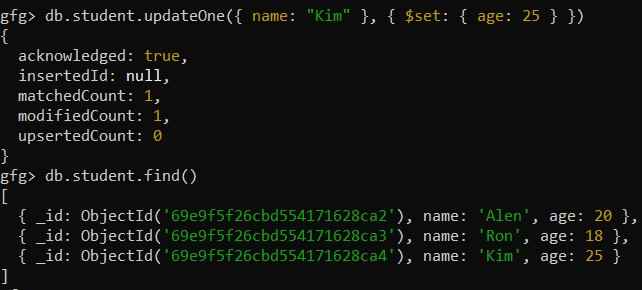
Update the first document where name is "Kim" to set age to 25:
Query:
db.student.updateOne({ name: "Kim" }, { $set: { age: 25 } })Output:
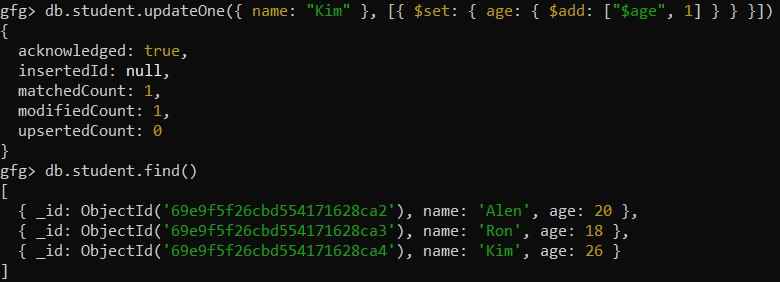
Increment the age of the first matched document where name is "Kim" using the aggregation pipeline.
Query:
db.student.updateOne({ name: "Kim" }, [{ $set: { age: { $add: ["$age", 1] } } }])Output:
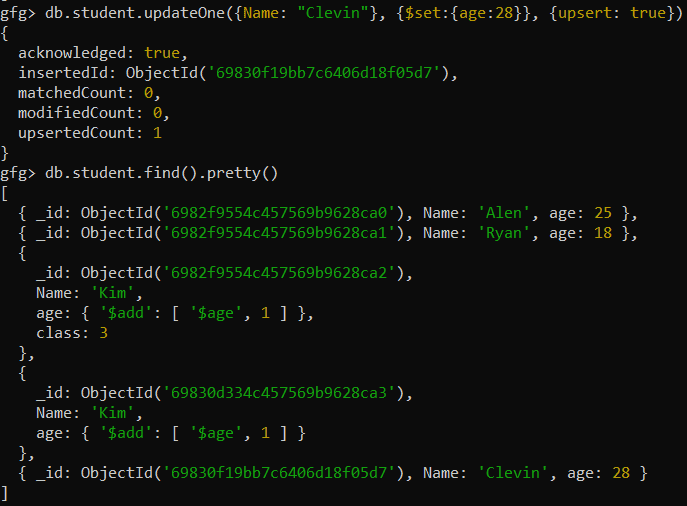
Updating the document with name "Clevin" if it exists; otherwise, inserting a new document with name "Clevin" and age 28.
Query:
db.student.updateOne({ Name: "Clevin" }, { $set: { age: 28 } }, { upsert: true })Output: