The MongoDB $not operator negates a query condition and returns documents that do not match the specified expression, helping exclude unwanted results in complex filters.
Reverses the logic of another query condition.
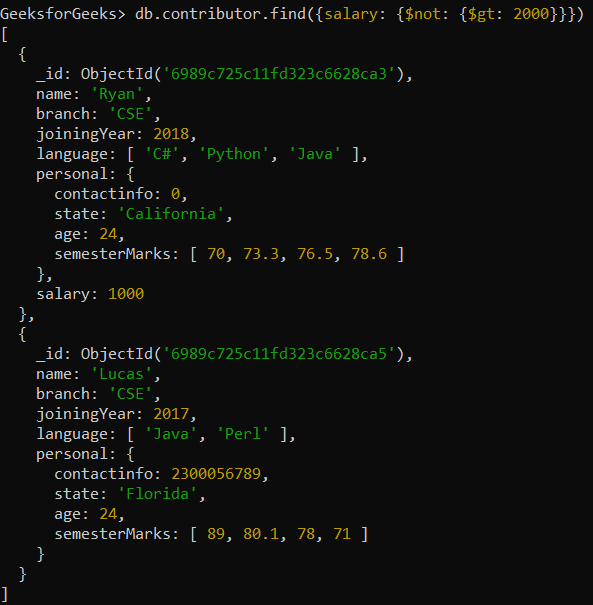
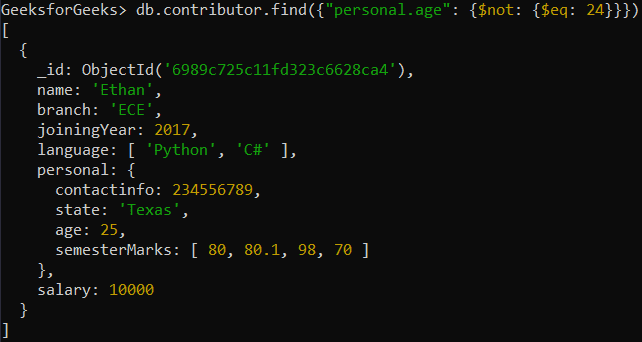
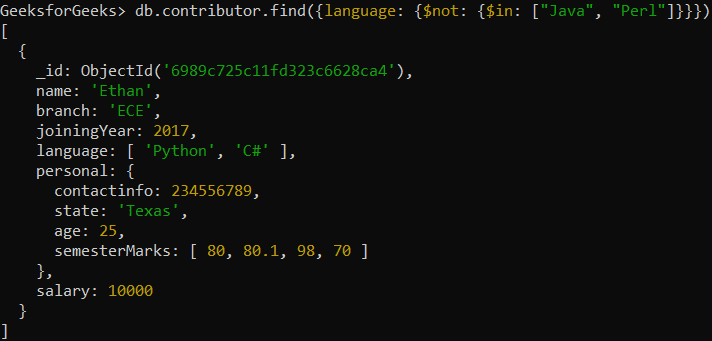
Commonly used with $gt, $eq, $in, $ne, and similar operators.
Returns documents where the condition is not satisfied, including those where the field is missing.
Can be used with regular expressions to exclude pattern matches.
Syntax
{ field: { $not: { <operator-expression>} } }
field: The field to apply the condition on.
operator-expression: The condition to negate (e.g., $gt, $eq, $in, $regex).
Examples of Using $not Operator in MongoDB
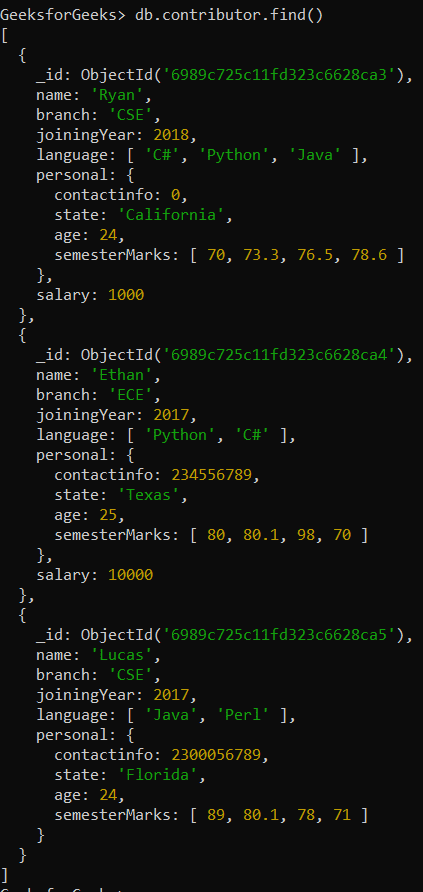
In the following examples, we are working with:
Database: GeeksforGeeks
Collection: contributor
Document: Three documents that contain the details of the contributors in the form of field-value pairs.
The MongoDB $not operator works across different data types, but its behavior can vary with arrays and missing fields, sometimes producing unexpected results.
Arrays: Negates the condition for each element in the array.
Null or missing fields: Matches documents where the field is absent or does not satisfy the condition.
Best Practices for Using the $not Operator
Use $not carefully with clear conditions to avoid performance issues and unexpected results.
Use with other operators: Combine $not with $gt, $lt, $eq, $in, etc., to define what to negate.
Optimize for performance: Test queries, especially when using $not with regex or complex filters.
Keep queries simple: Avoid deeply nested $not conditions to reduce confusion and unexpected behavior.