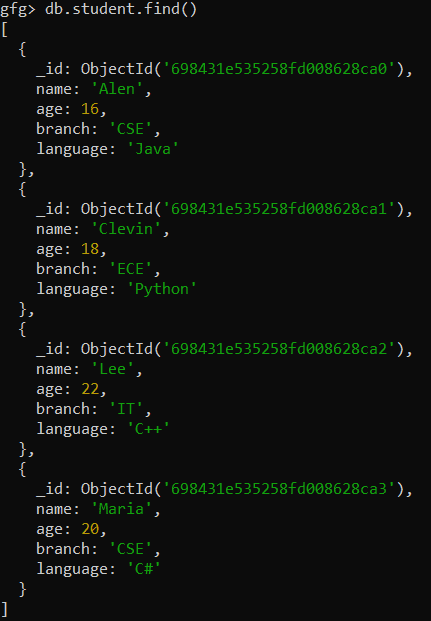
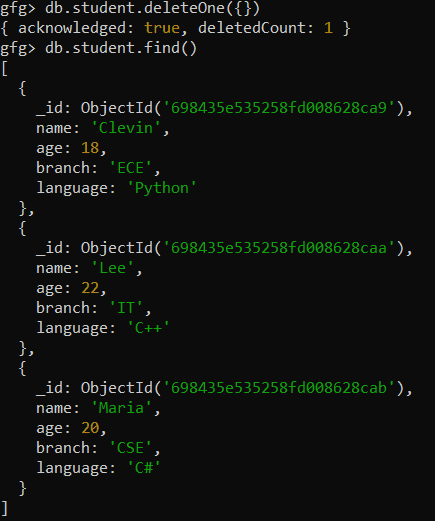
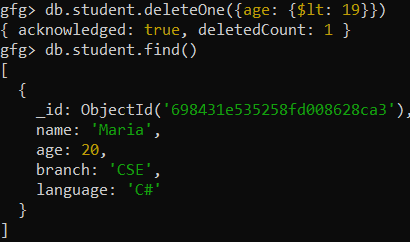
The deleteOne() method in MongoDB removes a single document from a collection that matches a specified filter. It is useful for deleting a specific document based on given criteria, helping maintain the integrity and relevance of the data in the collection.
Deletes one document based on the filter criteria.
Removes only the first matching document; impact depends on the accuracy of the filter criteria.
Helps maintain data integrity by selectively removing irrelevant or outdated documents.
Can be used with various query operators to match documents based on complex conditions.
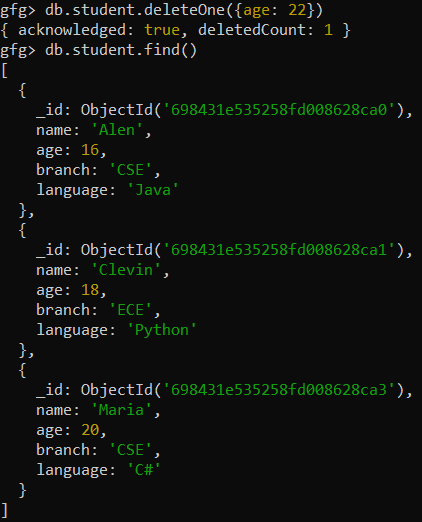
The document with age: 22 is removed from the collection.
If no document matches, no document is deleted.
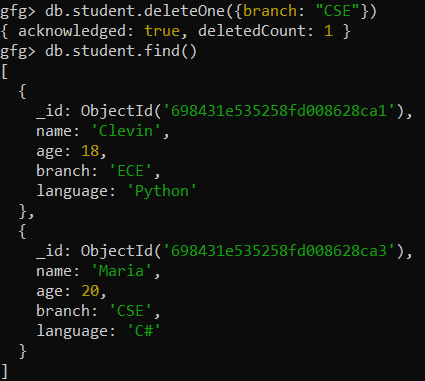
Example 3: Deleting One Document When Multiple Documents Match the Filter
Deleting a document from the student collection. Here, two documents match the filter (i.e., branch: "CSE"), so this method deletes the first document among them.
This command ensures that MongoDB uses the name_index index to optimize the query for deleting the document.
Common Errors and their Solutions
Understanding these common issues and their solutions can help you avoid unnecessary complications and ensure smooth operations.
1. Using deleteOne on a Capped Collection
Capped collections are fixed-size collections that do not allow deletions. Attempting to delete a document from a capped collection will result in an error.
Error: "cannot remove from a capped collection"
Solution: Check with db.collection.stats() and use an uncapped collection
2. Deleting Unintended Documents
If the filter criteria are too general or incorrect, deleteOne might delete a document you did not intend to remove.
Issue: Broad filters delete wrong documents
Solution Verify with findOne() or find() first
3. Performance Issues with Large Collections
Without an index, MongoDB will examine every document in the collection to find matches, resulting in slower performance.
Issue: No index causes full collection scan.
Solution: Create an index on the filter field.
Important Points for Using deleteOne()
Here are some important points to be remembered:
Always Use Specific Filters: Avoid using empty filters ({}) unless intentionally deleting the first document in the collection.
Test with Find First: Use findOne with the same filter to ensure that the document you intend to delete matches the criteria.
Index Your Collections: Create indexes on fields commonly used in filters to enhance performance.
Enable Write Concern: Use custom write concerns for critical operations to ensure proper acknowledgment of the operation.