|
VOOZH | about |
|
VOOZH | about |
Mongoose is an essential ODM (Object Data Modeling) library for MongoDB designed to work seamlessly with Node.js. It provides a structured way to define schemas, making it easier to interact with MongoDB collections.
In this guide, we will cover the installation of Mongoose, the setup of schemas for source and destination collections and the implementation of a process to move documents between these collections.
Step 1: You can visit the link Install Mongoose to install the mongoose module. You can install this package by using this command.
npm install mongooseStep 2: Now you can import the MongooseMongoose module in your file using:
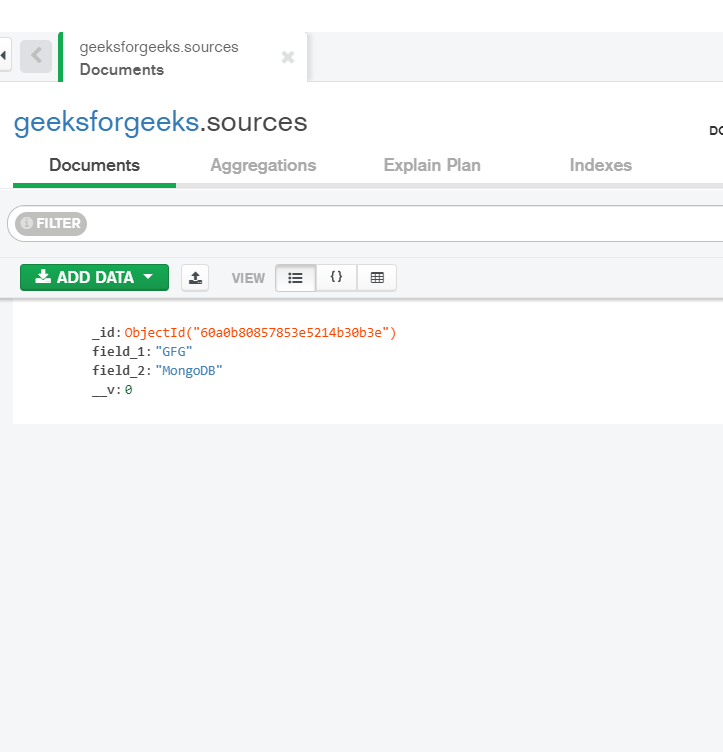
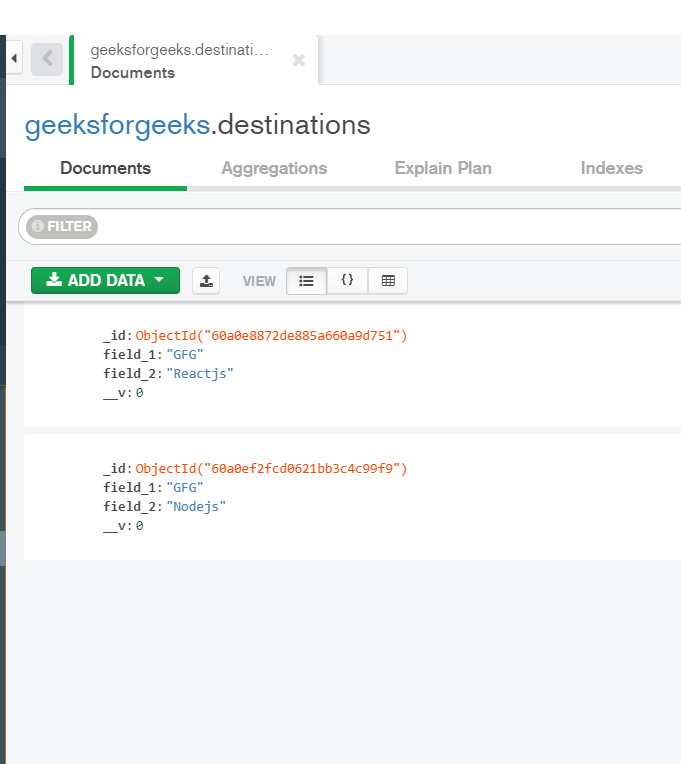
const mongoose = require('mongoose');Database: We already have documents in our Source and Destination collection before moving as shown below:
Source Collection before moving: Our source collection before the movement will look like this.
Destination Collection before moving: Our destination collection before the movement will look like this.
Implementation:
Create a folder in which you can add two files model.js and index.js which are shown below:
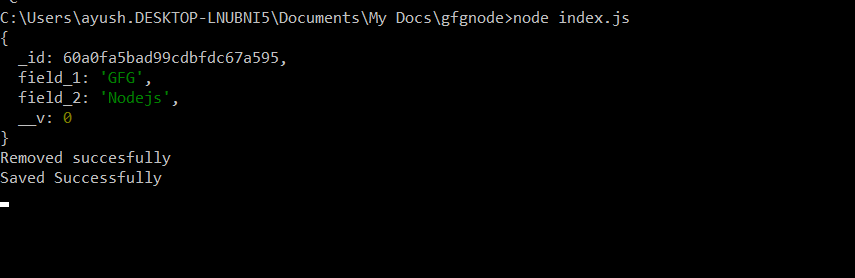
Run index.js using the command:
node index.jsOutput:
Source Collection after moving: Our source collection after the movement will look like this.
Destination Collection after moving: Our destination collection after the movement will look like this.
By following this guide, you have successfully installed Mongoose and set up a basic structure to move documents from one collection to another within a MongoDB database. The process demonstrated how to define schemas, create models, and perform data migration operations using Mongoose. This setup forms the foundation for more complex data manipulation tasks and application development in Node.js with MongoDB.