|
VOOZH | about |
|
VOOZH | about |
MongoDB ObjectId is an important element in document identification, but can it help us with date-basedqueries? Understanding the ObjectId's structure and its potential for querying by date opens up new possibilities for data retrieval and analysis.
In this article, We will learn about how to perform query MongoDB ObjectId by date by understanding various approaches along with practical examples and so on.
Although ObjectId is primarily used as a unique identifier, it can be used indirectly for date-based queries. However, it's important to note that ObjectId does not store timezone information, so queries based on date will be in UTC. Below are some methods that help us to perform query MongoDB ObjectId by date as follows:
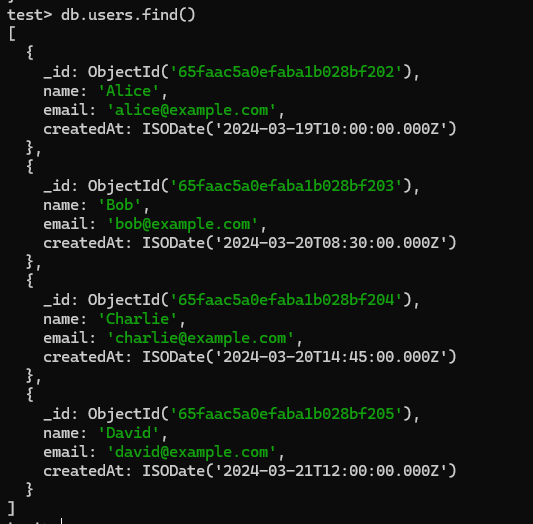
Let's set up an Environment:
db.users.insertMany([
 { name: "Alice", email: "alice@example.com", createdAt: ISODate("2024-03-19T10:00:00Z") },
 { name: "Bob", email: "bob@example.com", createdAt: ISODate("2024-03-20T08:30:00Z") },
 { name: "Charlie", email: "charlie@example.com", createdAt: ISODate("2024-03-20T14:45:00Z") },
 { name: "David", email: "david@example.com", createdAt: ISODate("2024-03-21T12:00:00Z") },
]);
Output:
Let's see How to query documents in the users collection created on March 20, 2024, using MongoDB's date range query operators$gte (greater than or equal to) and $lte (less than or equal to) with specific timestamps for the start and end of the day.
// Construct timestamp range for March 20, 2024
const startTimestamp = new Date('2024-03-20T00:00:00Z');
const endTimestamp = new Date('2024-03-20T23:59:59Z');

// Query documents created on March 20, 2024
db.users.find({
 createdAt: {
 $gte: startTimestamp,
 $lte: endTimestamp
 }
});
Output:
Explanation: This output is a result of querying the users collection for documents created on March 20, 2024. The query filters the createdAt field to be within the range of March 20, 2024, from 00:00:00 to 23:59:59 UTC. The output includes two documents representing users created on that date: Bob and Charlie. Each document contains fields such as _id (a unique identifier), name, email, and createdAt (the date and time the user was created).
Suppose we have Given a MongoDB collection of users where each document contains an _id field representing the ObjectId of the document, we need to construct an ObjectId corresponding to March 20, 2024. Using this ObjectId, we are required to query and retrieve documents created after and before March 20, 2024, from the collection.
// Construct ObjectId for March 20, 2024
const objectIdForDate = ObjectId(Math.floor(startTimestamp.getTime() / 1000).toString(16).padStart(24, '0'));

// Query documents created after March 20, 2024
db.users.find({
 _id: { $gt: objectIdForDate }
});

// Query documents created before March 20, 2024
db.users.find({
 _id: { $lt: objectIdForDate }
});
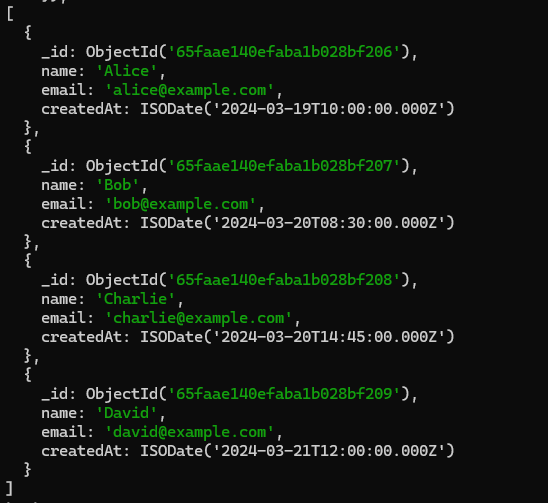
Output:
Explanation: This output is a list of MongoDB documents from a collection called users. Each document represents a user and includes fields like _id (a unique identifier), name, email, and createdAt (the date and time the user was created). Each user's information is stored as a separate document in the collection.
Let's see How to use the MongoDB aggregation pipeline to filter documents in the users collection based on their createdAt field, selecting only those created within a specified date range?
db.users.aggregate([
 {
 $match: {
 createdAt: {
 $gte: startTimestamp,
 $lte: endTimestamp
 }
 }
 }
])
Output:
Explanation: This output includes documents from the users collection that have a createdAt timestamp falling within the specified range for March 20, 2024. Each document includes fields such as _id, name, email, and createdAt, providing details of the users created on March 20, 2024.
Overall, MongoDB ObjectId, primarily a unique identifier, can be indirectly used for date-based queries, offering a versatile approach to data retrieval. By leveraging the timestamp embedded within ObjectId, developers can perform date-based operations effectively. The methods discussed - using timestamp range, ObjectId's first four bytes, and the aggregate framework - provide valuable insights into how MongoDB's flexibility extends to date-related queries, enhancing the database's utility in various applications.