MongoDB Compass is a graphical user interface (GUI) tool that provides a visual and intuitive way to interact with MongoDB databases, simplifying database management and improving developer productivity.
Explore and manage databases, schemas, collections, and documents.
Build and run complex queries visually without manual coding.
Visualize data patterns using charts and graphs.
Monitor real-time database performance.
Apply validation rules to maintain data integrity.
Suitable for both beginners and experienced developers.
Features of MongoDB Compass
Here are some features of MongoDB Compass:
Visual Representation: Displays schemas, collections, and documents visually for easier understanding of data structure.
Query Builder: Enables building complex queries using a point-and-click interface without manual MongoDB query syntax.
Data Exploration: Visualize and analyze data with tools for filtering, sorting, and aggregating.
Index Management: Allows easy creation, viewing, and analysis of indexes to improve performance.
Data Visualization: Provides charts, graphs, and histograms for quick data analysis and insights.
Real-Time Performance Monitoring: Monitors database performance live to identify and resolve bottlenecks.
Document Validation: Supports defining and enforcing validation rules to maintain data integrity.
System Requirements for MongoDB Compass
Before installing MongoDB Compass, ensure your system meets the following requirements:
1.Operating System
Windows 7 (64-bit) or higher.
macOS 10.12 (Sierra) or higher.
A modern Linux distribution.
2. Hardware Requirements
RAM: Minimum 4 GB.
Disk Space: At least 1 GB free.
Display: Minimum resolution of 1280x800 pixels.
Installation of MongoDB Compass
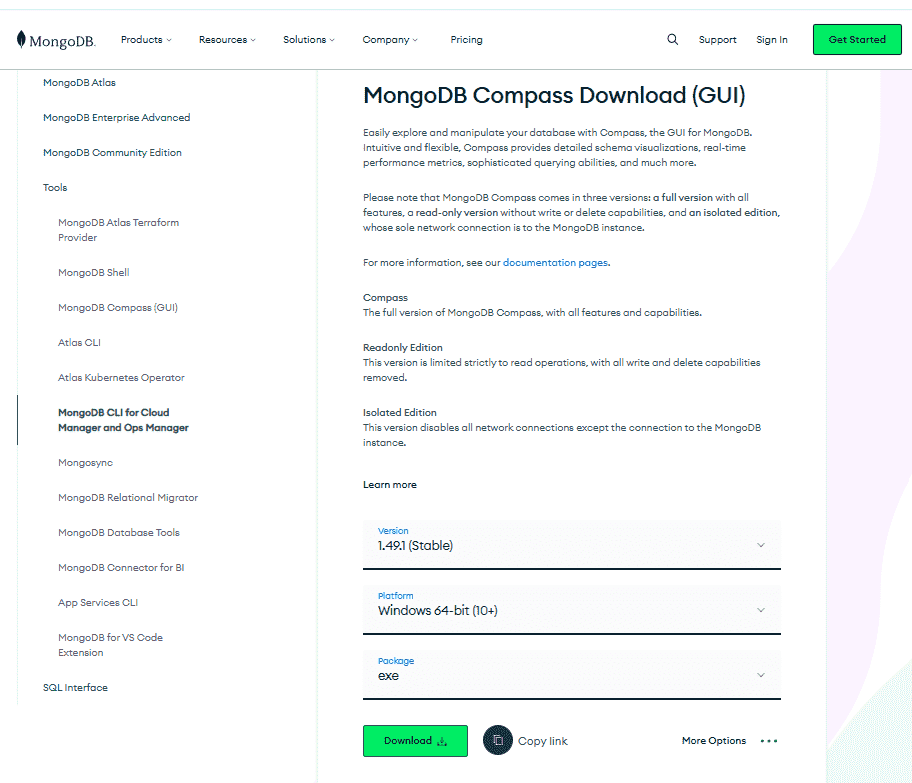
Installing MongoDB Compass is a straightforward process. Here's a step-by-step guide to help you get started: