Efficient querying of array elements in MongoDB helps developers extract relevant data from flexible, document-based collections.
MongoDB stores data in collections of documents . Documents support strings, numbers, objects, and arrays. Arrays store ordered, related values within a document. Array queries enable precise and efficient data retrieval. Prerequisites Before proceeding, ensure you are familiar with the following concepts:
Methods to Query Array Elements in MongoDB MongoDB provides various techniques to query and manipulate arrays. The key methods are discussed below:
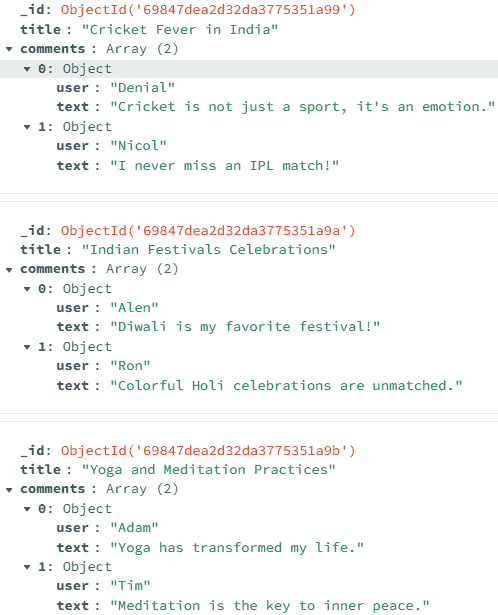
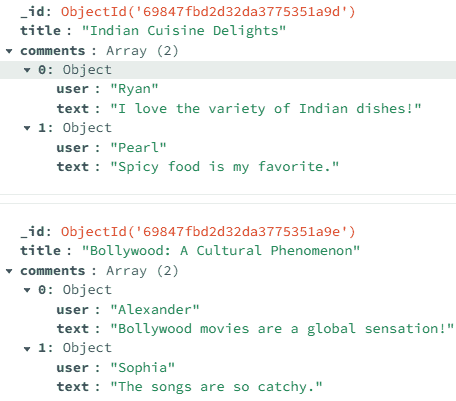
Below are the data or records inserted into the blogPosts collection. The collection contains fields such as _id, title, and comments. The comments field is an array of objects, each containing user details.
👁 Screenshot-2026-02-05-180031
👁 Screenshot-2026-02-05-180215 1. Dot Notation Dot notation accesses fields inside nested objects or arrays in MongoDB queries.
Used to query fields inside embedded documents. Works with array elements (e.g., comments.user). Helps filter data without reshaping documents. Example : Query the Array Elements Using the Dot Notation.
Query Using the Mongo Shell:
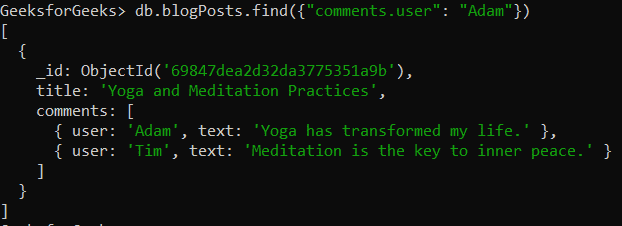
db.blogPosts.find({ "comments.user": "Adam" }) Output:
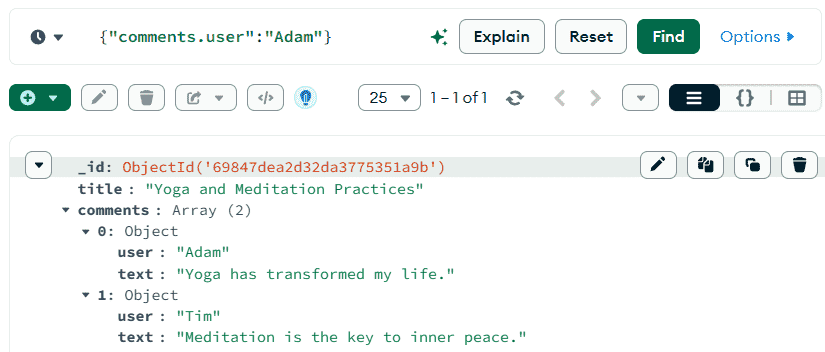
👁 Screenshot-2026-02-05-170840 Searches the blogPosts collection. Matches documents with at least one comment where user is "Adam". Uses the find() method to retrieve matching documents. Query Using the MongoDB Compass:
{ "comments.user": "Adam" } Output:
👁 Screenshot-2026-02-05-170636 2. $elemMatch $elemMatch matches documents where at least one array element satisfies multiple conditions.
Applies multiple criteria to a single array element. Prevents matching conditions across different elements. Example : Query Array Elements Using $elemMatch Operator.
Query Using the Mongo Shell:
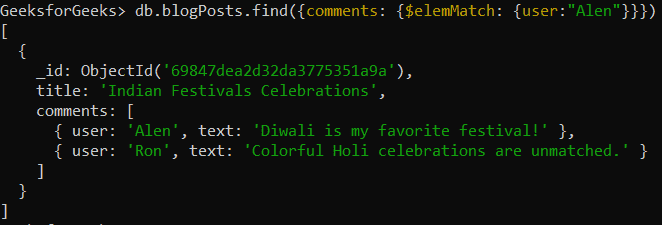
db.blogPosts.find({ comments: { $elemMatch: { user: "Alen" } } }) Output:
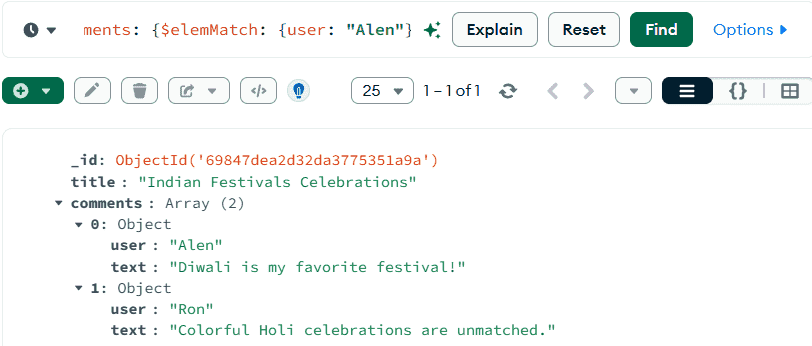
👁 Screenshot-2026-02-05-171452 Searches the blogPosts collection for documents with at least one comment where user is "Alen". Uses find() to retrieve matching documents. { comments: { $elemMatch: { user: "Alen" } } } is the query condition. $elemMatch matches documents where at least one element in the comments array meets the condition. Query Using the MongoDB Compass:
{ comments: { $elemMatch: { user: "Alen" } } } Output:
👁 Screenshot-2026-02-05-171304 3. $slice $slice limits the number of array elements returned in query results.
Returns only selected items from an array field. Useful for previewing large arrays. Example : Query Array Element using $slice Operator.
Query Using the Mongo Shell:
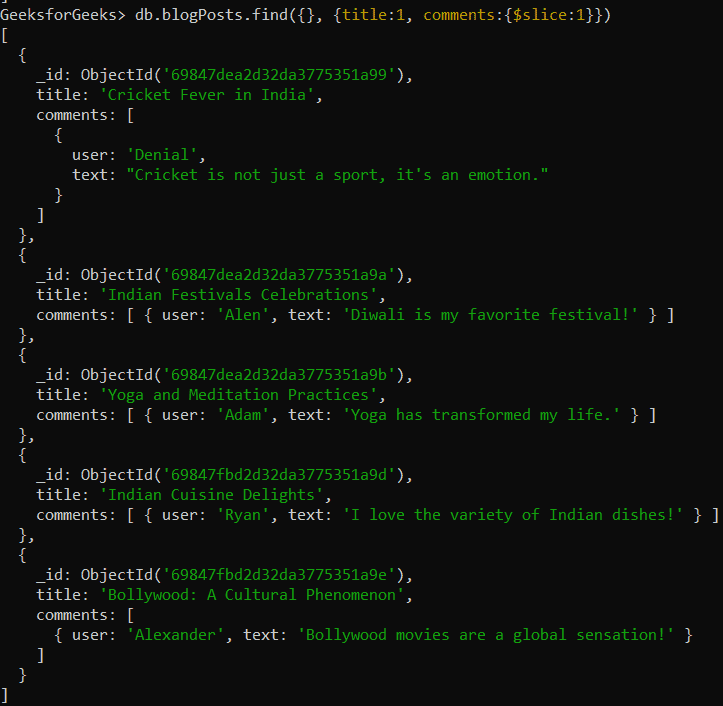
db.blogPosts.find({}, { title: 1, comments: { $slice: 1 } }) Output:
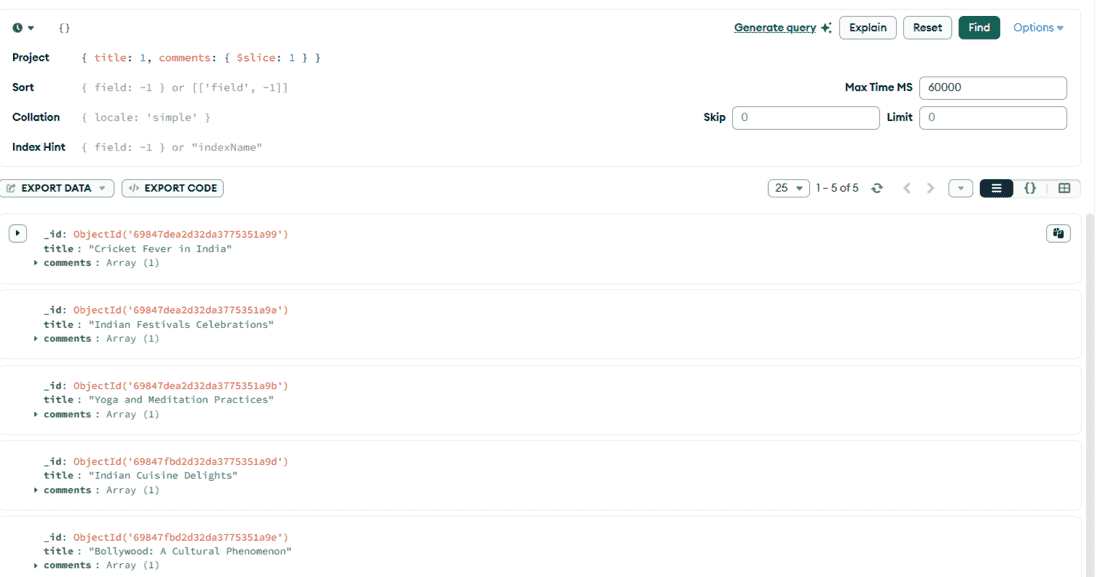
👁 Screenshot-2026-02-05-173208 Retrieves documents from the blogPosts collection. Uses find() to fetch matching documents. Projects only the title field and the first element of comments. { title: 1, comments: { $slice: 1 } } limits the comments array to one item in the result. Query Using the MongoDB Compass:
{}, { title: 1, comments: { $slice: 2 } } Output:
👁 slice 4. $all $all matches documents where an array contains all specified elements.
Ensures all given conditions exist in the array. Can be combined with $elemMatch for complex matches. Useful for matching multiple required values. Example : Query Array Elements Using $all Operator.
Query Using the Mongo Shell:
db.blogPosts.find({
 comments: {
 $all: [
 { $elemMatch: { user: "Alexander" } },
 { $elemMatch: { user: "Sophia" } }
 ]
 }
})
Output:
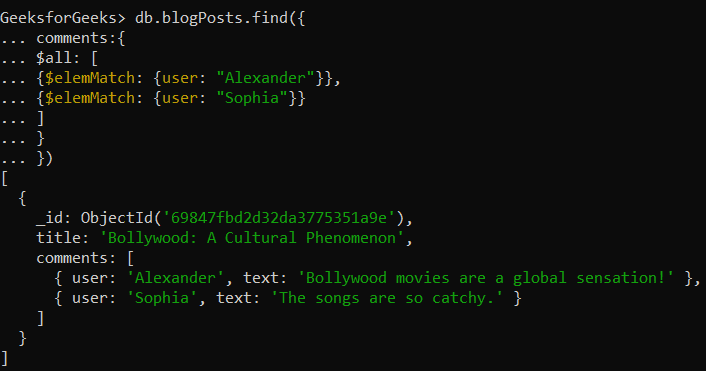
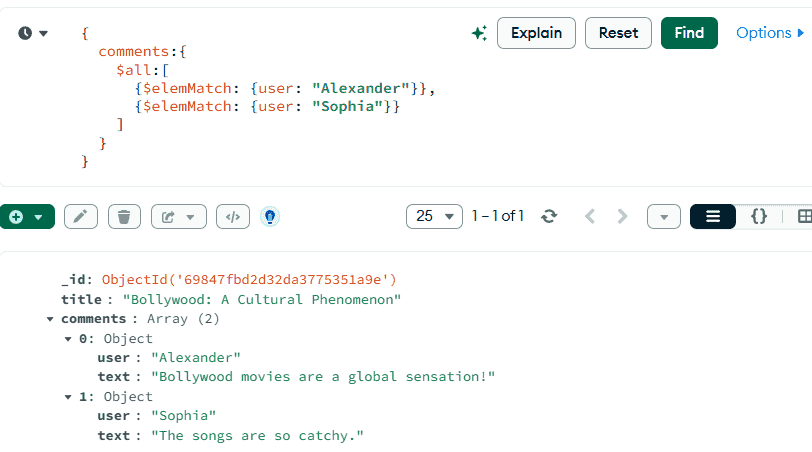
👁 Screenshot-2026-02-05-174009 Uses find() to retrieve documents based on conditions. { comments: { $all: [ { $elemMatch: { user: "Alexander" } }, { $elemMatch: { user: "Sophia" } } ] } } is the query condition. $all ensures the comments array contains elements matching both users. Query Using the MongoDB Compass:
{
 comments: {
 $all: [
 { $elemMatch: { user: "Alexander" } },
 { $elemMatch: { user: "Sophia" } }
 ]
 }
}
Output:
👁 Screenshot-2026-02-05-174305 5. $in $in matches documents where a field equals any value from a given list.
Checks for multiple possible values in one query. Works with array and non-array fields. Simplifies OR-like conditions in filters. Example : Query Array Element Using $in Operator.
Query Using the Mongo Shell:
db.blogPosts.find({ comments: { $elemMatch: { user: { $in: ["Denial", "Tim"] } } } }) Output:
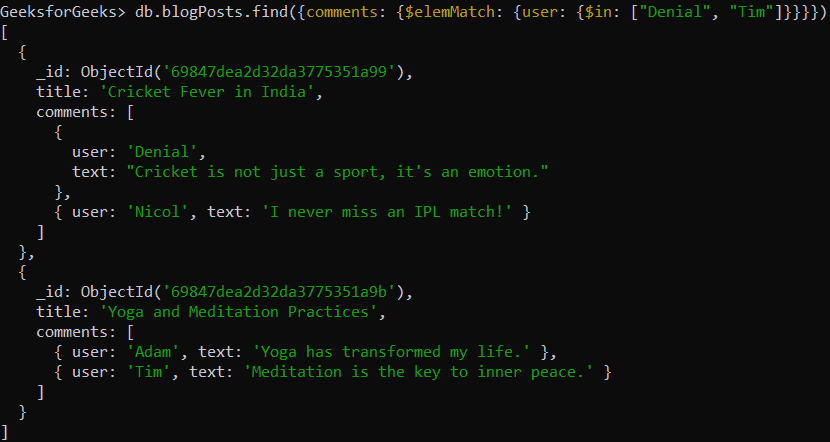
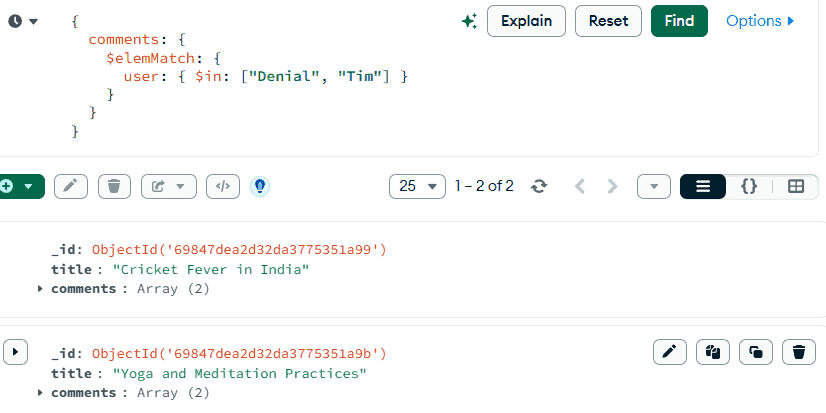
👁 Screenshot-2026-02-05-174613 { comments: { $elemMatch: { user: { $in: ["Denial", "Tim"] } } } } is the query condition. $in matches documents where at least one comment’s user is "Denial" or "Tim". Query Using the MongoDB Compass:
{ comments: { $elemMatch: { user: { $in: ["Denial", "Tim"] } } } } Output:
👁 Screenshot-2026-02-05-175250 6. $unwind $unwind breaks an array into multiple documents in the aggregation pipeline.
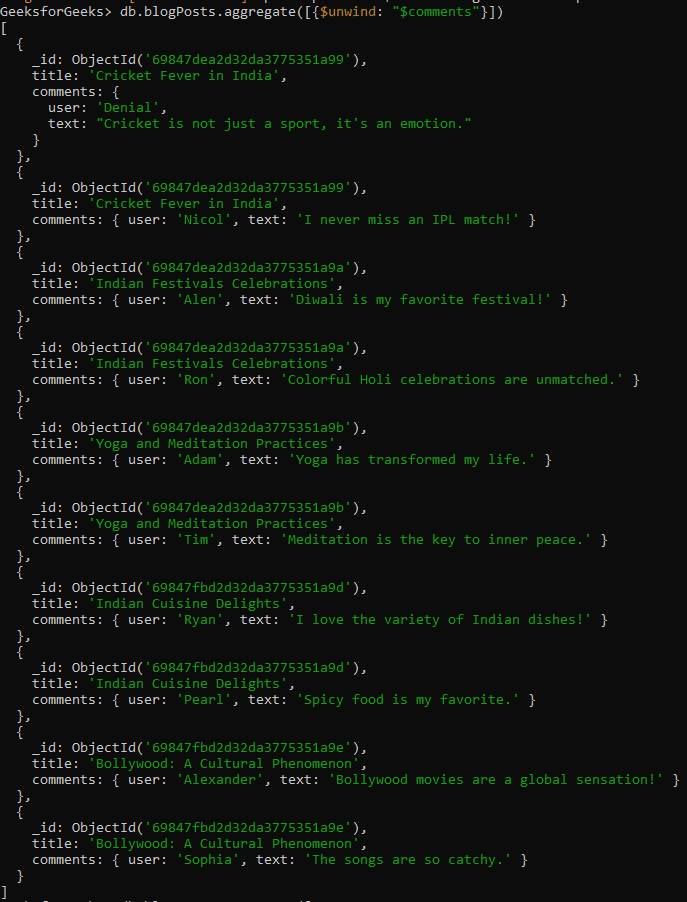
Creates one document per array element. Repeats parent fields for each element. Used for filtering and grouping array data. Example : Query Array Element Using $unwind Operator.
Query Using the Mongo Shell:
db.blogPosts.aggregate([{ $unwind: "$comments" }]) Output:
👁 Screenshot-2026-02-06-102444 Each element in the array is returned as a separate document. The parent document’s fields are repeated for each array item. Helps view and process individual array elements in aggregation results. Query Using the MongoDB Compass:
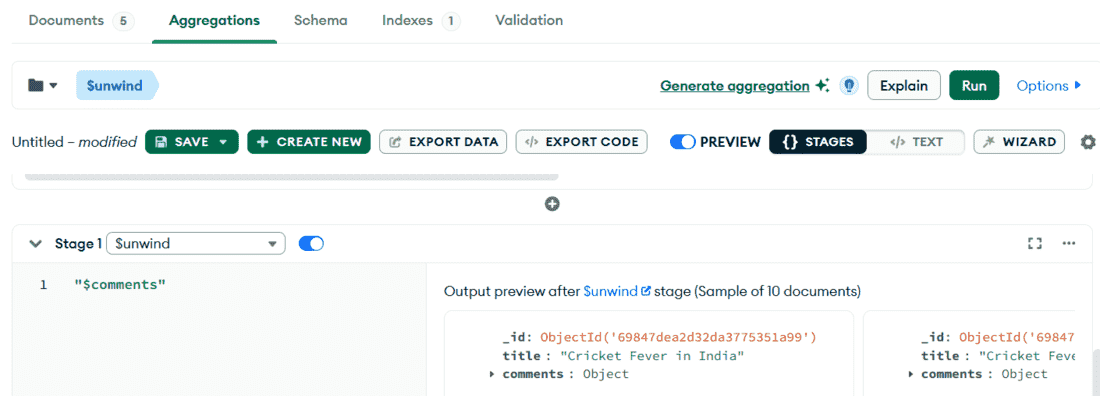
"$comments" 👁 comment Scroll or expand the preview to see all unwound results.