|
VOOZH | about |
|
VOOZH | about |
The insertMany() function is used to insert multiple documents into a collection. It accepts an array of documents to insert into the collection. This function is efficient and can significantly speed up the process of adding multiple documents compared to inserting each document individually.
Syntax
Model.insertMany(docs, options, callback);Parameters: The Model.insertMany() method accepts three parameters:
ordered (boolean):true, MongoDB inserts the documents in order and stops at the first error.false, it continues inserting even if some documents fail.truerawResult (boolean):true, returns the raw MongoDB result object.falseReturns: The Model.insertMany() function returns a promise. The result contains an array of objects having details of documents inserted in the database.
The
insertMany()function is highly useful for adding multiple records in MongoDB.
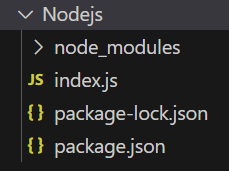
Step 1: Initialise the Node.js app using the command below.
npm init -yStep 2: Install mongoose with the following command.
npm install mongooseStep 3: After installing the mongoose module, you can check your mongoose version in the command prompt using the command.
npm version mongooseThe updated dependencies in package.json file will look like
"dependencies": {
 "mongoose": "^8.13.2",
}
Example: Below the code example for the insertMany() method
Run the application using the following command
node index.js👁 Output of above commandAfter running the above command, you can see the data is inserted into the database. You can use any GUI tool or terminal to see the database like I have used the Robo3T GUI tool as shown below👁 Database
So this is how you can use the Mongoose insertMany() function to insert multiple documents into the collection in MongoDB and Node.