|
VOOZH | about |
|
VOOZH | about |
MongoDB’s JSON Schema Validation enforces structured rules on documents at the collection level, ensuring only valid and consistent data is stored while keeping NoSQL flexibility.
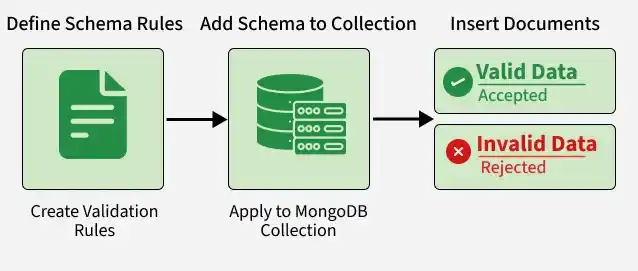
A step-by-step process to define, apply, and test schema rules for ensuring valid data in MongoDB collections.
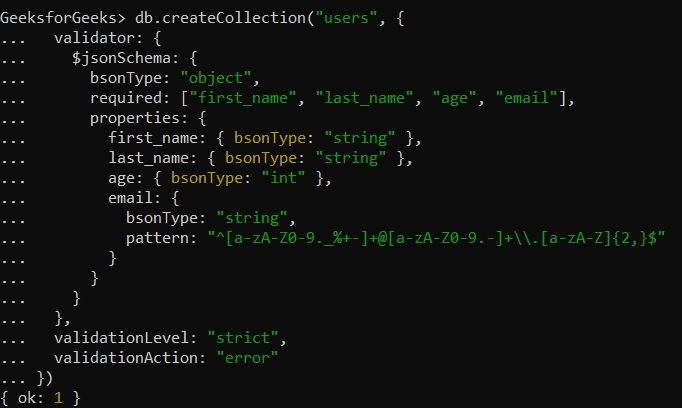
Create a $jsonSchema object to define validation rules for the collection. The schema enforces required fields (first_name, last_name, email) and validates data types, with a regex constraint to ensure email follows a valid format.
The JSON that we will use for the Schema Validation:
{
 $jsonSchema: {
 bsonType: "object",
 required: ["first_name", "last_name", "age", "email"],
 properties: {
 first_name: {
 bsonType: "string",
 description: "must be a string"
 },
 last_name: {
 bsonType: "string",
 description: "must be a string"
 },
 age: {
 bsonType: "int",
 description: "must be an integer"
 },
 email: {
 bsonType: "string",
 pattern: "^[a-zA-Z0-9._%+-]+@[a-zA-Z0-9.-]+\\.[a-zA-Z]{2,}$",
 description: "must be a valid email address"
 }
 }
 }
}
Pass the $jsonSchema validator to db.createCollection() to create the Users collection with enforced validation rules for first_name, last_name, age, and email.
After defining the validator, insert operations are checked against the schema, documents that match the rules are accepted, while invalid documents are rejected with a validation error.
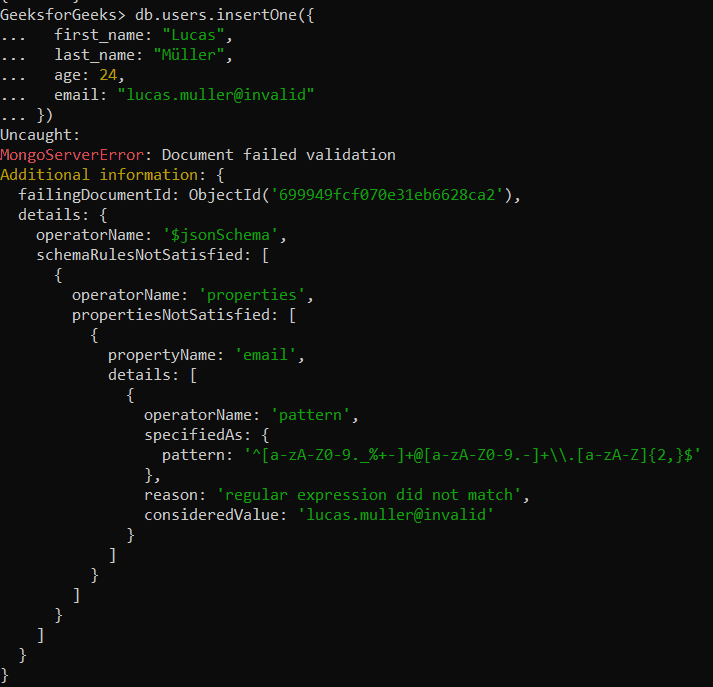
Part A: Adding a Document with Invalid Data
Insert operations are validated against the schema: documents that satisfy all $jsonSchema constraints are accepted, while documents violating rules (e.g., invalid email format) are rejected with a MongoDB validation error.
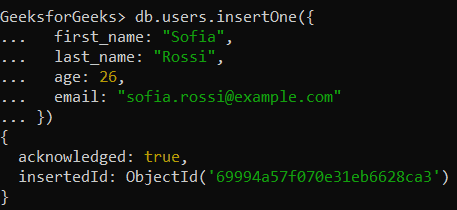
Part B: Adding a Document with Valid Data
Insert operations that satisfy all $jsonSchema constraints are accepted, documents meeting required fields and pattern validations (e.g., valid email format) are successfully written to the users collection.
Here are the benefits of JSON Schema Validation: