|
VOOZH | about |
|
VOOZH | about |
Starting from Android 6.0 (API 23), users are not asked for permissions at the time of installation rather developers need to request the permissions at the run time. Only the permissions that are defined in the manifest file can be requested at run time.
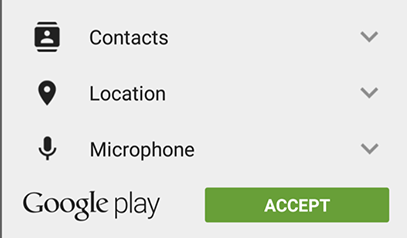
1. Install-Time Permissions: If the Android 5.1.1 (API 22) or lower, the permission is requested at the installation time at the Google Play Store.
👁 ImageIf the user Accepts the permissions, the app is installed. Else the app installation is canceled.
2. Run-Time Permissions: If the Android 6 (API 23) or higher, the permission is requested at the run time during the running of the app.
👁 ImageIf the user Accepts the permissions, then that feature of the app can be used. Else to use the feature, the app requests permission again.
So, now the permissions are requested at runtime. In this article, we will discuss how to request permissions in an Android Application at run time.
In Android, permissions are declared in the AndroidManifest.xml file using the uses-permission tag.
<uses-permission android:name=”android.permission.PERMISSION_NAME”/>Here we are declaring storage and camera permission.
Add a button to request permission on button click. Permission will be checked and requested on button click. Open the activity_main.xml file and add two buttons to it.
activity_main.xml:
Check whether permission is already granted or not. If permission isn't already granted, request the user for the permission: In order to use any service or feature, the permissions are required. Hence we have to ensure that the permissions are given for that. If not, then the permissions are requested.