|
VOOZH | about |
|
VOOZH | about |
Click Events are one of the basic operations often used in Java Android Development to create Java Android Applications. In this article, we will learn about how to Handle Click Events in Button in Android Java.
There are 2 ways to handle the click event in the button
When the user clicks a button, the Button object receives an on-click event. To make click event work add android:onClick attribute to the Button element in your XML layout. The value for this attribute must be the name of the method you want to call in response to a click event. The Activity hosting the layout must then implement the corresponding method.
Note: If you use this event handler in your code, make sure that you have that button in your MainActivity. It won’t work if you use this event handler in a fragment because the onClick attribute only works in Activity or MainActivity.
Example:
XML Button:
<Button xmlns:android="http:// schemas.android.com/apk/res/android"
 android:id="@+id/button_sead"
 android:layout_width="wrap_content"
 android:layout_height="wrap_content"
 android:text="@string/button_send"
 android:onClick="sendMessage"
/>
In MainActivity class
/** Called when the user touches the button */
public void sendMessage(View view)
{
 // Do something in response to button click
}
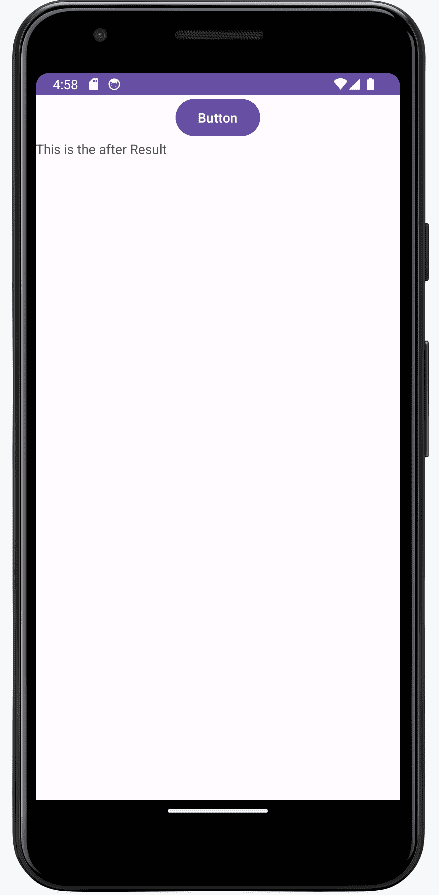
In this Example on Clicking the button the text will be displayed and we are using an extra empty text TextView created beforehand:
Make sure that your sendMessage method should have the following :
You can also declare the click event handler programmatically rather than in an XML layout. This event handler code is mostly preferred because it can be used in both Activities and Fragments.
There are two ways to do this event handler programmatically :
Layout for all the cases will be same which is mentioned below as acitivity_main.xml file:
To implement View.OnClickListener in your Activity or Fragment, you have to override onClick method on your class.
findViewById() method. R.id.button_send refers the button in XML. mButton.setOnClickListener(this); means that you want to assign listener for your Button "on this instance" this instance represents OnClickListener and for this reason your class have to implement that interface.
If you have more than one button click event, you can use switch case to identify which button is clicked.
Link the button from the XML by calling findViewById() method and set the onClick listener by using setOnClickListener() method.
MainActivity code:
setOnClickListener takes an OnClickListener object as the parameter. Basically it's creating an anonymous subclass OnClickListener in the parameter. It's like the same in java when you can create a new thread with an anonymous subclass.