|
VOOZH | about |
|
VOOZH | about |
CheckBox belongs to android.widget.CheckBox class. Android CheckBox class is the subclass of CompoundButton class. It is generally used in a place where user can select one or more than choices from a given list of choices.
public class CheckBox extends CompoundButton
It has two states - checked or unchecked.
Class Hierarchy :
java.lang.Object
↳ android.view.View
↳ android.widget.TextView
↳ android.widget.Button
↳ android.widget.CompoundButton
↳ android.widget.CheckBox
Methods of CheckBox class
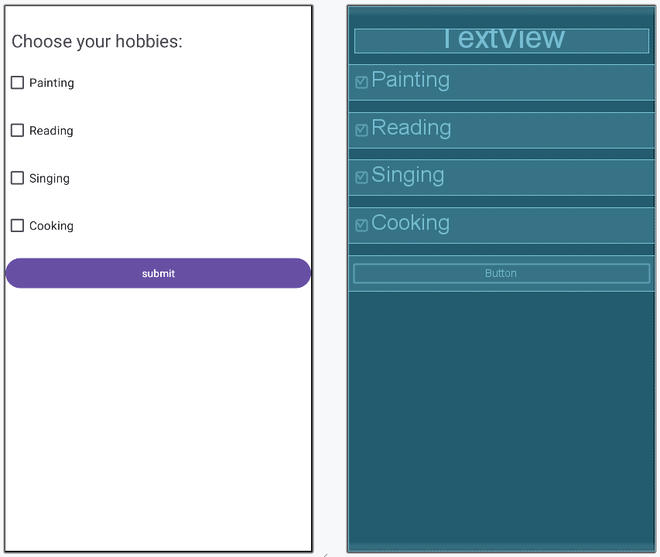
Below is the code for an example where the user chooses its hobbies from the given list containing Painting, Reading, Singing and Cooking with the help of CheckBox.
The activity_main.xml has a TextView, 4 CheckBoxes and a button.The TextView prompts the user to select his/her hobbies. First user select its choices and then presses the Submit button. After pressing Submit button, a toast will generate showing the selected hobbies.
Note: The Application is using android:onClick="Check" in xml file which help us to call the Check method when the button is clicked.
Now, after creating the layout we want to add the functionality to the application/layout.
MainActivity File: