|
VOOZH | about |
|
VOOZH | about |
Every thread in a process has a Priority. They are in the range of 1 to 10. Threads are scheduled according to their priorities with the help of a Thread Scheduler. There can be 3 priority constant set for a Thread which are:
Below is a code to check the priorities of two threads.
5 5The output for both the threads are same as Default priority of a thread is 5.
Below the two threads are assigned different priorities.Thread t1 is assigned 1 and thread t2 is assigned 10. Since Thread t1 has more priority, it shall start first and the remaining threads according to the priority. The priority can be declared implicitly or explicitly.
1 10The same can be implemented in an Android application, below is an example.
The Application can be divided into two sections Kotlin Program and xml code.
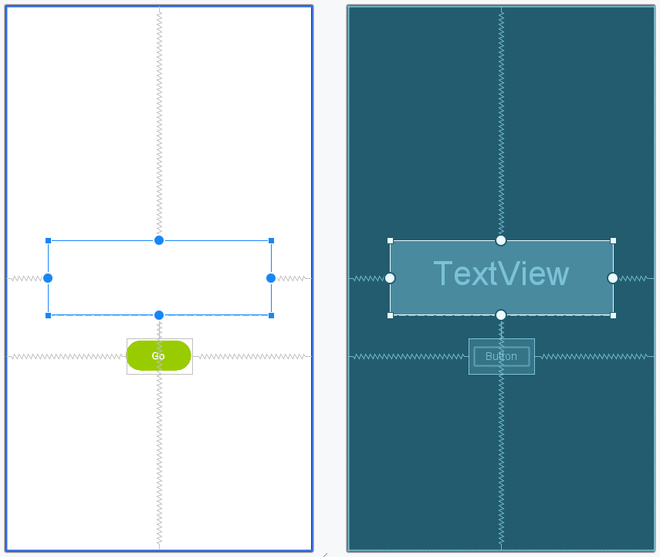
The below XML code is for the Layout.
activity_main.xml:
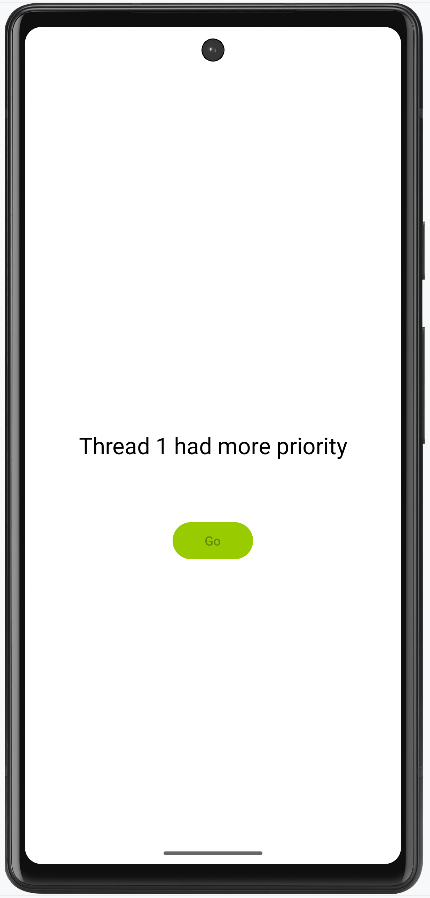
Try running the below program in Android to check the priorities of two threads declared within the code. When the user clicks the button, the thread with more priority starts.
MainActivity File: