|
VOOZH | about |
|
VOOZH | about |
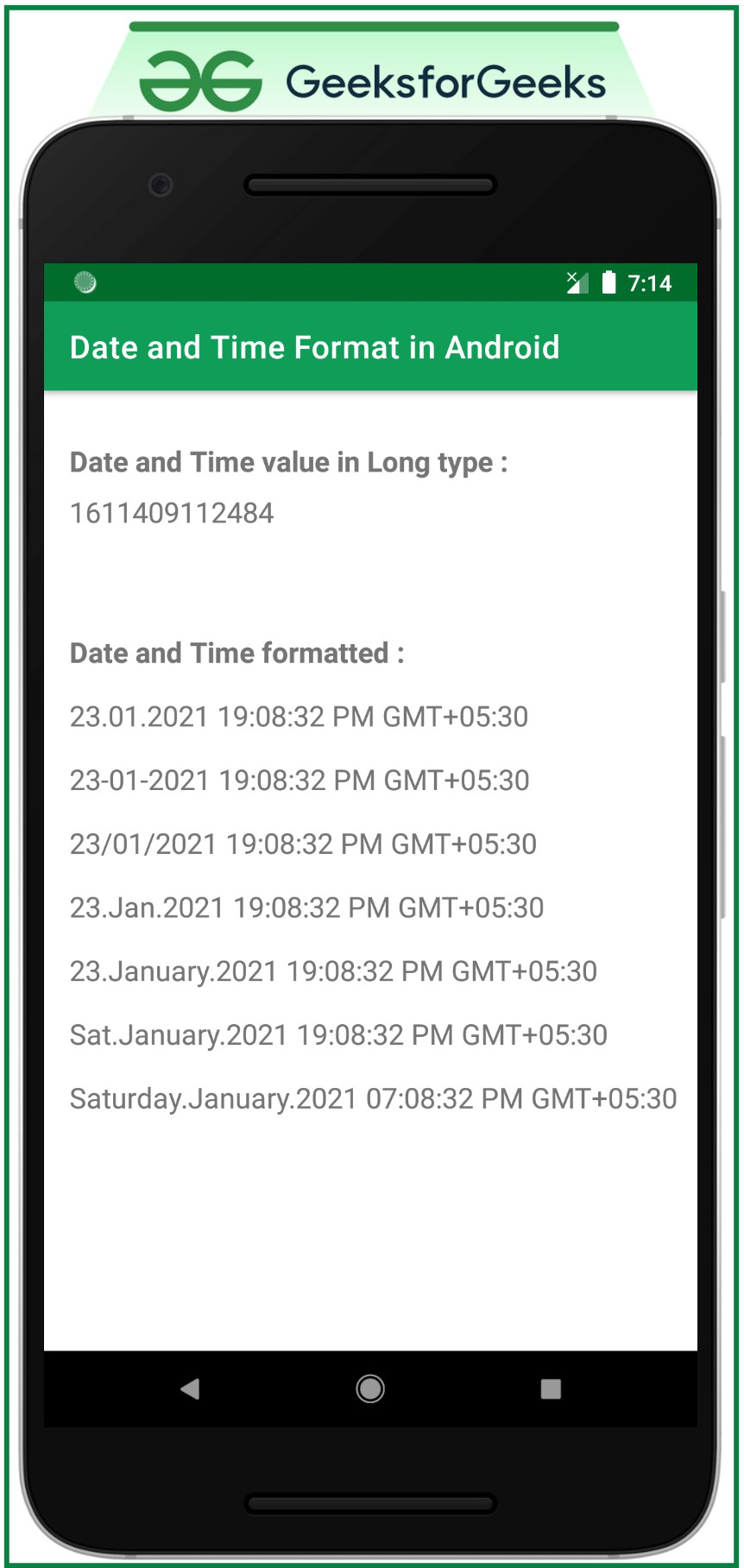
Date and Time in Android are formatted using the SimpleDateFormat library from Java, using Calendar instance which helps to get the current system date and time. The current date and time are of the type Long which can be converted to a human-readable date and time. In this article, it's been discussed how the Date and Time values can be formatted in various formats and displayed. Have a look at the following image to get an idea of the entire discussion.
👁 Date and Time Formatting in AndroidStep 1: Create an empty activity project
Step 2: Working with the activity_main.xml file
Step 3: Working with theMainActivity file
Understanding the way of formatting the date and time in Android using SimpleDateFormat
Character to be used | Output |
|---|---|
| dd | Date in numeric value |
| E | Day in String (short form. Ex: Mon) |
| EEEE | Day in String (full form. Ex: Monday) |
| MM | Month in numeric value |
| yyyy | Year in numeric value |
| LLL | Month in String (short form. Ex: Mar) |
| LLLL | Month in String (full form. Ex: March) |
| HH | Hour in numeric value (24hrs timing format) |
| KK | Hour in numeric value (12hrs timing format) |
| mm | Minute in numeric value |
| ss | Seconds in numeric value |
| aaa | Displays AM or PM (according to 12hrs timing format) |
| z | Displays the time zone of the region |