|
VOOZH | about |
|
VOOZH | about |
Widget refers to the elements of the UI (User Interface) that helps user interacts with the Android App. EditText is one of many such widgets which can be used to retrieve text data from user.
EditText refers to the widget that displays an empty text field in which a user can enter the required text and this text is further used inside our application.
public class EditText extends TextViewjava.lang.Object
↳android.view.View
↳ android.widget.TextView
↳ android.widget.EditText
Here the layout can be any layout like Relative, Linear, etc (Refer this article to learn more about layouts). And the attributes can be many among the table given below in this article.
where activity_main.xml is the name of the layout file to be attached.
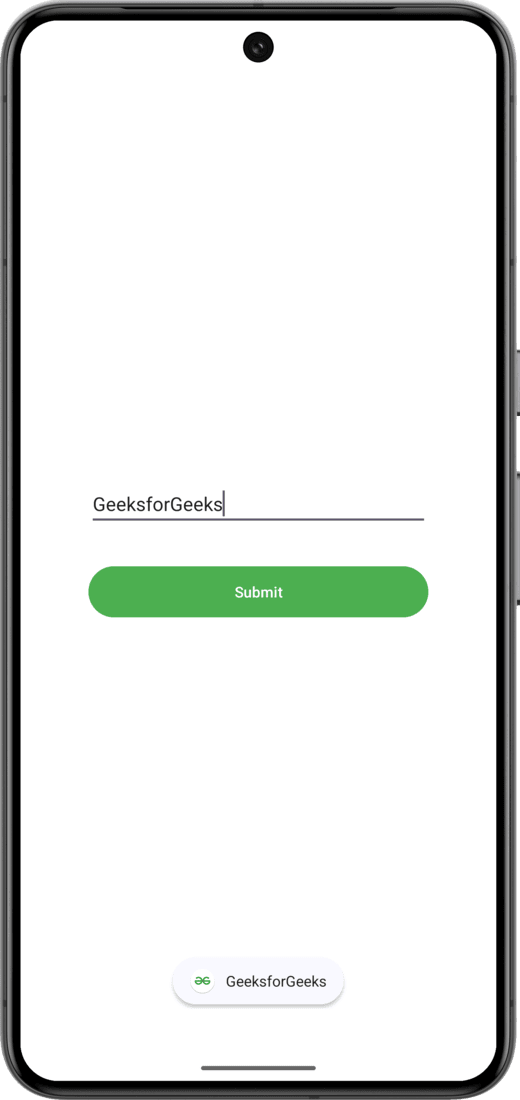
Upon starting of the App, entering a name in EditText and pressing the "Submit" button, the name in the EditText is then displayed as a Toast:
For learning more about the topic refer to these articles:
| Attributes | Description |
|---|---|
| android:id | Used to uniquely identify the control |
| android:gravity | Used to specify how to align the text like left, right, center, top, etc. |
| android:hint | Used to display the hint text when text is empty |
| android:text | Used to set the text of the EditText |
| android:textSize | Used to set size of the text. |
| android:textColor | Used to set color of the text. |
| android:textStyle | Used to set style of the text. For example, bold, italic, bolditalic, etc. |
| android:textAllCaps | Used this attribute to show the text in capital letters. |
| android:width | It makes the TextView be exactly this many pixels wide. |
| android:height | It makes the TextView be exactly this many pixels tall. |
| android:maxWidth | Used to make the TextView be at most this many pixels wide. |
| android:minWidth | Used to make the TextView be at least this many pixels wide. |
| android:background | Used to set background to this View. |
| android:backgroundTint | Used to set tint to the background of this view. |
| android:clickable | Used to set true when you want to make this View clickable. Otherwise, set false. |
| android:drawableBottom | Used to set drawable to bottom of the text in this view. |
| android:drawableEnd | Used to set drawable to end of the text in this view. |
| android:drawableLeft | Used to set drawable to left of the text in this view. |
| android:drawablePadding | Used to set padding to drawable of the view. |
| android:drawableRight | Used to set drawable to right of the text in this view. |
| android:drawableStart | Used to set drawable to start of the text in this view. |
| android:drawableTop | Used to set drawable to top of the text in this view. |
| android:elevation | Used to set elevation to this view. |