|
VOOZH | about |
|
VOOZH | about |
In this article, we will be building a Bitcoin Tracker Project using Java/Kotlin and XML in Android. The application will display the current rates of Bitcoin in different countries using Bitcoin API. There are many free APIs available and for this project, we will be using API by Coinlayer. The API will return a JSON that we will parse according to our needs. There will be a single activity in this app.
To create a new project in Android Studio please refer to How to Create/Start a New Project in Android Studio.
Select Java/Kotlin as the programming language.
To use the internet access and call the API, we need permission. Add internet permission in the AndroidManifest.xml file
<uses-permission android:name="android.permission.INTERNET"/>Navigate to Gradle Scripts > build.gradle.kts (Module: app) and add the following dependencies for Retrofit and GSON.
dependencies {
 implementation ("com.google.code.gson:gson:2.9.1")
 implementation ("com.squareup.retrofit2:retrofit:2.9.0")
 implementation ("com.squareup.retrofit2:converter-gson:2.9.0")
}
You need to create a free account on Coinlayer and get an API key for this project. Click on "Get free API key" on the website. SignUp using your account information, and you will get your API key.
Download the bitcoin image from here and add it into your project inside the app > res > drawable folder
Refer this article:How to Add Image to Drawable Folder in Android Studio?
Navigate to app > java > {package-name} and right click on the folder and go to New > Java Class or Kotlin Class/File, and create the 3 following files
Navigate to the BitcoinResponse file, and add the following code
Navigate to the BitcoinApiService file, and add the following code
Navigate to the RetrofitInstance file, and add the following code
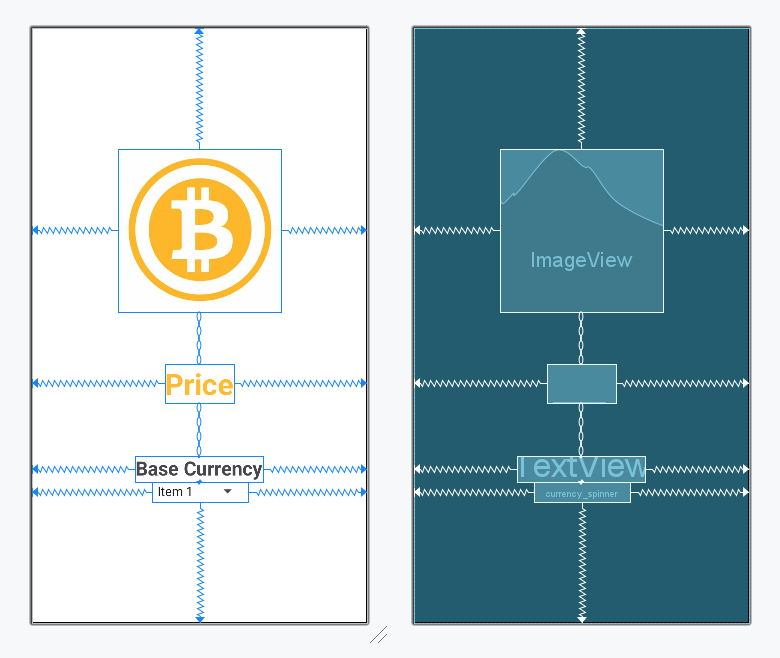
The XML codes in activity_main.xml are used to build the structure of the activity as well as its styling part. It contains an ImageView at the very top of the activity to display the logo of the app. Then it contains a TextView to display the bitcoin rate in the center of the activity. At last, we have a Spinner at the bottom of the activity to display the list of currencies from which the user can choose. This is a single activity application.
For the spinner to display the list we also need to create a spinner item's XML layout as well as its item's layout for the adapter. Add the below code in app > res > layout > spinner_item.xml.
In the MainActivity file, we create a simple Bitcoin price tracker app. First, we set up a Spinner (dropdown) that allows users to select a currency from a predefined list. When a currency is selected, we make a network request using Retrofit to fetch the latest Bitcoin price for that currency. The network call runs in a background thread using ExecutorService to prevent blocking the main UI thread. Once the data is retrieved, we update the TextView on the main thread to display the Bitcoin price.
Below is the code for the MainActivity file. Comments are added inside the code to understand the code in more detail.
Important: Make sure to replace the api key with your own api key.
Note :To access the full android application check this repository:Bitcoin Tracker