|
VOOZH | about |
|
VOOZH | about |
In the previous articles, we have seen three operations of CRUD operations such as create, read and update operations in our Android app. In this article, we will take a look at adding delete operation for deleting our items stored in the SQLite database.
We will be building a simple application in which we will be deleting the course from our SQLite database in our Android app. A sample video is given below to get an idea about what we are going to do in this article.
Step 1: Updating our DBHandler class
As we have to delete data from our SQLite database. For that, we have to create a method to delete our data from the SQLite database. Navigate to the app > java > your app's package name > DBHandler and add the below code to it.
Below is the updated code for the DBHandler.java file after adding the above code snippet.
Step 2: Adding a button to delete our course
Navigate to the app > res > layout > activity_update_course.xml file and add a Button inside this layout for deleting a course. Below is the code for that file.
Below is the updated code for the activity_update_course.xml file after adding the above code snippet.
Step 3: Initializing our button to delete our course
Navigate to the app > java > your app's package name > UpdateCourseActivity.java file and add the below code to it.
Below is the updated code for the UpdateCourseActivity.java file after adding the above code snippet.
Now run your app and see the output of the app. Make sure to add data to our database before deleting it.
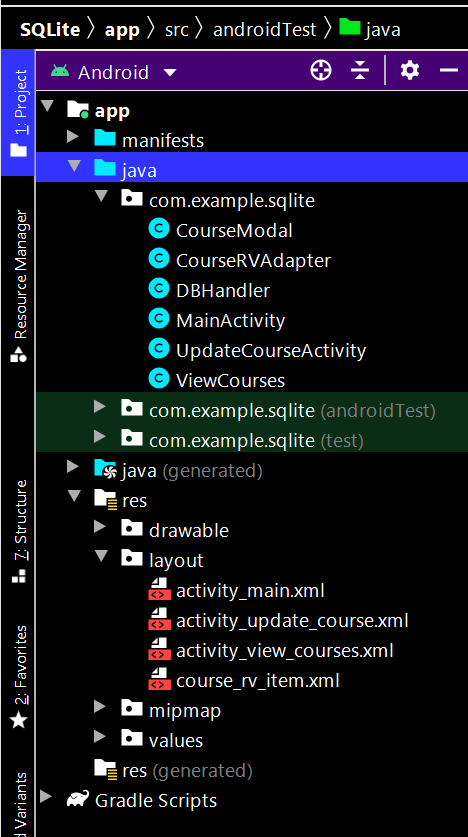
Below is the complete project file structure after performing the delete operation: