|
VOOZH | about |
|
VOOZH | about |
The SearchView widget is used to provide a search interface to the user so that the user can enter his search query and submit a request to the search provider and get a list of query suggestions or results.
public class SearchView
 extends LinearLayout
 implements CollapsibleActionView
java.lang.Object
 ↳ android.view.View
 ↳ android.view.ViewGroup
 ↳ android.widget.LinearLayout
 ↳ android.widget.SearchView
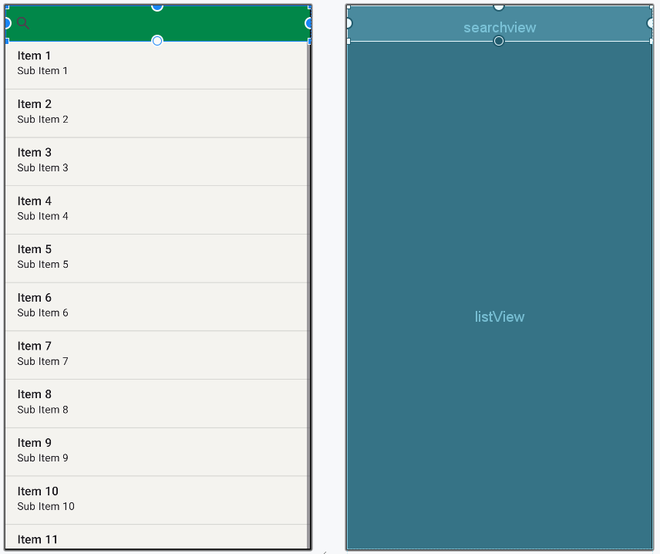
In this article, you will create a basic search application with a search view and a list view. The user will type a search query in the search view which is present in the action bar. Here are explained steps:
To create a new project in Android Studio please refer to How to Create/Start a New Project in Android Studio.
The code for that has been given in both Java and Kotlin Programming Language for Android.
Next, go to the activity_main.xml file, which represents the UI of the project. It consists of a Relative Layout with ListView in it from which data is to be searched. Here is the complete code for activity_main.xml:
Go to the MainActivity File and refer to the following code.
Below is the code for the MainActivity File. Comments are added inside the code to understand the code in more detail. In this file, items are added to List View manually and setOnQueryTextListener is attached to Search View. onQueryTextSubmit() method is overridden in which List View gets filtered according to the search query entered by the user.
For learning more about the topic refer to this topic:SearchView in Android with RecyclerView