|
VOOZH | about |
|
VOOZH | about |
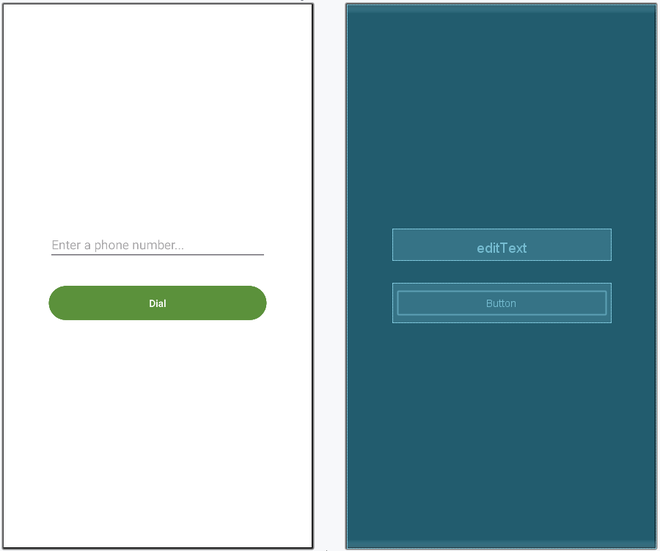
In this article, let's build a basic android application that allows users to make phone calls directly from the app. This is accomplished with the help of Intent with action as ACTION_CALL. Basically Intent is a simple message object that is used to communicate between android components such as activities, content providers, broadcast receivers, and services, here used to make phone calls. This application will contain one activity with an EditText to fetch the phone number from the user input and a button to make a call.
To create a new project in Android Studio please refer to How to Create/Start a New Project in Android Studio.
The code for that has been given in both Java and Kotlin Programming Language for Android.
You need to take permission from the user for a phone call and for that CALL_PHONE permission is added to the manifest file. Here is the code of the manifest file:
<uses-feature
 android:name="android.hardware.telephony"
 android:required="false" />
<uses-permission android:name="android.permission.CALL_PHONE" />
Next, go to the activity_main.xml file, which represents the UI of the project. Below is the code for the activity_main.xml file. Comments are added inside the code to understand the code in more detail. This file contains a LinearLayout which contains EditText to fetch the phone number from user input on which we can make a phone call and a button for starting intent or making calls:
Go to the MainActivity File and refer to the following code. Below is the code for the MainActivity File. Comments are added inside the code to understand the code in more detail. In the MainActivity Intent, the object is created to redirect activity to the call manager, and the action attribute of intent is set as ACTION_CALL. Phone number input by the user is parsed through Uri and that is passed as data in the Intent object which is then used to call that phone number .setOnClickListener is attached to the button with the intent object in it to make intent with action as ACTION_CALL to make a phone call.