|
VOOZH | about |
|
VOOZH | about |
Firebase is one of the famous backend platforms which is used by so many developers to provide backend support to their applications and websites. It is the product of Google which provides services such as database, storage, user authentication, and many more. In this article, we will create a simple app in which we will be adding our Data to Firebase Realtime Database. Note that we are going to implement this project using the Java and Kotlin language.
Firebase Realtime Database is a NoSQL cloud database that is used to store and sync the data. The data from the database can be synced at a time across all the clients such as android, web as well as IOS. The data in the database is stored in the JSON format and it updates in real-time with every connected client.
In this article, we are going to build a simple application in which we will be getting the data from the users with the help of some TextFields and store that data in the Firebase Realtime Database. Note that we are using Firebase Realtime Database and the app is written using JAVA and Kotlin language.
Refer to Adding firebase to android app and follow the steps to connect firebase to your project.
- Go to Firebase console and navigate to your project, and on the left side of the screen, under Build choose Realtime Database. On the next screen, select Create Database.
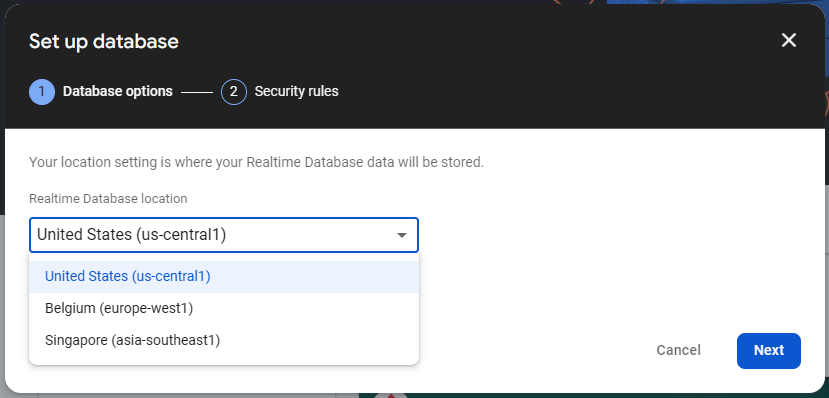
- On the dialog box that appears, choose a Realtime Database Location and click on Next. Then select Start in locked mode and click on Enable. You can't change the Realtime Database Location later, so be careful while choosing.
Now, in Realtime Database, under Rules make the following changes:
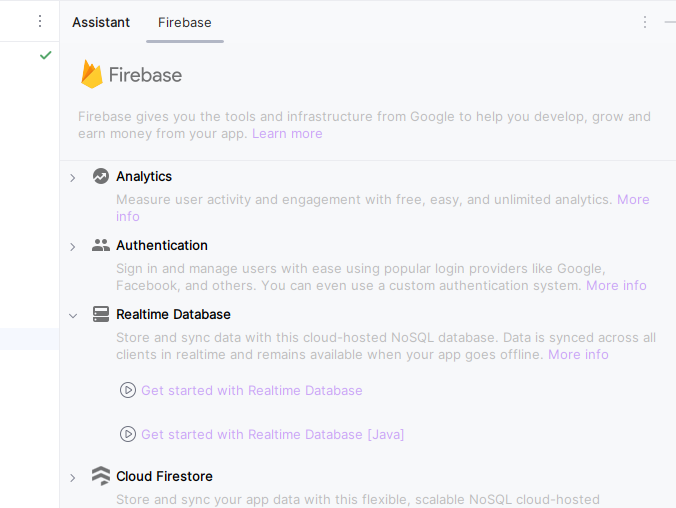
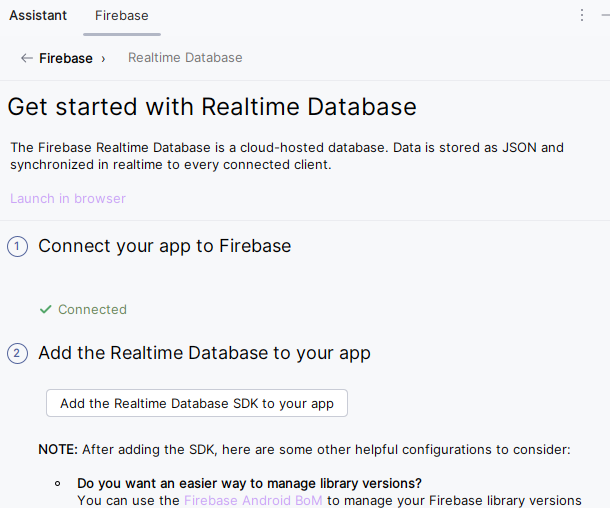
Navigate to Tools > Firebase. This will open the Firebase Assistant tab. Now select Realtime Database > Get started with Realtime Database.
Now select Add the Realtime Database SDK to your app, then select Accept Changes in the dialog box. This will add all the necessary dependencies for realtime database.
For adding data to Firebase we should have to give permissions for accessing the internet. For adding these permissions navigate to the app > AndroidManifest.xml and inside that file add the below permissions to it.
<uses-permission android:name="android.permission.INTERNET"/>Right click on app and select New > Kotlin/Java class file and provide the name Person to the file.
Add the following code to the file.
Navigate to app > java > package name > MainActivity and app > res > layout > activity_main.xml. Then add the following code to the MainActivity file in Java or Koltin and the xml code to the activity_main.xml file.
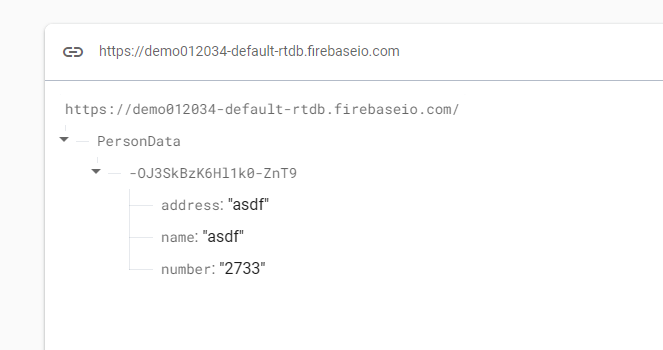
This is will create a person data with a unique key in the realtime database.