|
VOOZH | about |
|
VOOZH | about |
NFC that stands for Near Field Communication, is a very short range wireless technology that allows us share small amount of data between devices. Through this technology we can share data between an NFC tag and an android device or between two android devices. A maximum of 4 cm distance is required to establish this connection. In this articles, we will be developing a basic application that involved communicating between an Android Device and a NFC Tag.
Prerequisites
Creating a Application for NFC Reader and Writer in Android is a complex task, So we will follow steps to create this application.
To create a new project in Android Studio please refer to How to Create/Start a New Project in Android Studio.
Note that you must select Kotlin as the programming language.
Navigate to app > manifests > AndroidManifest.xml and add the following permissions under the manifest tag.
<uses-permission android:name="android.permission.NFC" />
<uses-permission android:name="android.permission.VIBRATE" />
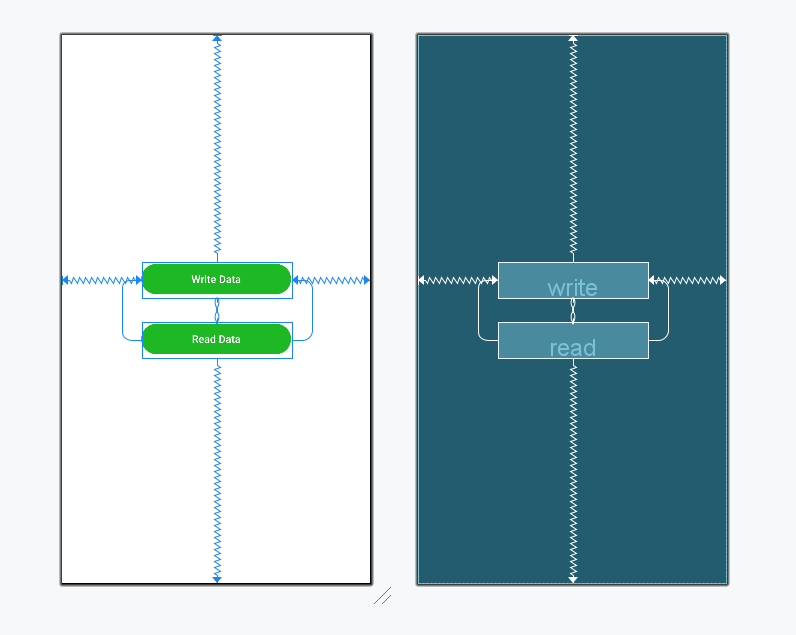
This activity or screen will include two basic buttons from where we can navigate to two separate activities for specific Read and Write functionalities.
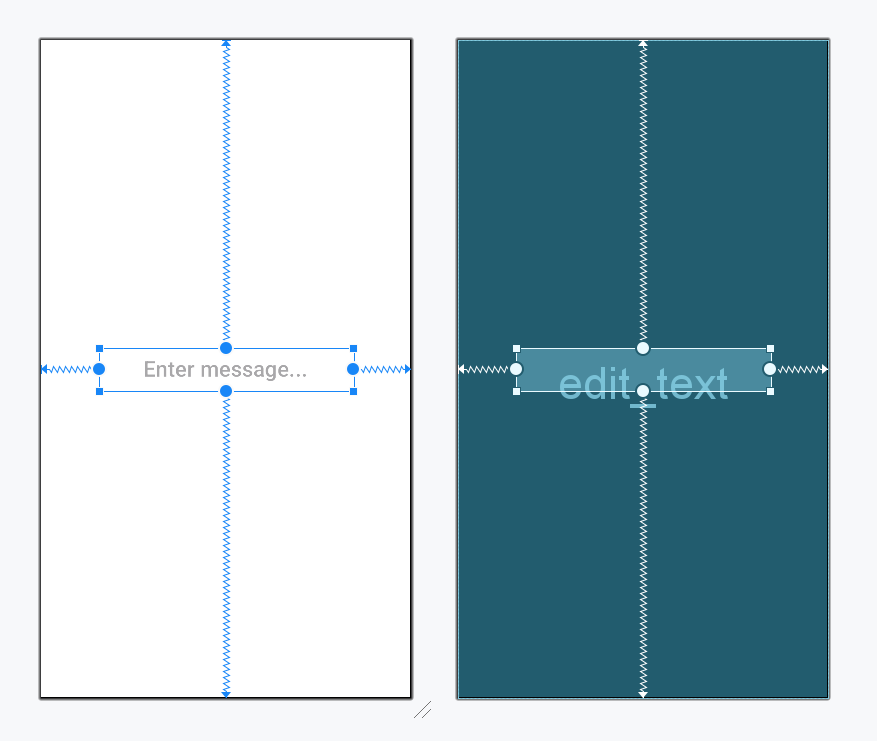
Let's create an activity to code the logic for NFC Write functionality.
Now, let's breakdown the code to understand how it works.
getDefaultAdapter(this) method retrieves the NFC adapter for the device. If the device does not support NFC, this method will return null.by lazy keyword ensures that the NFC adapter is only initialized when it is accessed for the first time, reducing unnecessary overhead during app launch.What is a Pending Intent?
Why Do We Need It for NFC?
Mutable vs Immutable Flags
PendingIntent.FLAG_MUTABLE is required for NFC events, allowing the system to modify the intent.NdefMessage is a array of one or more NdefRecords.NdefRecord.createTextRecord("en", message) method creates a text record with a language code ("en" for English) and the message which is an input from the user.These are triggered when the system detects a tag with NDEF data.
if (NfcAdapter.ACTION_NDEF_DISCOVERED == intent.action || NfcAdapter.ACTION_TECH_DISCOVERED == intent.action)- The first line helps in retrieving the NFC Tag from the intent using EXTRA_TAG.
- The second line converts the tag to an Ndef object, which provides methods to read/write NDEF data.
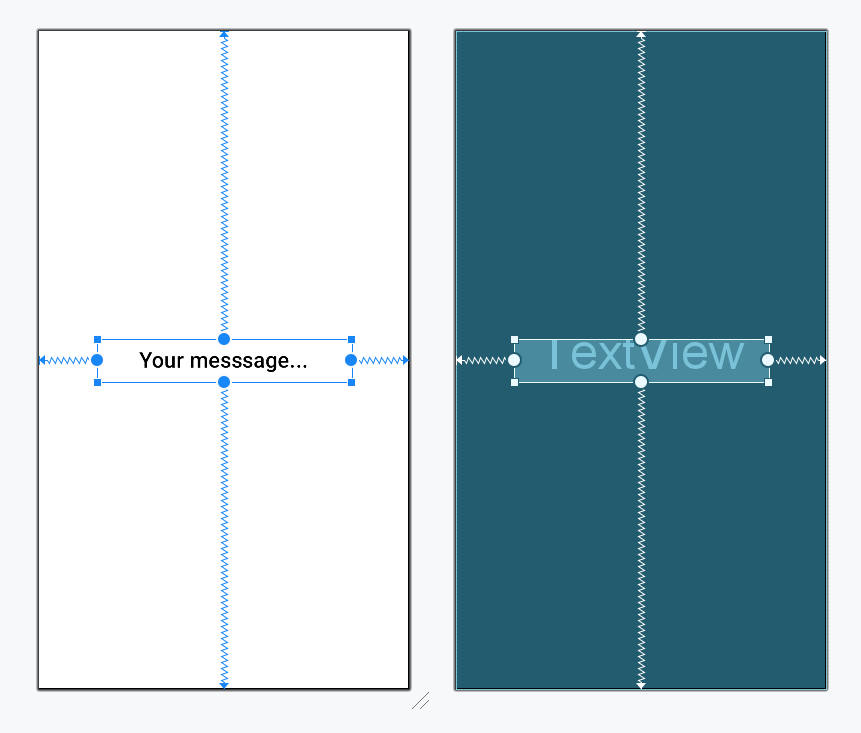
val tag = intent.getParcelableExtra<Tag>(NfcAdapter.EXTRA_TAG) ?: returnval ndef = Ndef.get(tag) ?: returnLet's create an activity to code the logic for NFC Read functionality.
Now, let's breakdown the code to understand how it works. Since, most of the code is similar to NFC Write code, we will only discuss the code specific for the Read functionality, which is
ndef.cachedNdefMessage retrieves the cached NDEF message from the tag.String(messageRecord.payload) converts the data stored as a byte array into a string.The method drop(3) removes the characters in the first 3 indices, which represent metadata for the text encoding.Note: Remember to tap on the NFC tag after typing the message to load the data on the tag and tap on the NFC tag again in the Read screen to retrieve the data and display it on the screen.
Refer to the github repository to get the entire code.