|
VOOZH | about |
|
VOOZH | about |
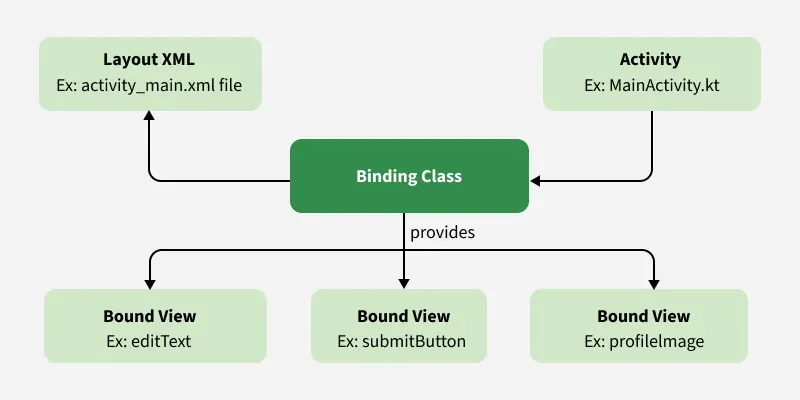
View Binding is one of the best features in Android that allows views to bind seamlessly with an ongoing activity. It replaces the traditional findViewById()method, significantly reducing boilerplate code by automatically generating instances of views for the current layout. One of its most important advantages is that View Binding is always null-safe, ensuring safer and more efficient code.
activity_main.xml→ ActivityMainBindingandroid:id="button_submit" → buttonSubmitfindViewById() method, improving efficiency.If a particular layout should be ignored by View Binding, this can be done by adding the following attribute to the root layout XML:
tools:viewBindingIgnore="true"This ensures that View Binding does not generate a binding class for that specific layout.
Here Android Studio is used, refer to Android | How to Create/Start a New Project in Android Studio, to know how to create an empty activity Android Studio project.
Navigate to Gradle Scripts > build.gradle.kts (Module :app) file and add the following code anywhere under the android {} scope.
android {
 buildFeatures {
        viewBinding = true
 }
}
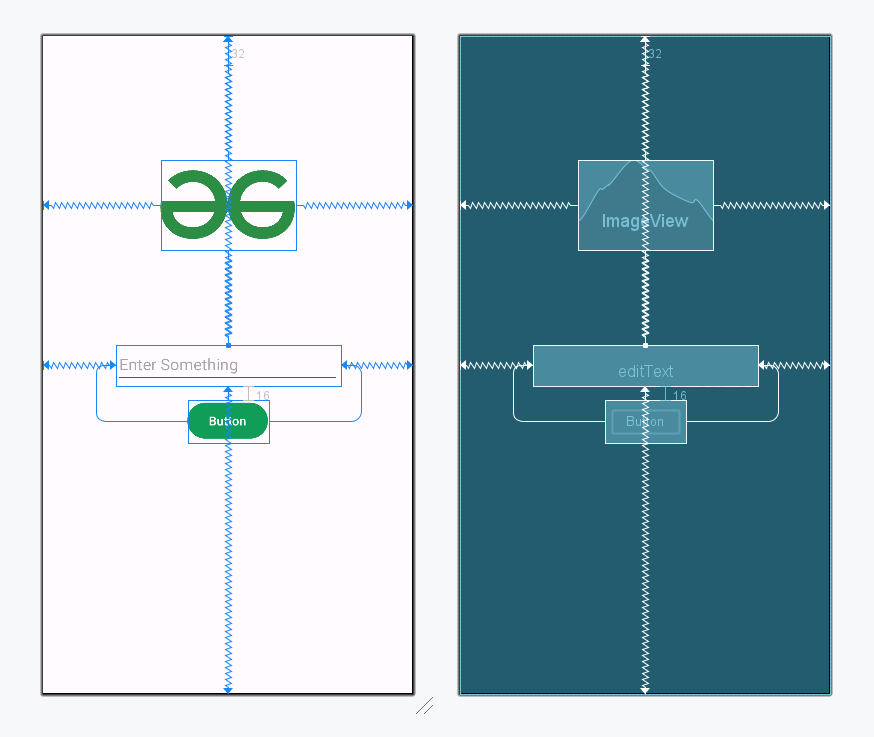
The main layout of the file contains one EditText and one Button. To implement the same UI invoke the following code inside the actitvity_main.xml file.
actitvity_main.xml:
First, create the instance of the ViewBinding. We will be using Kotlin's lazydelegation, which means the binding property is initialized only when it's accessed for the first time.
private val binding: ActivityMainBinding by lazy {
 ActivityMainBinding.inflate(layoutInflater)
}
Setting the root view from binding
setContentView(binding.root)Accessing the properties of the layout goes as follows.
binding.submitButtonInvoke the following code inside the MainActivity.kt/MainActivity.java file, comments are added for better understanding.