|
VOOZH | about |
|
VOOZH | about |
Axios in React Native is a popular promise-based HTTP client used to make network requests from a React Native app to APIs. It simplifies sending and receiving data compared to the built-in fetch API.
// GET Request
axios.get(url, config)

// POST Request
axios.post(url, data, config)

// PUT Request
axios.put(url, data, config)

// DELETE Request
axios.delete(url, config)

// PATCH Request
axios.patch(url, data, config)You can install Axios in your React Native project with either npm or yarn. Open the terminal on your computer and go to your project directory.
npm install axiosyarn add axiosYou can make both GET and POST requests with Axios in React Native:
GET Request in Axios (React Native) is used to retrieve data from a server or API. The axios.get() method sends a request to the specified URL and returns the response.
axios.get(url, {
 params: {
 key1: value1,
 key2: value2
 }
})
.then(response => {
 // handle success
})
.catch(error => {
 // handle error
})
.finally(() => {
 // runs every time
});
POST Request is used to send data from your React Native app to a server or API. The axios.post() method sends data in the request body and returns the response.
axios.post(url, data, {
 headers: {
 key: value
 }
})
.then(response => {
 // handle success
})
.catch(error => {
 // handle error
})
.finally(() => {
 // runs every time
});
Now, create a project with the following command.
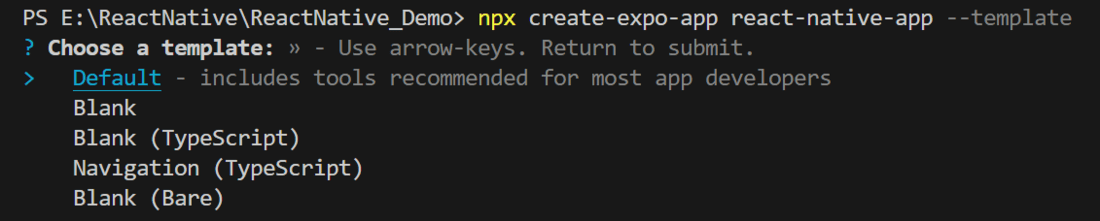
npx create-expo-app app-name --templateNote: Replace the app-name with your app name for example : react-native-demo-app
Next, you might be asked to choose a template. Select one based on your preference as shown in the image below. I am selecting the blank template because it will generate a minimal app, as clean as an empty canvas in JavaScript.
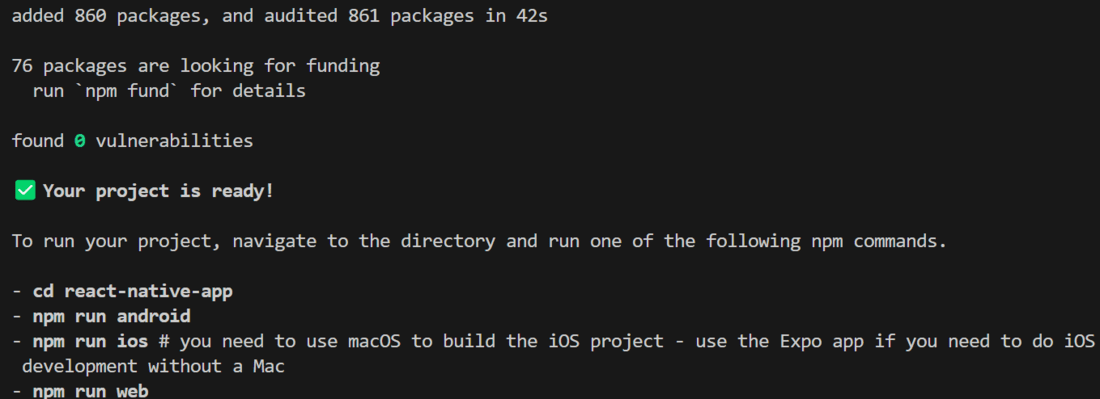
It completes the project creation and displays a message: "Your Project is ready!" as shown in the image below.
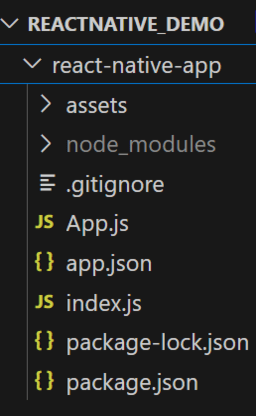
Now go into your project folder, i.e., react-native-demo
cd app-nameStart the server by using the following command.
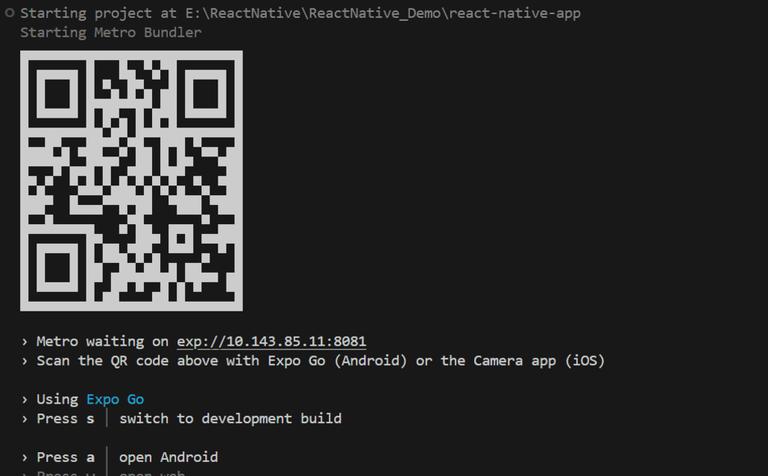
npx expo startThen, the application will display a QR code.
1. For the Android users,
2. For iOS users, simply scan the QR code using the Camera app.
3. If you're using a web browser, it will provide a local host link that you can use as mentioned in the image below.
- Import libraries: Import required libraries at the top of the file.
- StyleSheet: Create a StyleSheet to style components like container and advice.
We will make a GET request with Axios in React Native. We will use the Advice Slip API for this example. This API takes id as parameters and provides advice associated with that id.
- getAdvice: This function is to make a GET request and update the state.
We will declare a function that randomly generates 1 id and we will pass this id in params in Axios GET request.
- getRandomId: This function is to generate a random ID within min and max every time.
There will be 2 components in our main App.js file: Text and Button. When you press the button, Axios will make a GET request to the advice slip API and fetch one random advice. Later on, we will display this advice on the screen using a Text component.
- Button: This component interact with the user and when user click on it, it will call the getAdvice method.
- Text: This component is used to display the response coming from the getAdvice method.
- useState: This is used to declare a state variable 'advice' to store the advice text and update it.
Now, wrap the Button and Text components with a View component and return from the App component. Also, ensure to export the App.
App.js:
Output