|
VOOZH | about |
|
VOOZH | about |
One-time passwords (OTPs) have become a popular choice for enhancing the security of various online services and applications. In this article, we'll explore how to create an OTP Generator and Validator App using React Native, a popular framework for building cross-platform mobile applications.
To give you a better idea of what we’re going to create, let’s watch a demo video.
Now, create a project with the following command.
npx create-expo-app app-name --template
Note: Replace the app-name with your app name for example : react-native-demo-app
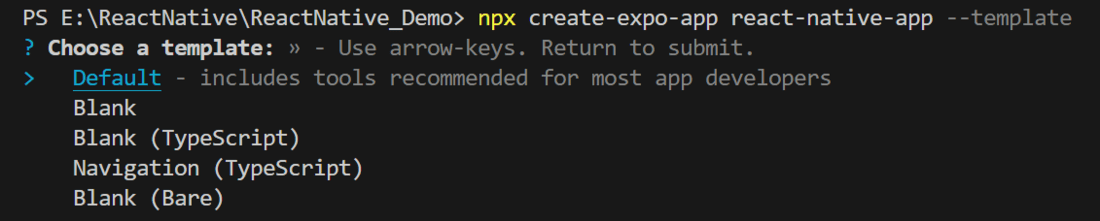
Next, you might be asked to choose a template. Select one based on your preference as shown in the image below. I am selecting the blank template because it will generate a minimal app that is as clean as an empty canvas in JavaScript.
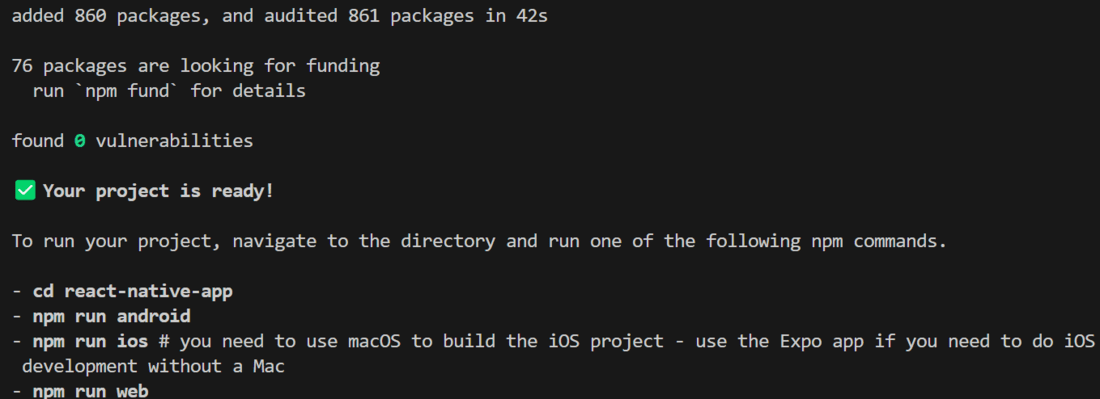
It completes the project creation and displays a message: "Your Project is ready!" as shown in the image below.
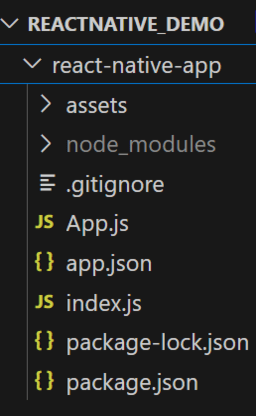
Now go into your project folder, i.e., react-native-demo
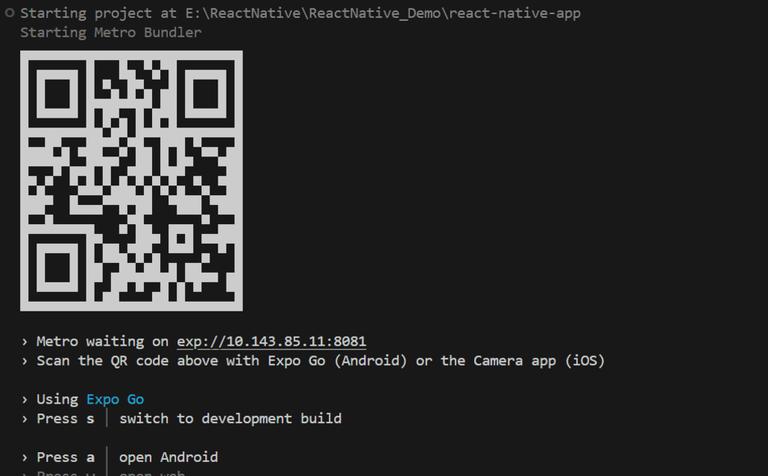
cd app-nameStart the server by using the following command.
npx expo startThen, the application will display a QR code.
Code implements an OTP (One-Time Password) generator and validator interface. It uses the useState hook to manage the OTP, user input, and validation status. The app allows users to generate and validate OTPs. It conditionally renders the OTP box and displays the generated OTP inside a bordered box when the "Generate OTP" button is clicked. The user can enter the OTP in the input field and click the "Validate OTP" button to check its validity. The code also includes styles for the components, such as buttons, input fields, and text elements, with appropriate visual feedback for valid and invalid OTPs. Let's explore the code in detailed.
- : Import required libraries at the top of the file.
- : Create a StyleSheet to style components like container, box, title, etc.
- : This title explains what the app does. We use the text "OTP Generator | Validator" to show that the app can generate and validate OTPs (One-Time Passwords).
- : This button is used to interact with the user. When the user taps on it, it calls a function called generateOtp, which generates a One-Time Password (OTP). The button is designed by placing a text saying "Generate OTP" inside a TouchableOpacity component.
- : This function creates a 6-character OTP (One-Time Password). It uses Math.random and Math.floor to generate the OTP. Then, it updates the otp state variable with the new OTP by using the setOtp function. It also sets the isValid state variable to null by calling setIsValid with null. Finally, it changes the showOtpBox state variable to true by using setShowOtpBox, which means the OTP box will be shown.
- : Display the OTP generated using the following code; it will only display if showOtpBox is true.
- : We have a TextInput for users to enter their OTP (One Time Password) and a button to check if the entered OTP matches the one that was generated. The TextInput uses a function called setUserInput to save what the user types in. This updates the userInput state variable so we can see the input. When you click the "Validate OTP" button, it calls a function called validateOtp, which checks if the generated OTP and the user-entered OTP are the same.
- : This function checks if the generated OTP matches the user's entered OTP by comparing the otp and userInput state variables. If they match, the function sets the isValid variable to true by calling setIsValid with true. If they do not match, it calls setIsValid with false.
- : After updating the value of isValid, below code will display "Valid OTP" if the isValid is true and "Invalid OTP" if it is false.
Now, wrap all design code with a View component, return it from the App component, and place all methods and useStates within the App component. Ensure to export the App.
App.js:
Output: